

Add Domain to Resend
First, log in to your Resend Account and add a domain.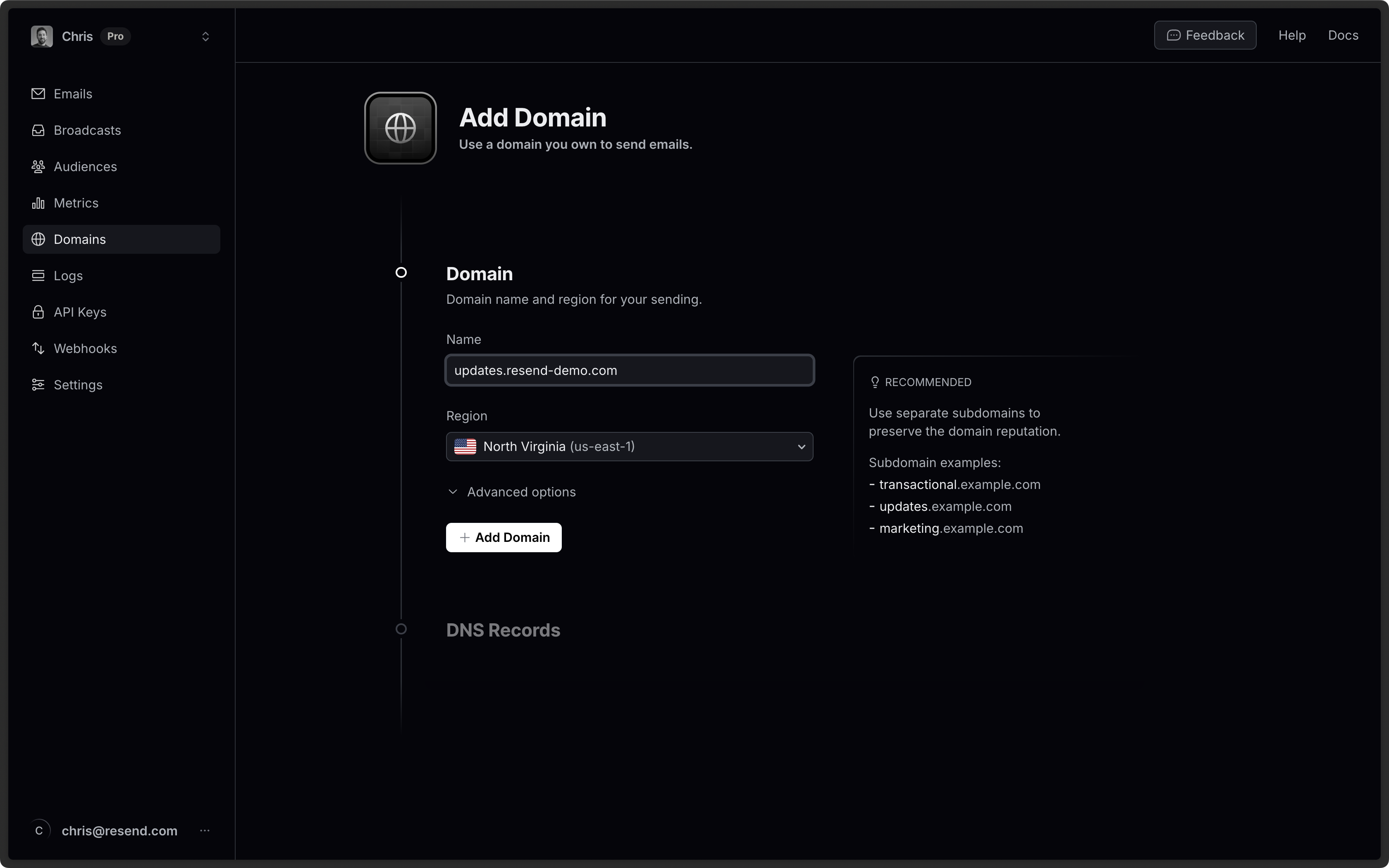
Log in to Porkbun
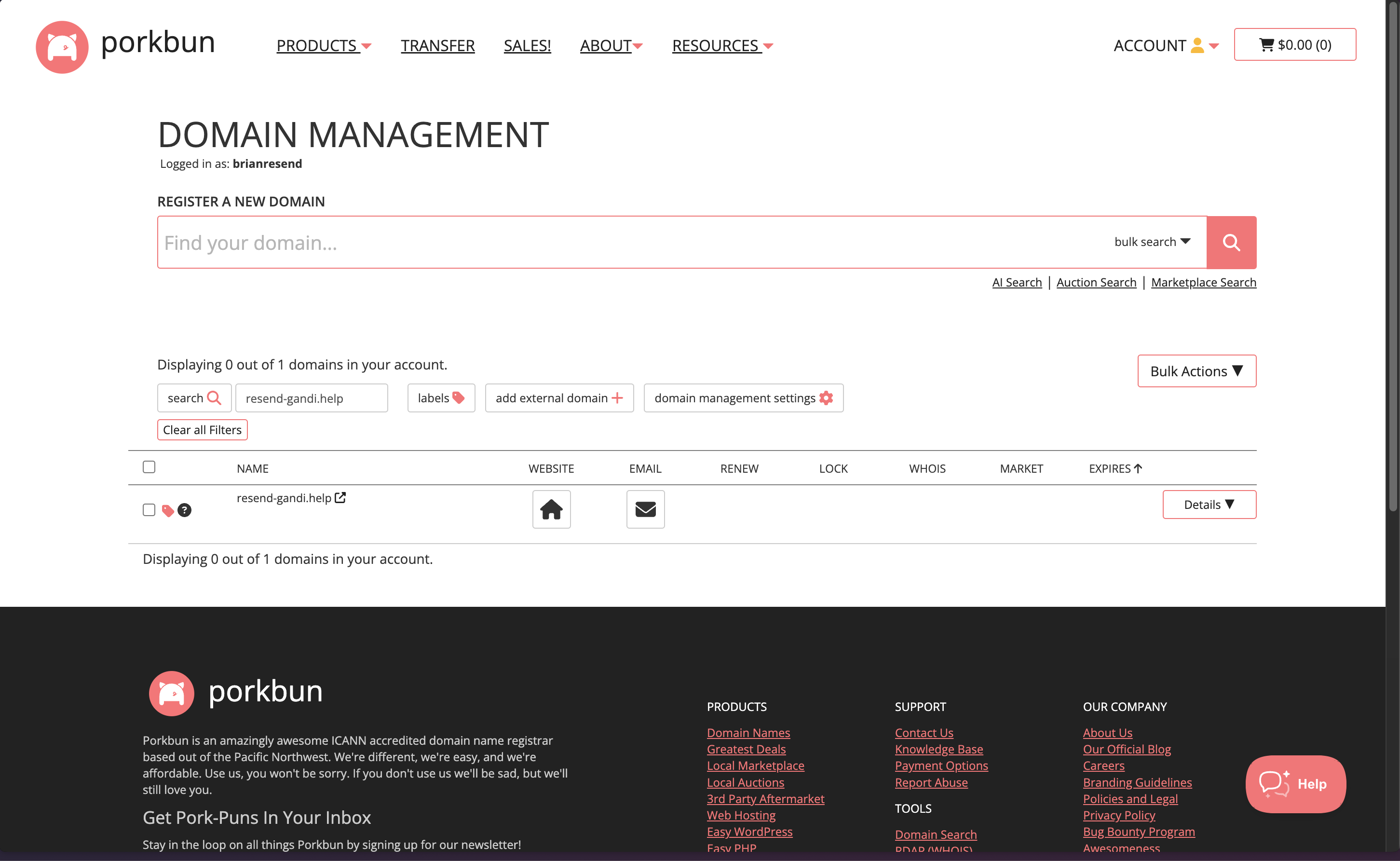
Log in to your Porkbun account:- Select the
DNSoption under your domain to manage DNS records.
Add MX SPF Record
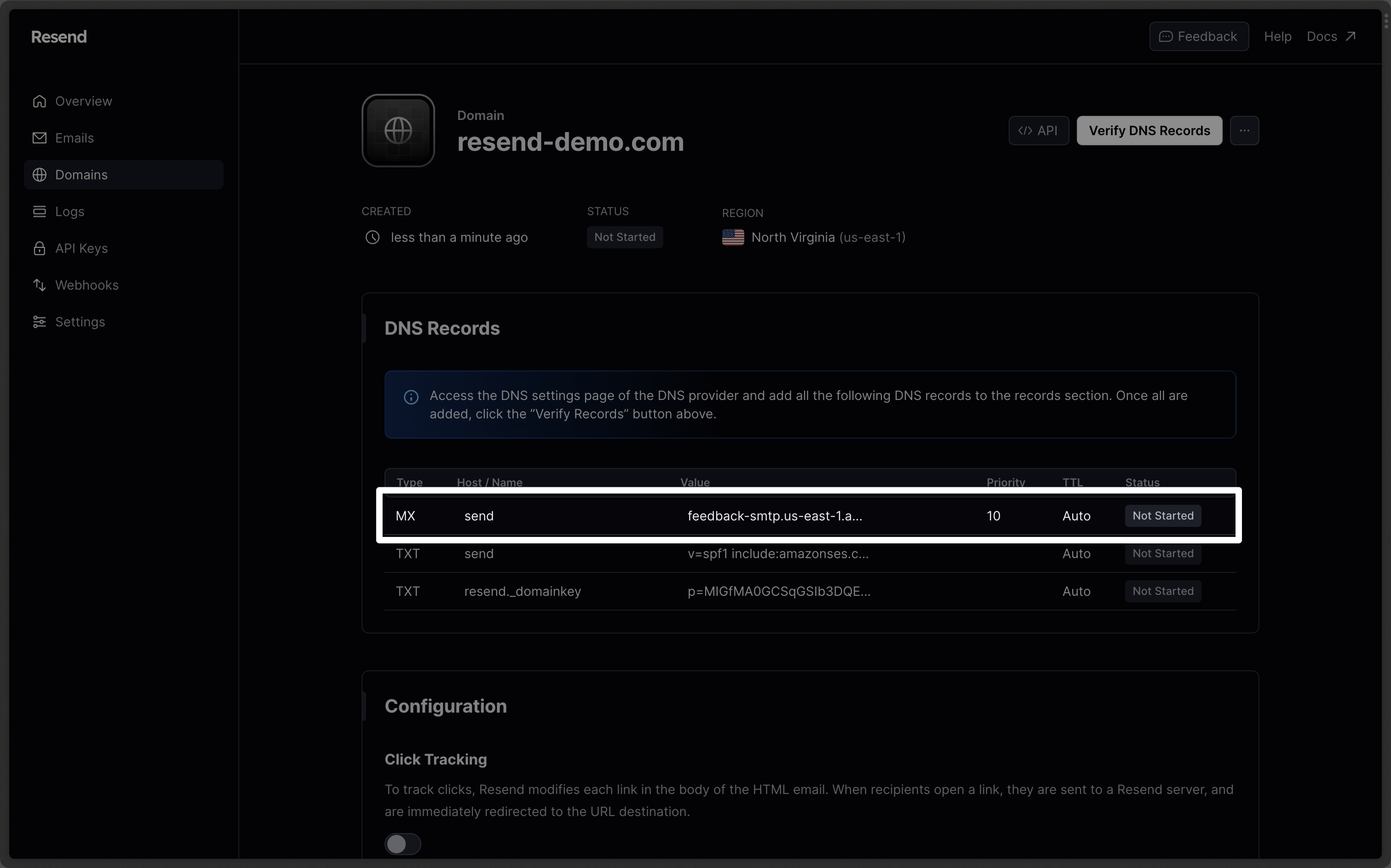
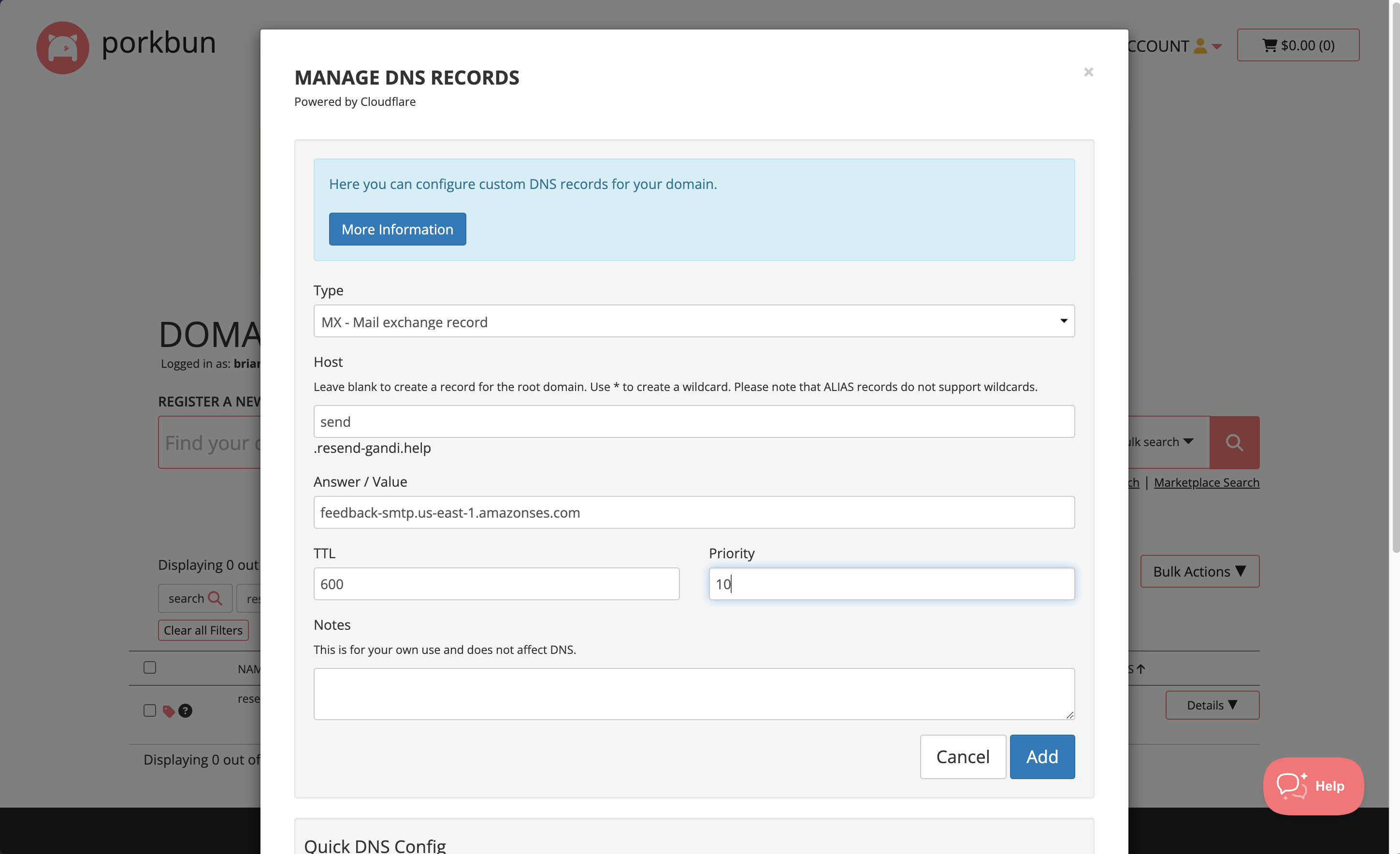
In theDNS section on Porkbun copy and paste the values MX from Resend:
- On the
Typepage, chooseMX. - Type
sendfor theHostof the record. - Copy the MX Value from Resend into the
Answer / Valuefield. - Use the default TTL of
600. - In the
Priorityfield enter10. - Select
Add.
Do not use the same priority for multiple records. If Priority
10 is already
in use on another record, try a higher value 20 or 30.Add TXT SPF Record
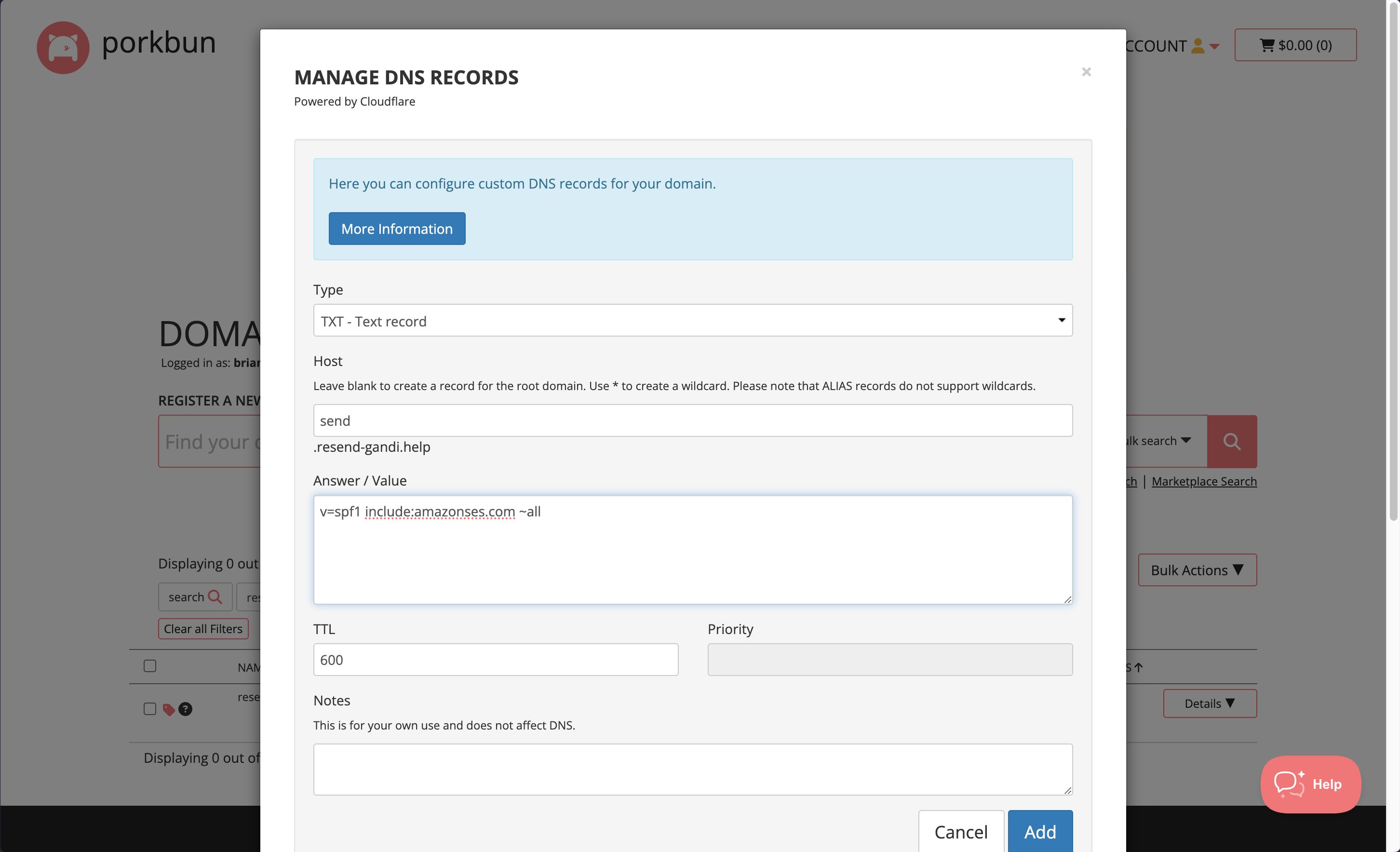
On the same section:- On the
Typepage, chooseTXT. - Type
sendfor theHostof the record. - Copy the TXT Value Resend into the
Answer / Valuefield. - Use the default TTL of
600. - Select
Add Record.
Omit your domain from the record values in Resend when you paste. Instead of
send.example.com, paste only send (or send.subdomain if you’re using a
subdomain).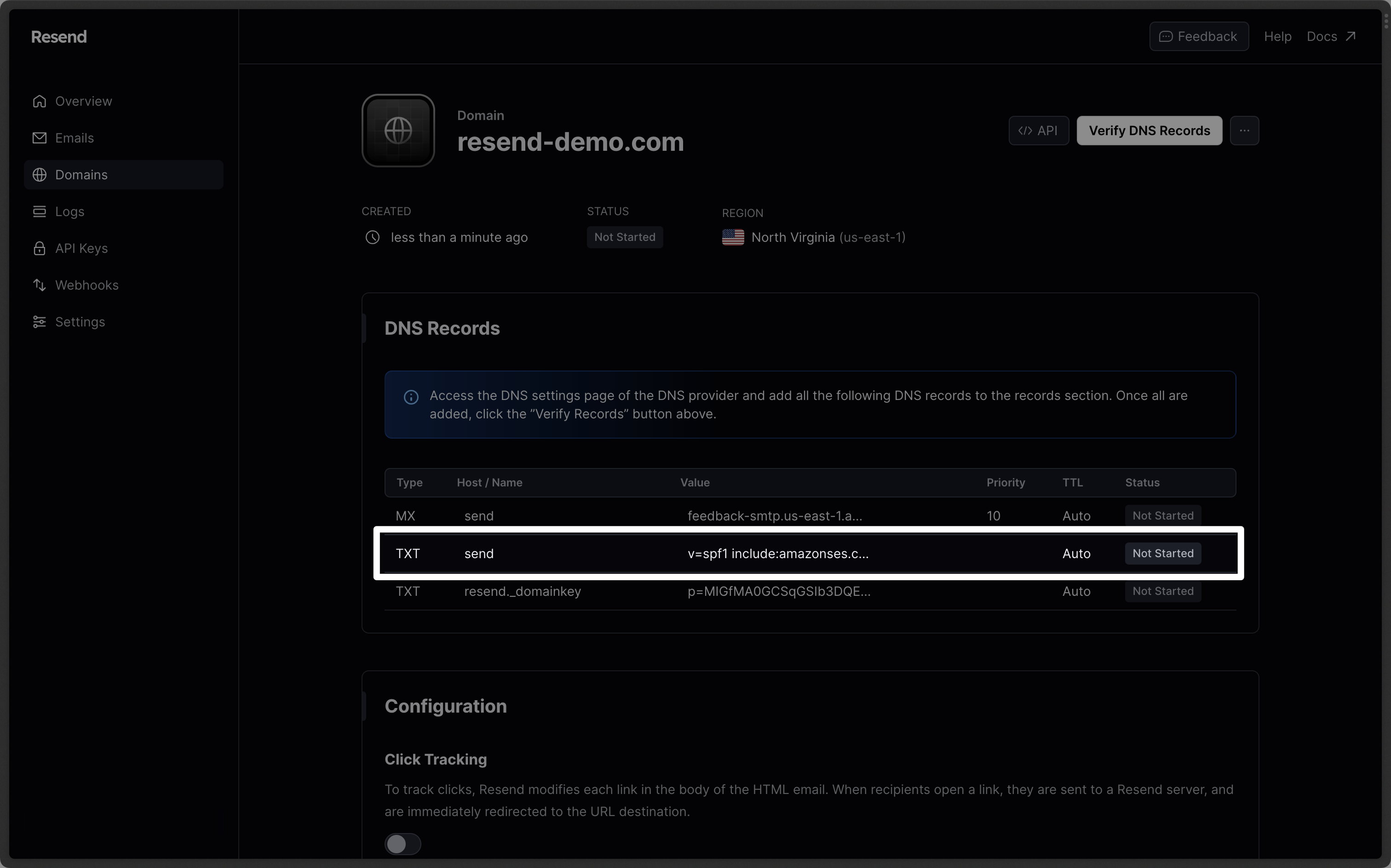
Add TXT DKIM Records
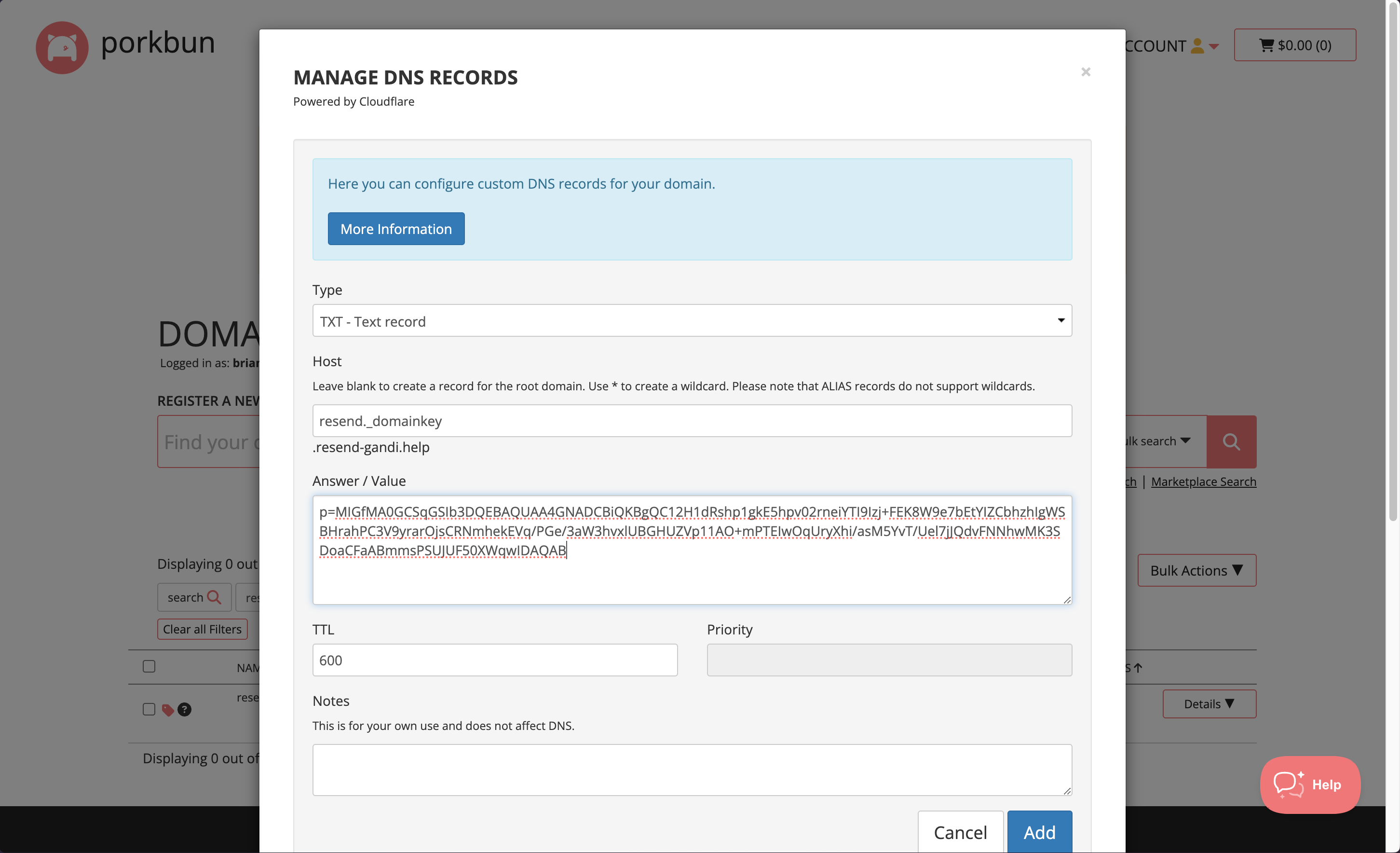
On the sameCreate Record section:
- On the
Typepage, chooseTXT. - Type
resend._domainkeyfor theHostof the record. - Copy the TXT Value Resend into the
Answer / Valuefield. - Use the default TTL of
600. - Select
Add Record.
Omit your domain from the record values in Resend when you paste. Instead of
resend._domainkey.example.com, paste only resend._domainkey (or
resend._domainkey.subdomain if you’re using a subdomain).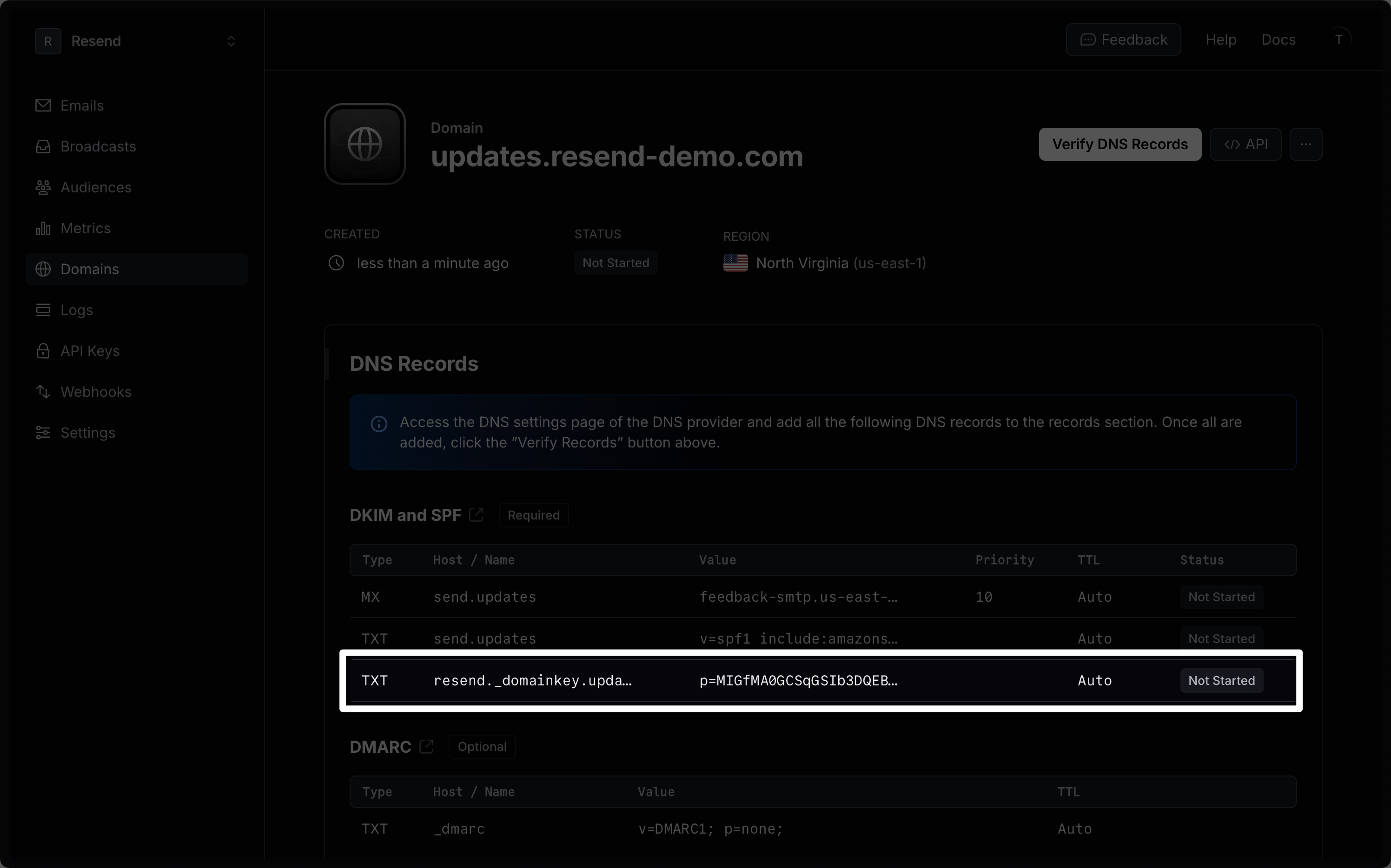
Receiving Emails
If you want to receive emails at your domain, toggle the “Receiving” switch on the domain details page.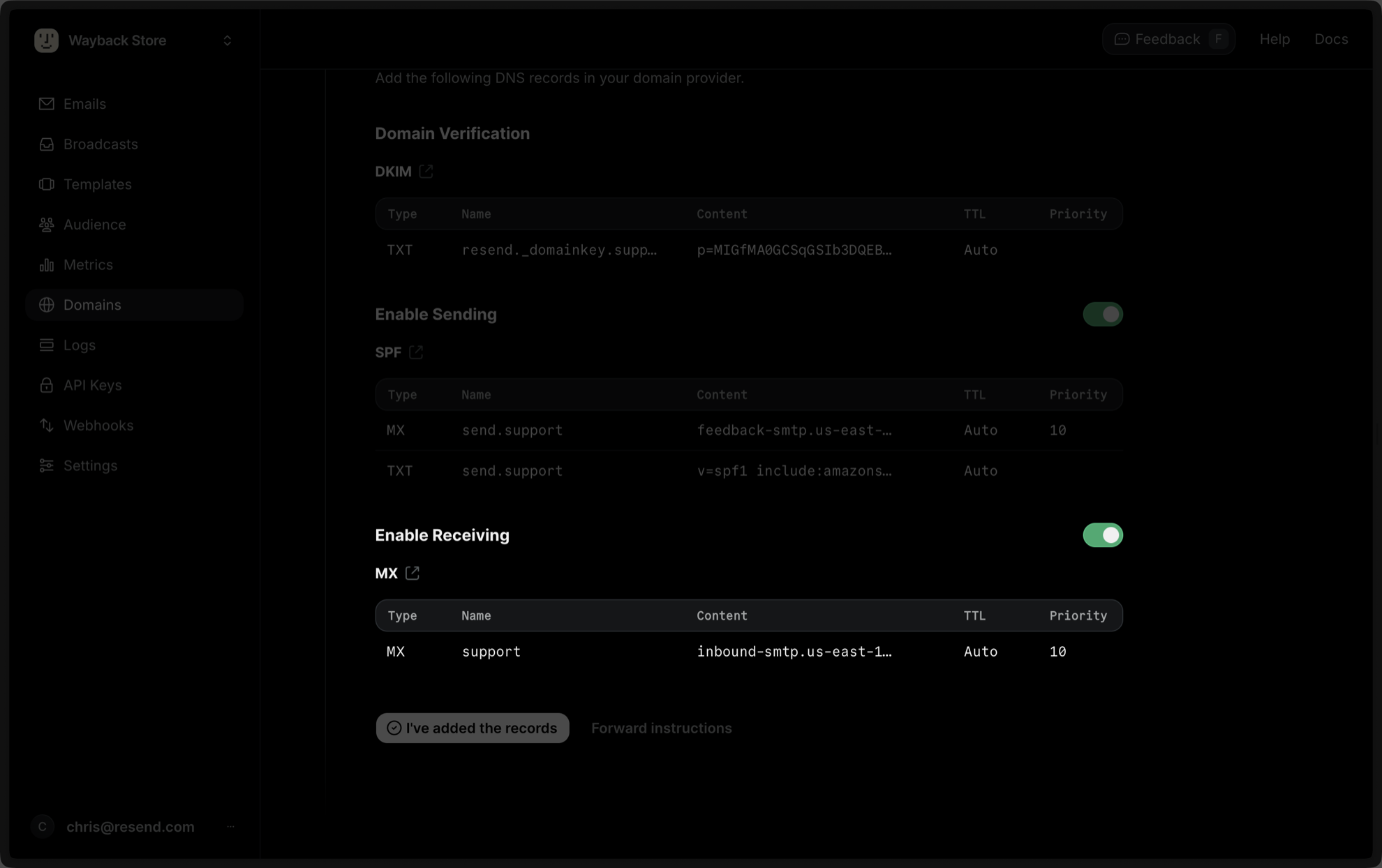
DNS section on Porkbun:
- On the
Typepage, chooseMX. - Type
inbound(or whatever your subdomain is) for theHostof the record. - Copy the MX Value from Resend into the
Answer / Valuefield. - Use the default TTL of
600. - In the
Priorityfield enter10. - Select
Add.
After verifying your domain, create a webhook to process incoming emails. For help setting up a webhook, how to access email data and attachments, forward emails, and more, see our guide on receiving emails with Resend.
Complete Verification
Now click Verify DNS Records on your Domain in Resend. It may take a few hours to complete the verification process (often much faster).Troubleshooting
If your domain is not successfully verified, these are some common troubleshooting methods.Resend shows my domain verification failed.
Resend shows my domain verification failed.
Review the records you added to Porkbun to rule out copy and paste errors.
It has been longer than 72 hours and my domain is still Pending.
It has been longer than 72 hours and my domain is still Pending.