

- Payment: Wait for a payment to succeed before sending a receipt.
- Adoption: Wait for a user to complete an action to unlock a feature.
- Verification: Wait for the user to verify their email before continuing.
How it works
- Using the dashboard
- Using the API
Add a Wait for event step and configure the event to wait for.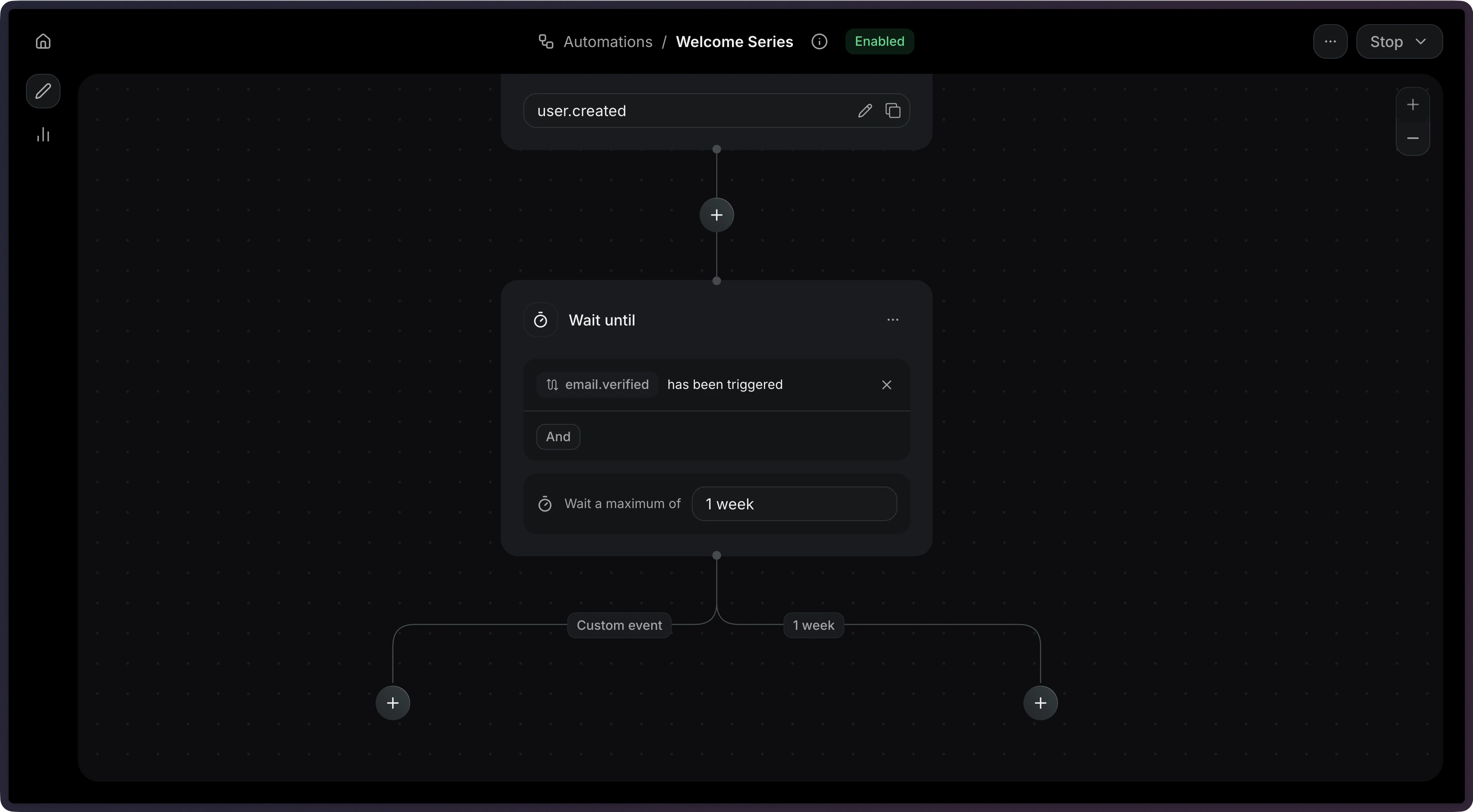
Timeouts
When you set atimeout, the step will stop waiting after that duration. This prevents Automations from waiting indefinitely.
When a wait-until step times out, it produces two possible connection types:
You can create different paths depending on whether the user took action within an given time period.
The maximum timeout is 30 days.
Filter rules
Usefilter_rule to match events that meet only specific criteria. This is useful when the same event name might be sent with different payloads.
wait_events.* is not available.
fieldreads the incoming event (event.*) or the Automation’s contact (contact.*).valueis a fixed value, or it reads the event that triggered the Automation (event.*) or the contact (contact.*).
Compare against the triggering event
field and value can use the same path and still read different payloads. In a value, event.* is the event that triggered the Automation, not the incoming event.
For example, an Automation triggered by order.placed can wait for order.paid for the same order:
field reads order_id from the incoming order.paid event, and value reads order_id from the order.placed event that started the Automation. order.paid events for other orders don’t resume it.
A value can also reference the contact, such as { "var": "contact.email" }. Neither field nor value can reference wait_events.*.
Use the received event in later steps
When the event arrives, steps after the wait can read its payload withwait_events. The path is wait_events., then the event name, then the payload field. In wait_events.order.shipped.tracking_url, the event name is order.shipped and the field is tracking_url.
For example, wait for order.shipped, then send its tracking link:
event_received path. On the timeout path, the event never arrived, so there’s no payload to read.
You can use wait_events in send email variables, contact update fields, and condition rules.
Configuration
string
required
The name of the event to wait for.
string
The maximum time to wait before timing out (e.g.
"3 days", "1 hour").
Maximum: 30 days.object
An optional rule that filters which incoming events resume the step.
wait_events. is not available.order.paid only when it is the order that started the Automation. field reads order_id on the incoming event. value reads order_id on the triggering event.
Example