

links.emails.example.com).
- Using the dashboard
- Using the API
Go to the Domains page and click on the domain you want to configure.In the Configuration tab, click Configure under Enable tracking metrics.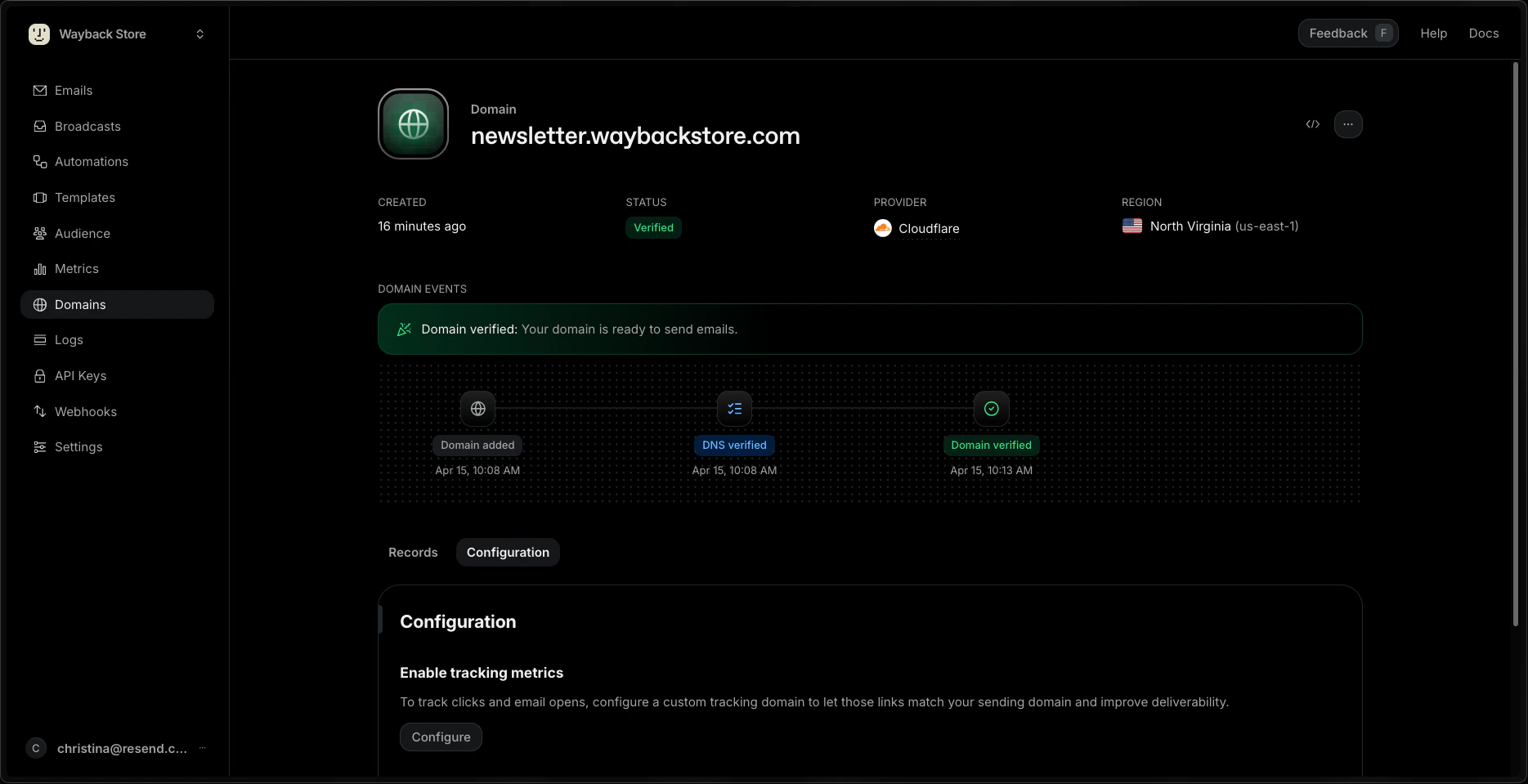
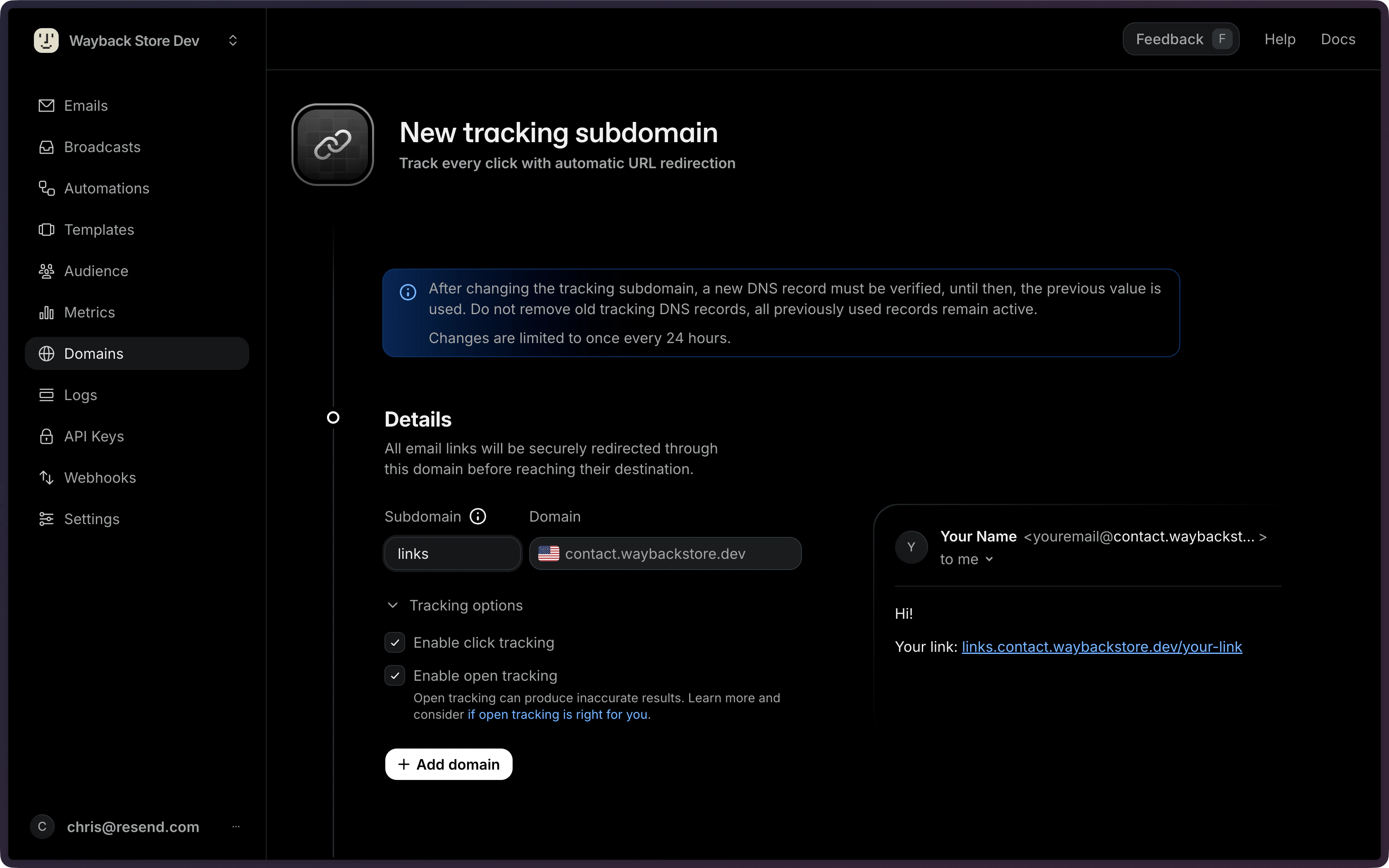
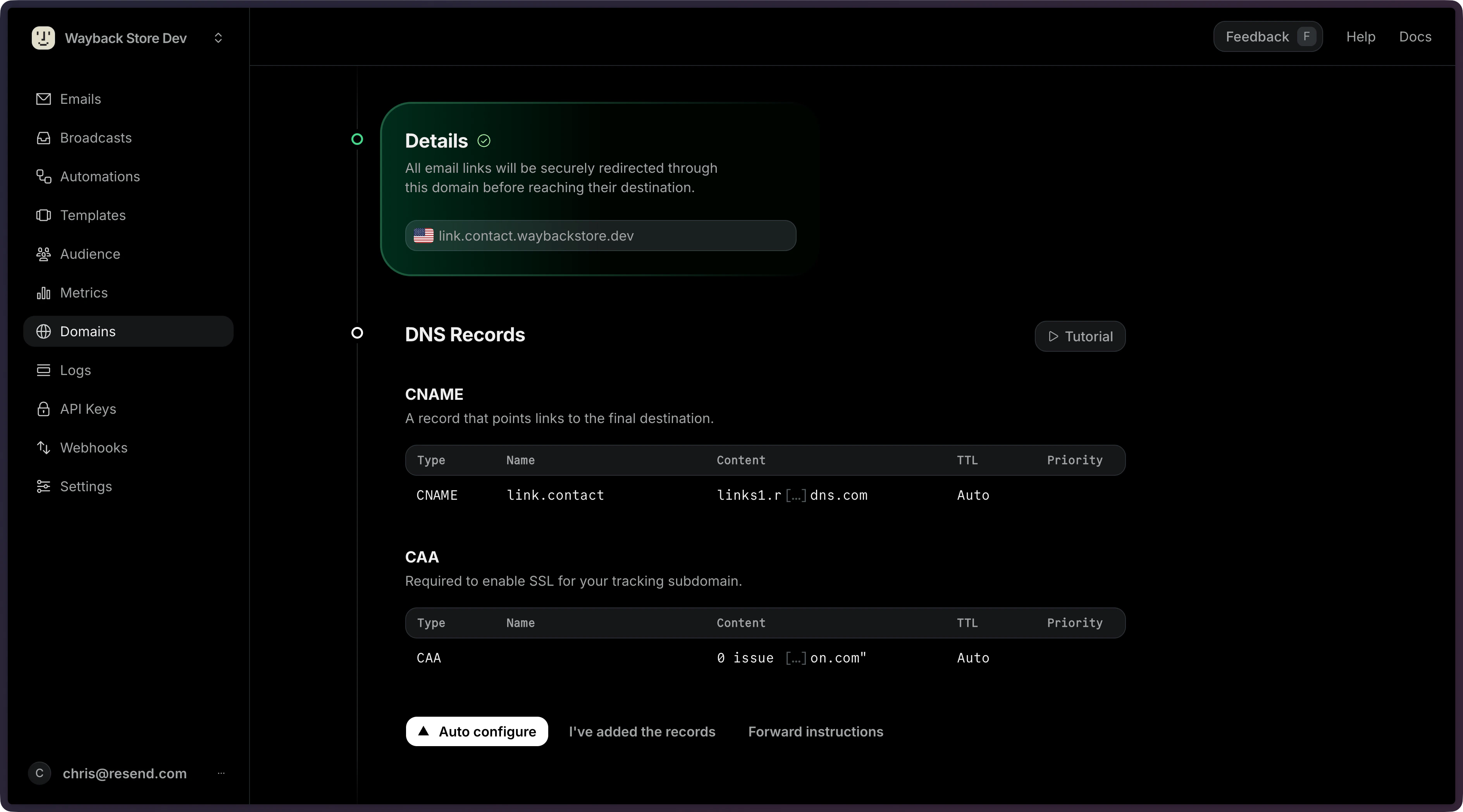
If we detect CAA records on your domain, we will show an additional CAA record
that needs to be created. This ensures that we can issue a TLS certificate for
your tracking subdomain.
How Open Tracking Works
A 1x1 pixel transparent GIF image is inserted in each email and includes a unique reference to this image file. When the image is downloaded, Resend can tell exactly which message was opened and by whom.How Click Tracking Works
To track clicks, Resend modifies each link in the body of the HTML email to point to your tracking subdomain. When recipients clicks a link, the request is redirected to your tracking subdomain, their click event is recorded, and they are redirected to the original URL.Troubleshooting
Multiple tracking CNAME records
When you change your tracking subdomain, you may see two CNAME records in the DNS Records table: one active and one inactive (shown dimmed). The inactive record is kept intentionally to avoid breaking links in emails that were already sent using the previous subdomain. You do not need to remove it.Changing the Tracking Subdomain
Because tracking subdomains are used in email links, they’re handled differently than other records.- Not removable: After your tracking subdomain has been created, it can only be changed, never removed. This behavior preserves any email links that may already be sent with the current tracking subdomain. For this reason, do not remove old tracking DNS records. (All previously used records remain active and are included in the response.)
- Requires verification: After changing the tracking subdomain, a new DNS record must be verified. Until then, the previous value is used.