---
title: "Mailgun to Resend"
slug: mailgun
description: "A guide on how to quickly switch from Mailgun to Resend."
image: /static/migrate/mailgun-og.jpg
hero_image: /static/migrate/mailgun-resend.png
updated_at: "2024-11-28"
---
## Introduction
If you're considering migrating from Mailgun to Resend, you're in the right place.
This guide will help you understand the key differences between the two services and provide you with the necessary steps to make the transition as smooth as possible.
**Jump ahead**
- **[History](#history)**
- **[Concepts](#concepts)**
- **[Official SDKs](#official-sdks)**
- **[Send email via API](#send-email-via-api)**
- **[Send email via SMTP](#send-email-via-smtp)**
- **[Webhooks](#webhooks)**
- **[Security & Privacy](#security-privacy)**
- **[Idempotency Keys](#idempotency-keys)**
- **[Additional Features](#additional-features)**
- **[Pricing](#pricing)**
- **[Conclusion](#conclusion)**
## History
Mailgun and Resend are both email delivery services, but they have different histories and focuses.
**Key differences**
- Mailgun was founded in 2010. In September 2021, [Sinch acquired Mailgun](https://www.sinch.com/news/sinch-acquires-mailgun-and-mailjet/).
- Resend was founded in 2023. Resend has a focus on providing a modern developer experience.
## Concepts
Both Mailgun and Resend provide user-friendly dashboards for managing your email sending.
**Domains**
In Mailgun and Resend you need to access the _Domains_ page to verify your domain.
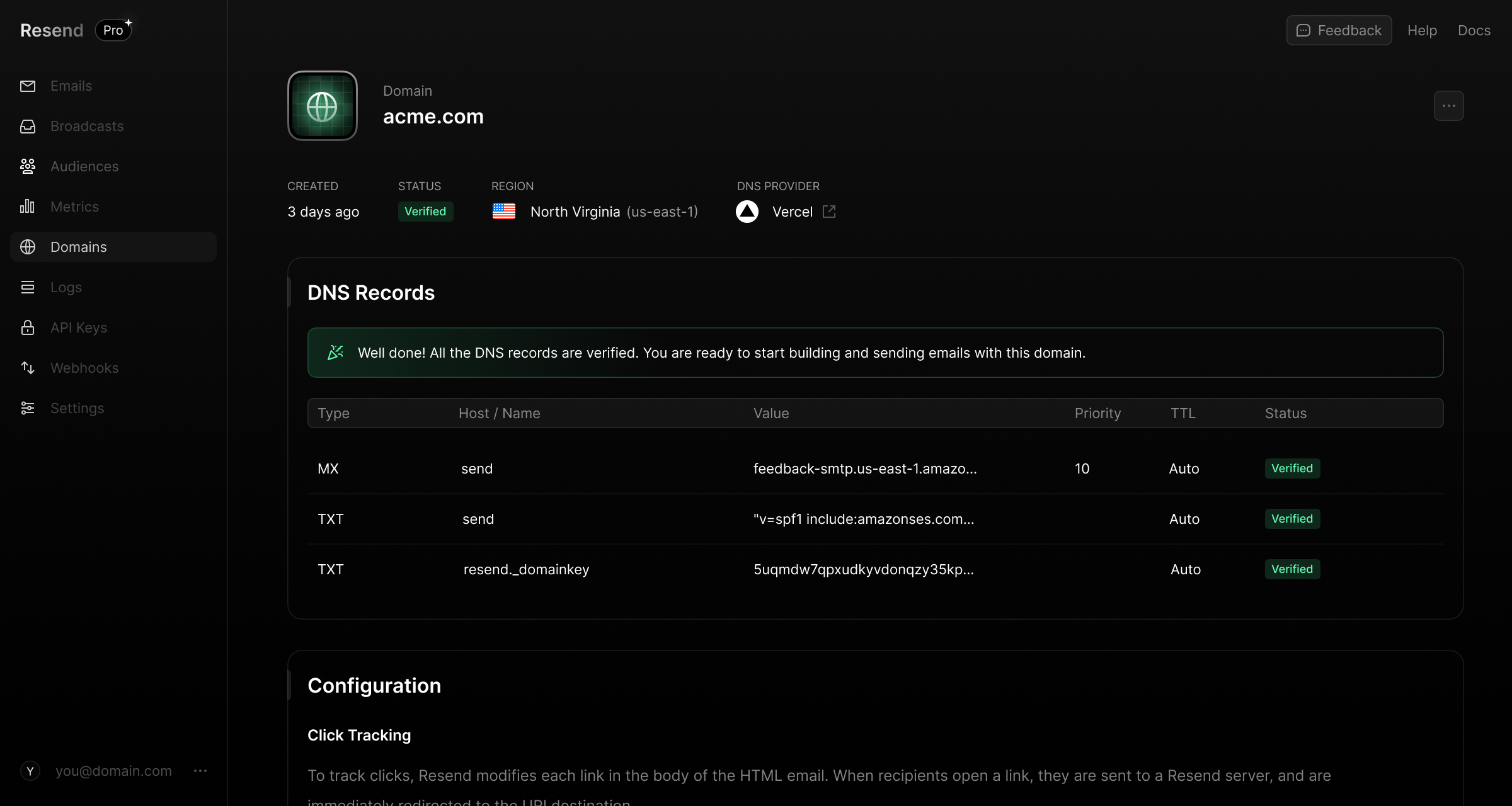 Both Mailgun and Resend offer similar authentication features.
**Activity Feed**
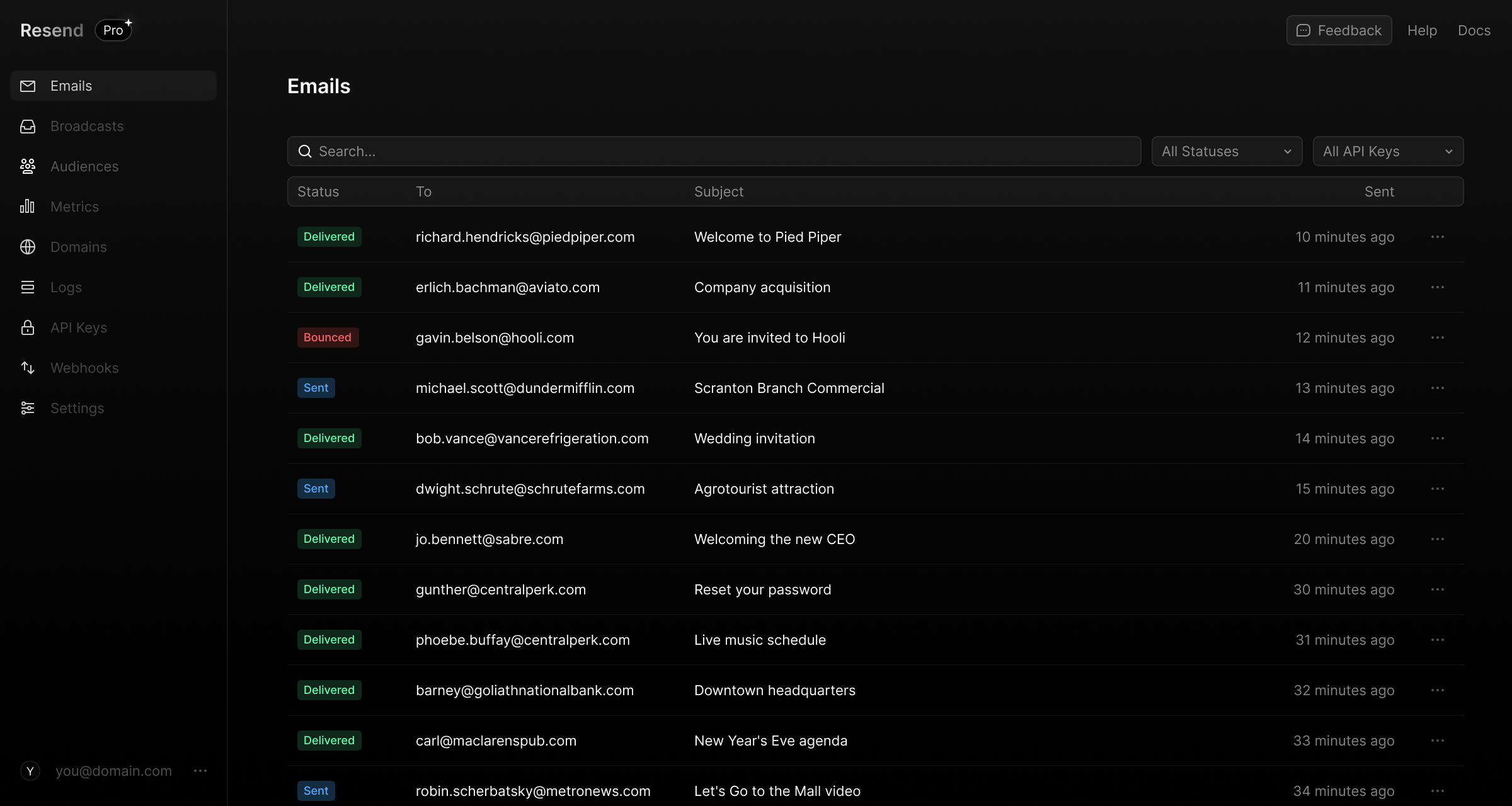
When you send email through Mailgun, sent email is visible on the _Dashboard_ page.
When you send email with Resend, emails are visible on the _Emails_ page.
Both Mailgun and Resend offer similar authentication features.
**Activity Feed**
When you send email through Mailgun, sent email is visible on the _Dashboard_ page.
When you send email with Resend, emails are visible on the _Emails_ page.
 **Dashboard**
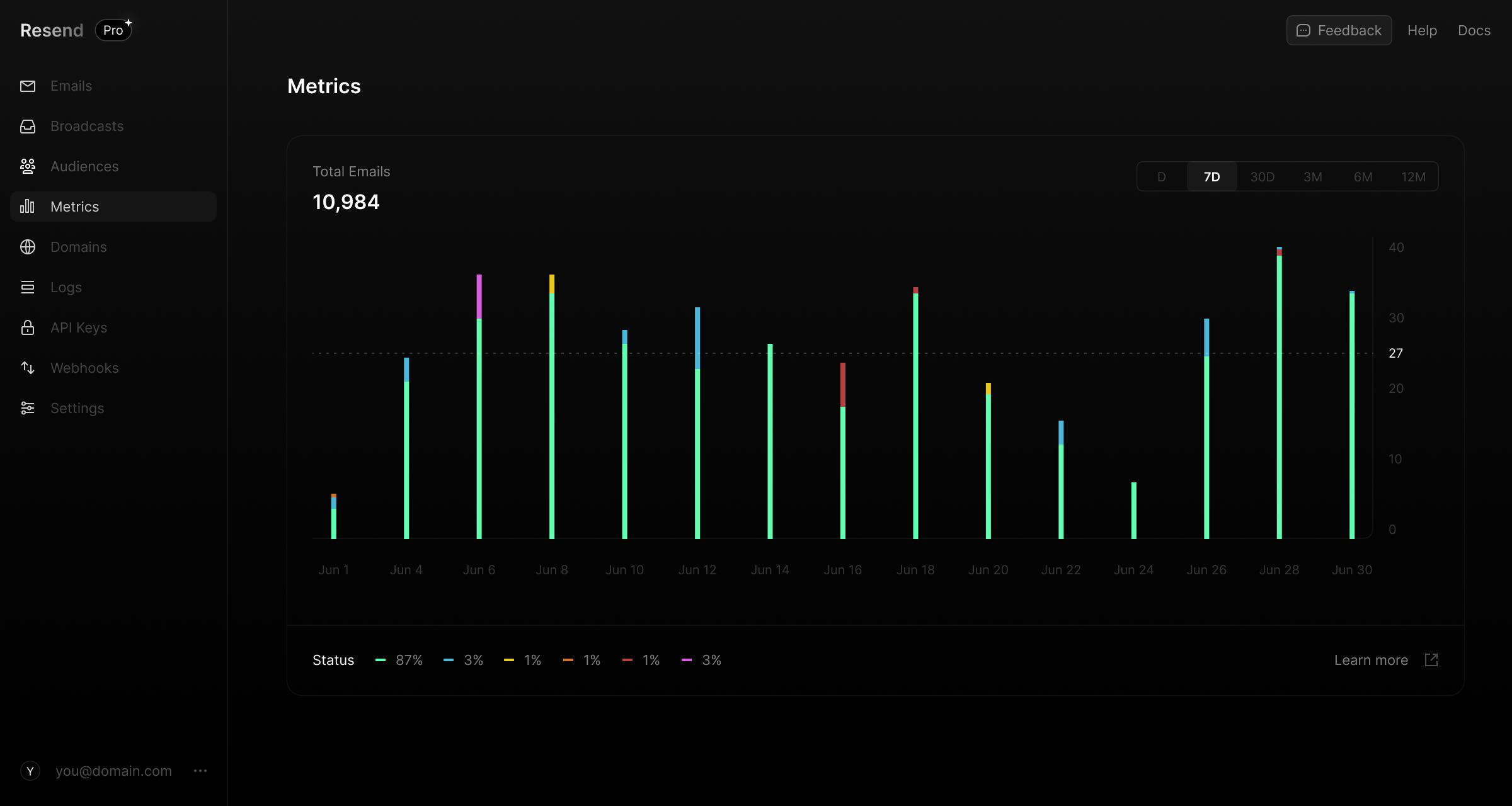
Mailgun shows sending statistics on the _Reporting_ page.
In Resend, statistics are shown on the _Metrics_ page.
**Dashboard**
Mailgun shows sending statistics on the _Reporting_ page.
In Resend, statistics are shown on the _Metrics_ page.
 ## Official SDKs
Both Mailgun and Resend provide official SDKs for various programming languages, making them easy to integrate into your application.
**Key differences**
- Mailgun does not have official SDKs for Python, Rust, or .NET.
## Send email via API
Both Mailgun and Resend provide a REST API (HTTP) and SDKs for sending emails programmatically.
**Key differences**
- Mailgun allows for sending emails as a Template ([see docs](https://documentation.mailgun.com/docs/mailgun/user-manual/sending-messages/#send-via-http)).
- Mailgun has a maximum size of 25 MB ([see docs](https://documentation.mailgun.com/docs/mailgun/user-manual/sending-messages/#send-via-http)).
- Resend has a maxiumum size of 40 MB ([see docs](https://resend.com/docs/api-reference/emails/send-email)).
_Mailgun_
```nodejs
const formData = require('form-data');
const Mailgun = require('mailgun.js');
const mailgun = new Mailgun(formData);
const mg = mailgun.client({username: 'api', key: process.env.MAILGUN_API_KEY || 'key-yourkeyhere'});
mg.messages.create('sandbox-123.mailgun.org', {
from: "Excited User ",
to: ["test@example.com"],
subject: "hello world",
text: "Testing some Mailgun awesomness!",
html: "
## Official SDKs
Both Mailgun and Resend provide official SDKs for various programming languages, making them easy to integrate into your application.
**Key differences**
- Mailgun does not have official SDKs for Python, Rust, or .NET.
## Send email via API
Both Mailgun and Resend provide a REST API (HTTP) and SDKs for sending emails programmatically.
**Key differences**
- Mailgun allows for sending emails as a Template ([see docs](https://documentation.mailgun.com/docs/mailgun/user-manual/sending-messages/#send-via-http)).
- Mailgun has a maximum size of 25 MB ([see docs](https://documentation.mailgun.com/docs/mailgun/user-manual/sending-messages/#send-via-http)).
- Resend has a maxiumum size of 40 MB ([see docs](https://resend.com/docs/api-reference/emails/send-email)).
_Mailgun_
```nodejs
const formData = require('form-data');
const Mailgun = require('mailgun.js');
const mailgun = new Mailgun(formData);
const mg = mailgun.client({username: 'api', key: process.env.MAILGUN_API_KEY || 'key-yourkeyhere'});
mg.messages.create('sandbox-123.mailgun.org', {
from: "Excited User ",
to: ["test@example.com"],
subject: "hello world",
text: "Testing some Mailgun awesomness!",
html: "Testing some Mailgun awesomness!
"
})
.then(msg => console.log(msg))
.catch(err => console.error(err));
```
```ruby
require 'mailgun-ruby'
mg_client = Mailgun::Client.new 'your-api-key'
message_params = { from: 'bob@sending_domain.com',
to: 'sally@example.com',
subject: 'hello world',
text: 'It is really easy to send a message!'
}
mg_client.send_message 'sending_domain.com', message_params
```
```php
require 'vendor/autoload.php';
use Mailgun\Mailgun;
$mg = Mailgun::create('key-example'); // For US servers
$mg = Mailgun::create('key-example', 'https://api.eu.mailgun.net'); // For EU servers
$mg->messages()->send('example.com', [
'from' => 'bob@example.com',
'to' => 'sally@example.com',
'subject' => 'hello world',
'text' => 'It is so simple to send a message.'
]);
```
```python
# No official SendGrid SDK for Python
```
```go
package main
import (
"context"
"fmt"
"log"
"time"
"github.com/mailgun/mailgun-go/v4"
)
var yourDomain string = "your-domain-name"
var privateAPIKey string = "your-private-key"
func main() {
mg := mailgun.NewMailgun(yourDomain, privateAPIKey)
//When you have an EU-domain, you must specify the endpoint:
//mg.SetAPIBase("https://api.eu.mailgun.net/v3")
sender := "sender@example.com"
subject := "hello world"
body := "Hello from Mailgun Go!"
recipient := "recipient@example.com"
message := mg.NewMessage(sender, subject, body, recipient)
ctx, cancel := context.WithTimeout(context.Background(), time.Second*10)
defer cancel()
resp, id, err := mg.Send(ctx, message)
if err != nil {
log.Fatal(err)
}
fmt.Printf("ID: %s Resp: %s\n", id, resp)
}
```
```rust
// No official SendGrid SDK for Rust
```
```java
// For US servers
MailgunClient.config(PRIVATE_API_KEY)
// For EU servers
MailgunClient.config(EU_BASE_URL, PRIVATE_API_KEY)
Message message = Message.builder()
.from(EMAIL_FROM)
.to(USER_EMAIL)
.subject(SUBJECT)
.text(TEXT)
.build();
MessageResponse messageResponse = mailgunMessagesApi.sendMessage(DOMAIN, message);
```
```dotnet
// No official Mailgun SDK for .NET
```
```curl
curl -i -X POST \\
-u : \\
'https://api.mailgun.net/v3/{domain_name}/messages' \\
-H 'Content-Type: multipart/form-data' \\
-F html=string \\
-F from=string \\
-F to=string \\
-F subject=string
```
_Resend_
```nodejs
import { Resend } from 'resend';
const resend = new Resend('re_xxxxxxxxx');
await resend.emails.send({
from: 'Acme ',
to: ['delivered@resend.dev'],
subject: 'hello world',
html: 'it works!
',
});
```
```ruby
require "resend"
Resend.api_key = "re_xxxxxxxxx"
params = {
"from": "Acme ",
"to": ["delivered@resend.dev"],
"subject": "hello world",
"html": "it works!
"
}
sent = Resend::Emails.send(params)
puts sent
```
```php
$resend = Resend::client('re_xxxxxxxxx');
$resend->emails->send([
'from' => 'Acme ',
'to' => ['delivered@resend.dev'],
'subject' => 'hello world',
'html' => 'it works!
'
]);
```
```python
import resend
resend.api_key = "re_xxxxxxxxx"
params: resend.Emails.SendParams = {
"from": "Acme ",
"to": ["delivered@resend.dev"],
"subject": "hello world",
"html": "it works!
"
}
email = resend.Emails.send(params)
print(email)
```
```go
import (
"fmt"
"github.com/resend/resend-go/v2"
)
func main() {
ctx := context.TODO()
client := resend.NewClient("re_xxxxxxxxx")
params := &resend.SendEmailRequest{
From: "Acme ",
To: []string{"delivered@resend.dev"},
Subject: "hello world",
Html: "it works!
"
}
sent, err := client.Emails.SendWithContext(ctx, params)
if err != nil {
panic(err)
}
fmt.Println(sent.Id)
}
```
```rust
use resend_rs::types::{CreateEmailBaseOptions};
use resend_rs::{Resend, Result};
#[tokio::main]
async fn main() -> Result<()> {
let resend = Resend::new("re_xxxxxxxxx");
let from = "Acme ";
let to = ["delivered@resend.dev"];
let subject = "hello world";
let html = "it works!
";
let email = CreateEmailBaseOptions::new(from, to, subject)
.with_html(html);
let _email = resend.emails.send(email).await?;
Ok(())
}
```
```java
import com.resend.*;
public class Main {
public static void main(String[] args) {
Resend resend = new Resend("re_xxxxxxxxx");
CreateEmailOptions params = CreateEmailOptions.builder()
.from("Acme ")
.to("delivered@resend.dev")
.subject("hello world")
.html("it works!
")
.build();
CreateEmailResponse data = resend.emails().send(params);
}
}
```
```dotnet
using Resend;
IResend resend = ResendClient.Create( "re_xxxxxxxxx" );
var resp = await resend.EmailSendAsync( new EmailMessage()
{
From = "Acme ",
To = "delivered@resend.dev",
Subject = "hello world",
HtmlBody = "it works!
",
} );
Console.WriteLine( "Email Id={0}", resp.Content );
```
```curl
curl -X POST 'https://api.resend.com/emails' \\
-H 'Authorization: Bearer re_xxxxxxxxx' \\
-H 'Content-Type: application/json' \\
-d $'{
"from": "Acme ",
"to": ["delivered@resend.dev"],
"subject": "hello world",
"html": "it works!
"
}'
```
## Send email via SMTP
Both Mailgun and Resend support sending emails via SMTP.
SMTP stands for Simple Mail Transfer Protocol. It is a text-based protocol in which one server communicates with another to send an email.
**Key differences**
_Configurations_
- Mailgun allows for the passing of sending options, like Tags in the SMTP headers ([see docs](https://documentation.mailgun.com/docs/mailgun/user-manual/sending-messages/#passing-sending-options))
- Mailgun offers the ability to private label the use of Mailgun at an SMTP level via a CNAME record ([see docs](https://help.mailgun.com/hc/en-us/articles/4402025030427-Can-I-private-label-the-Mailgun-SMTP-hostname))
- Mailgun allows for the creation of a Username and Password based on the domain ([see docs](https://documentation.mailgun.com/docs/mailgun/user-manual/smtp-protocol/)).
- Resend uses a standard value for the Username and the API Key as the Password ([see docs](https://resend.com/docs/send-with-smtp)).
## Webhooks
Both Mailgun and Resend provide webhooks to notify your application of email events.
**Key differences**
- Mailgun has a category called Failure, which happens when emails have both a hard and a soft bounce.
- Resend has logs of webhook requests, allowing you to see the status of your webhook responses ([see docs](https://resend.com/docs/dashboard/webhooks/introduction#3-test-that-your-webhook-endpoint-is-working-properl)).
## Security & Privacy
Mailgun and Resend both have robust and similar security features.
**Key differences**
- Mailgun is HIPAA compliant.
- Mailgun does not offer Google, or GitHub as authentication methods, while Resend does.
## Idempotency Keys
Resend supports idempotency keys on the `POST /emails` and `POST /emails/batch` endpoints.
> Mailgun does not currently support idempotency keys.
An idempotent operation is an action you can perform more than once, with the same input, and it always produces the same outcome and avoids repeating side effects.
By adding an `Idempotency-Key` header, or using the equivalent field on our SDKs, you can tell Resend that this specific email should only be sent once, even if we get more than one request from you about it.
`POST /emails`
```nodejs
await resend.emails.send(
{
from: 'Acme ',
to: ['delivered@resend.dev'],
subject: 'hello world',
html: 'it works!
',
},
{
idempotencyKey: 'welcome-user/123456789',
},
);
```
```php
$resend = Resend::client('re_xxxxxxxxx');
$resend->emails->send([
'from' => 'Acme ',
'to' => ['delivered@resend.dev'],
'subject' => 'hello world',
'html' => 'it works!
',
], [
'idempotency_key' => 'welcome-user/123456789',
]);
```
```python
params: resend.Emails.SendParams = {
"from": "Acme ",
"to": ["delivered@resend.dev"],
"subject": "hello world",
"html": "it works!
"
}
options: resend.Emails.SendOptions = {
"idempotency_key": "welcome-user/123456789",
}
resend.Emails.send(params, options)
```
```ruby
params = {
"from": "Acme ",
"to": ["delivered@resend.dev"],
"subject": "hello world",
"html": "it works!
"
}
Resend::Emails.send(
params,
options: { idempotency_key: "welcome-user/123456789" }
)
```
```go
ctx := context.TODO()
params := &resend.SendEmailRequest{
From: "onboarding@resend.dev",
To: []string{"delivered@resend.dev"},
Subject: "hello world",
Html: "it works!
",
}
options := &resend.SendEmailOptions{
IdempotencyKey: "welcome-user/123456789",
}
_, err := client.Emails.SendWithOptions(ctx, params, options)
if err != nil {
panic(err)
}
```
```rust
use resend_rs::types::CreateEmailBaseOptions;
use resend_rs::{Resend, Result};
#[tokio::main]
async fn main() -> Result<()> {
let resend = Resend::new("re_xxxxxxxxx");
let from = "Acme ";
let to = ["delivered@resend.dev"];
let subject = "Hello World";
let email = CreateEmailBaseOptions::new(from, to, subject)
.with_html("it works!
")
.with_idempotency_key("welcome-user/123456789");
let _email = resend.emails.send(email).await?;
Ok(())
}
```
```java
CreateEmailOptions params = CreateEmailOptions.builder()
.from("Acme ")
.to("delivered@resend.dev")
.subject("hello world")
.html("it works!
")
.build();
RequestOptions options = RequestOptions.builder()
.setIdempotencyKey("welcome-user/123456789").build();
CreateEmailResponse data = resend.emails().send(params, options);
```
```dotnet
using Resend;
IResend resend = ResendClient.Create( "re_xxxxxxxxx" );
var key = IdempotencyKey.New( "welcome-user", 123456789 );
var resp = await resend.EmailSendAsync(key, new EmailMessage()
{
From = "Acme ",
To = "delivered@resend.dev",
Subject = "hello world",
HtmlBody = "it works!
",
} );
Console.WriteLine( "Email Id={0}", resp.Content );
```
```curl
curl -X POST 'https://api.resend.com/emails' \
-H 'Authorization: Bearer re_xxxxxxxxx' \
-H 'Content-Type: application/json' \
-H 'Idempotency-Key: welcome-user/123456789' \
-d $'{
"from": "Acme ",
"to": ["delivered@resend.dev"],
"subject": "hello world",
"html": "it works!
"
}'
```
`POST /emails/batch`
```nodejs
import { Resend } from 'resend';
const resend = new Resend('re_xxxxxxxxx');
await resend.batch.send(
[
{
from: 'Acme ',
to: ['foo@gmail.com'],
subject: 'hello world',
html: 'it works!
',
},
{
from: 'Acme ',
to: ['bar@outlook.com'],
subject: 'world hello',
html: 'it works!
',
},
],
{
idempotencyKey: 'team-quota/123456789',
},
);
```
```php
$resend = Resend::client('re_xxxxxxxxx');
$resend->batch->send(
[
[
'from' => 'Acme ',
'to' => ['foo@gmail.com'],
'subject' => 'hello world',
'html' => 'it works!
',
],
[
'from' => 'Acme ',
'to' => ['bar@outlook.com'],
'subject' => 'world hello',
'html' => 'it works!
',
]
],
[
'idempotency_key' => 'team-quota/123456789',
]
);
```
```python
import resend
from typing import List
resend.api_key = "re_xxxxxxxxx"
params: List[resend.Emails.SendParams] = [
{
"from": "Acme ",
"to": ["foo@gmail.com"],
"subject": "hello world",
"html": "it works!
",
},
{
"from": "Acme ",
"to": ["bar@outlook.com"],
"subject": "world hello",
"html": "it works!
",
}
]
options: resend.Batch.SendOptions = {
"idempotency_key": "team-quota/123456789",
}
resend.Batch.send(params, options)
```
```ruby
require "resend"
Resend.api_key = 're_xxxxxxxxx'
params = [
{
"from": "Acme ",
"to": ["foo@gmail.com"],
"subject": "hello world",
"html": "it works!
",
},
{
"from": "Acme ",
"to": ["bar@outlook.com"],
"subject": "world hello",
"html": "it works!
",
}
]
Resend::Batch.send(
params,
options: { idempotency_key: "team-quota/123456789" }
)
```
```go
package examples
import (
"fmt"
"os"
"github.com/resend/resend-go/v2"
)
func main() {
ctx := context.TODO()
client := resend.NewClient("re_xxxxxxxxx")
var batchEmails = []*resend.SendEmailRequest{
{
From: "Acme ",
To: []string{"foo@gmail.com"},
Subject: "hello world",
Html: "it works!
",
},
{
From: "Acme ",
To: []string{"bar@outlook.com"},
Subject: "world hello",
Html: "it works!
",
},
}
options := &resend.BatchSendEmailOptions{
IdempotencyKey: "team-quota/123456789",
}
sent, err := client.Batch.SendWithOptions(ctx, batchEmails, options)
if err != nil {
panic(err)
}
fmt.Println(sent.Data)
}
```
```rust
use resend_rs::types::CreateEmailBaseOptions;
use resend_rs::{Resend, Result};
#[tokio::main]
async fn main() -> Result<()> {
let resend = Resend::new("re_xxxxxxxxx");
let emails = vec![
CreateEmailBaseOptions::new(
"Acme ",
vec!["foo@gmail.com"],
"hello world",
)
.with_html("it works!
"),
CreateEmailBaseOptions::new(
"Acme ",
vec!["bar@outlook.com"],
"world hello",
)
.with_html("it works!
"),
];
let _emails = resend.batch.send_with_idempotency_key(emails, "team-quota/123456789").await?;
Ok(())
}
```
```java
import com.resend.*;
public class Main {
public static void main(String[] args) {
Resend resend = new Resend("re_xxxxxxxxx");
CreateEmailOptions firstEmail = CreateEmailOptions.builder()
.from("Acme ")
.to("foo@gmail.com")
.subject("hello world")
.html("it works!
")
.build();
CreateEmailOptions secondEmail = CreateEmailOptions.builder()
.from("Acme ")
.to("bar@outlook.com")
.subject("world hello")
.html("it works!
")
.build();
CreateBatchEmailsResponse data = resend.batch().send(
Arrays.asList(firstEmail, secondEmail),
Map.of("idempotency_key", "team-quota/123456789")
);
}
}
```
```dotnet
using Resend;
IResend resend = ResendClient.Create( "re_xxxxxxxxx" ); // Or from DI
var key = IdempotencyKey.New( "team-quota", 123456789 );
var mail1 = new EmailMessage()
{
From = "Acme ",
To = "foo@gmail.com",
Subject = "hello world",
HtmlBody = "it works!
",
};
var mail2 = new EmailMessage()
{
From = "Acme ",
To = "bar@outlook.com",
Subject = "hello world",
HtmlBody = "it works!
",
};
var resp = await resend.EmailBatchAsync(key, [ mail1, mail2 ] );
Console.WriteLine( "Nr Emails={0}", resp.Content.Count );
```
```curl
curl -X POST 'https://api.resend.com/emails/batch' \
-H 'Authorization: Bearer re_xxxxxxxxx' \
-H 'Content-Type: application/json' \
-H 'Idempotency-Key: team-quota/123456789' \
-d $'[
{
"from": "Acme ",
"to": ["foo@gmail.com"],
"subject": "hello world",
"html": "it works!
"
},
{
"from": "Acme ",
"to": ["bar@outlook.com"],
"subject": "world hello",
"html": "it works!
"
}
]'
```
Adding idempotency keys not only helps you avoid sending duplicate emails and using up your quota, but also enables building more robust and scalable systems.
## Additional Features
Outside of core email sending, Resend offers additional features that Mailgun does not have that may be helpful for you.
**No-code editor**
The no-code editor makes it easy for anyone to write, format, and send broadcast emails.
**Multi-Region**
Improve your email deliverability speed by using a region nearest to your users, with options beyond the US and EU.
## Pricing
Mailgun and Resend offer competitive pricing based on the number of emails sent.
**Key differences**
- Mailgun requires the Scale plan for Dedicated IP usage.
## Conclusion
Ready to migrate to Resend? Press `S` to get started. If there's anything else we can help with, contact our team, and we'll answer any questions you have.