> ## Documentation Index
> Fetch the complete documentation index at: https://resend.com/docs/llms.txt
> Use this file to discover all available pages before exploring further.
# Send emails using Customer.io with SMTP
> Learn how to integrate Customer.io with Resend SMTP.
### Prerequisites
Before you start, you'll need:
* A Resend [API key](/create-an-api-key)
* A [verified domain](/add-a-domain)
## 1. Get the Resend SMTP credentials
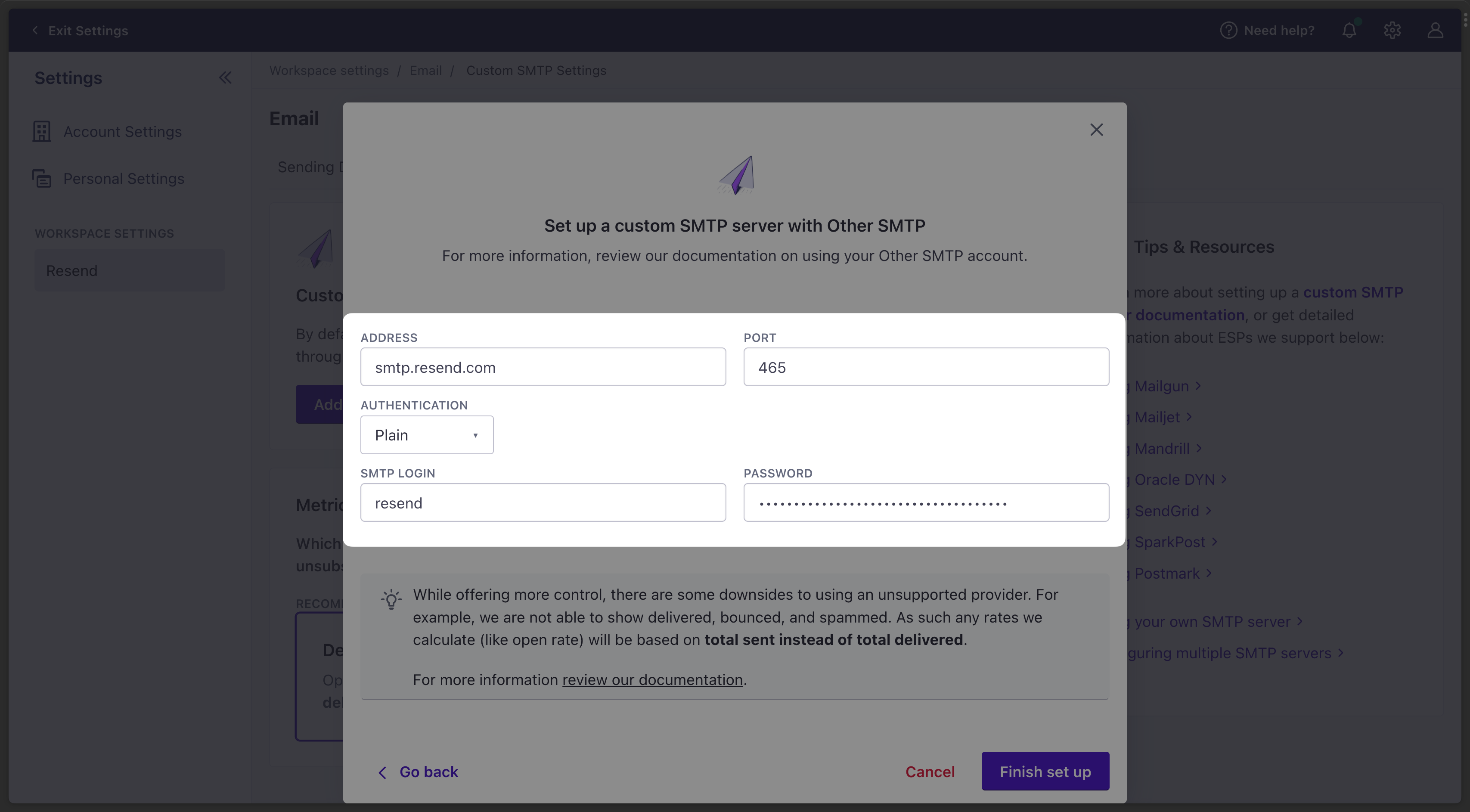
When configuring your SMTP integration, you'll need to use the following credentials:
* **Host**: `smtp.resend.com`
* **Port**: `465`
* **Username**: `resend`
* **Password**: `YOUR_API_KEY`
## 2. Integrate with Customer.io SMTP
After logging into your [Customer.io](https://customer.io) account, you'll need to enable the SMTP integration.
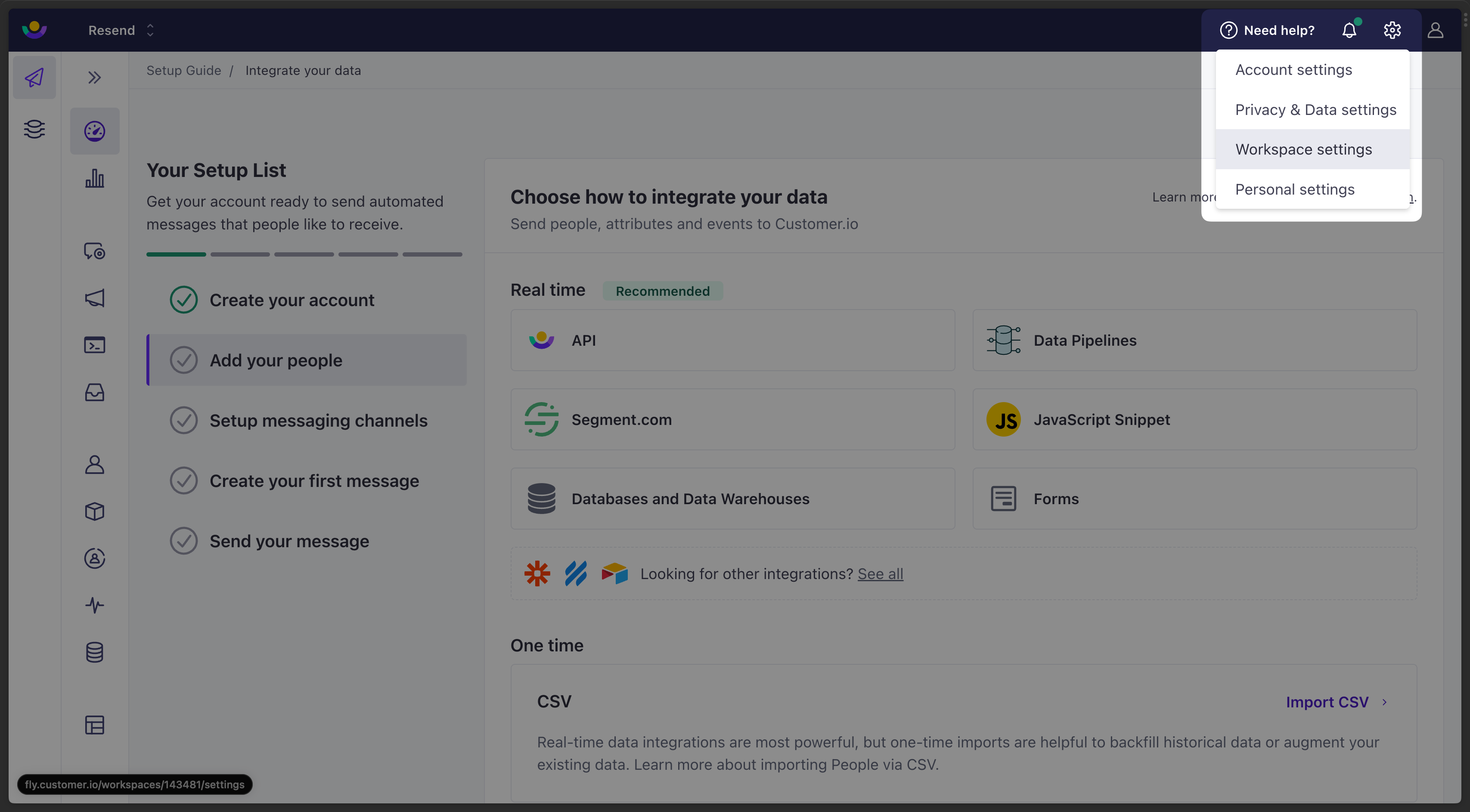
1. Go to **Settings** > **Workspace Settings**.
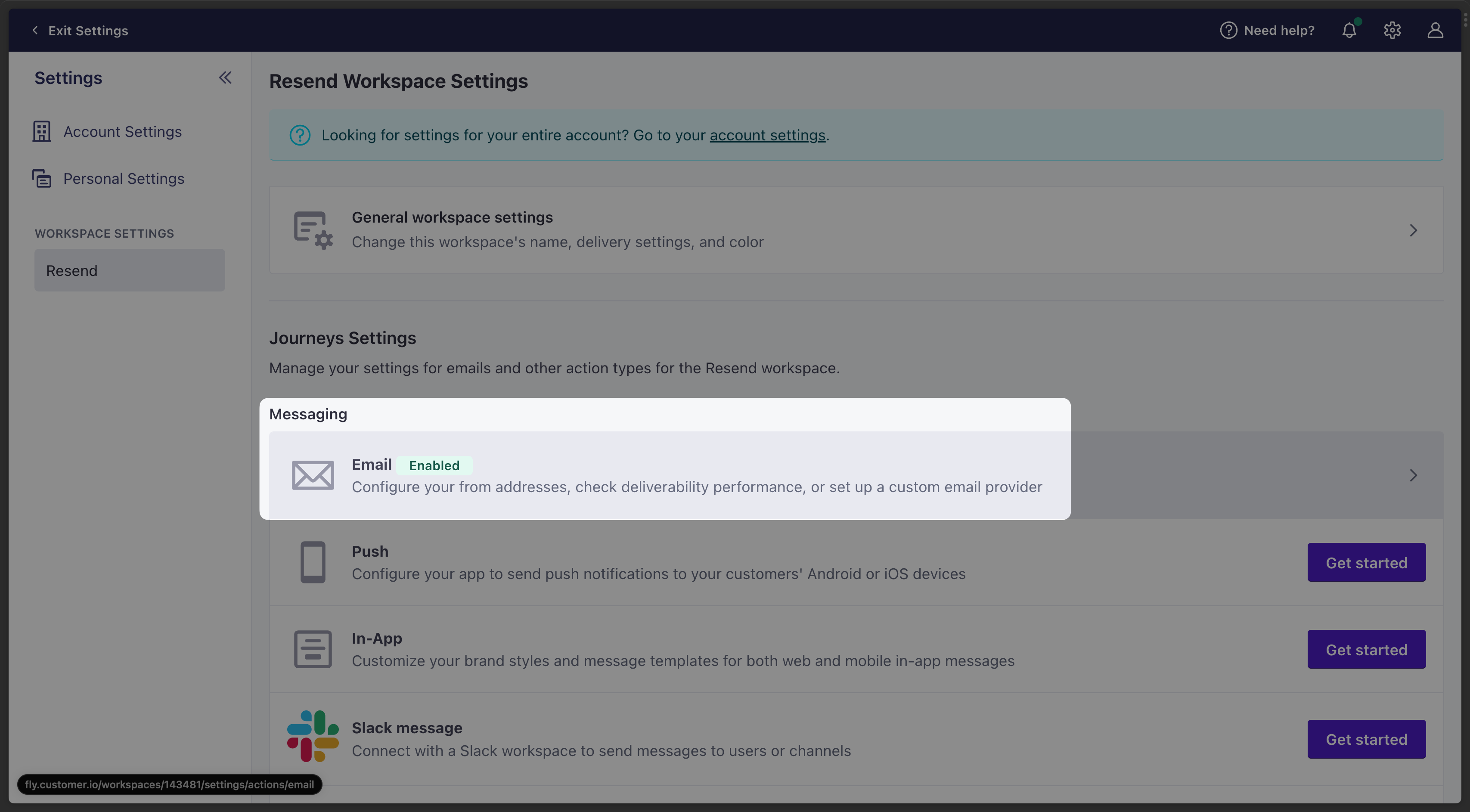
 2. Go to the Messaging tab and select **Email**.
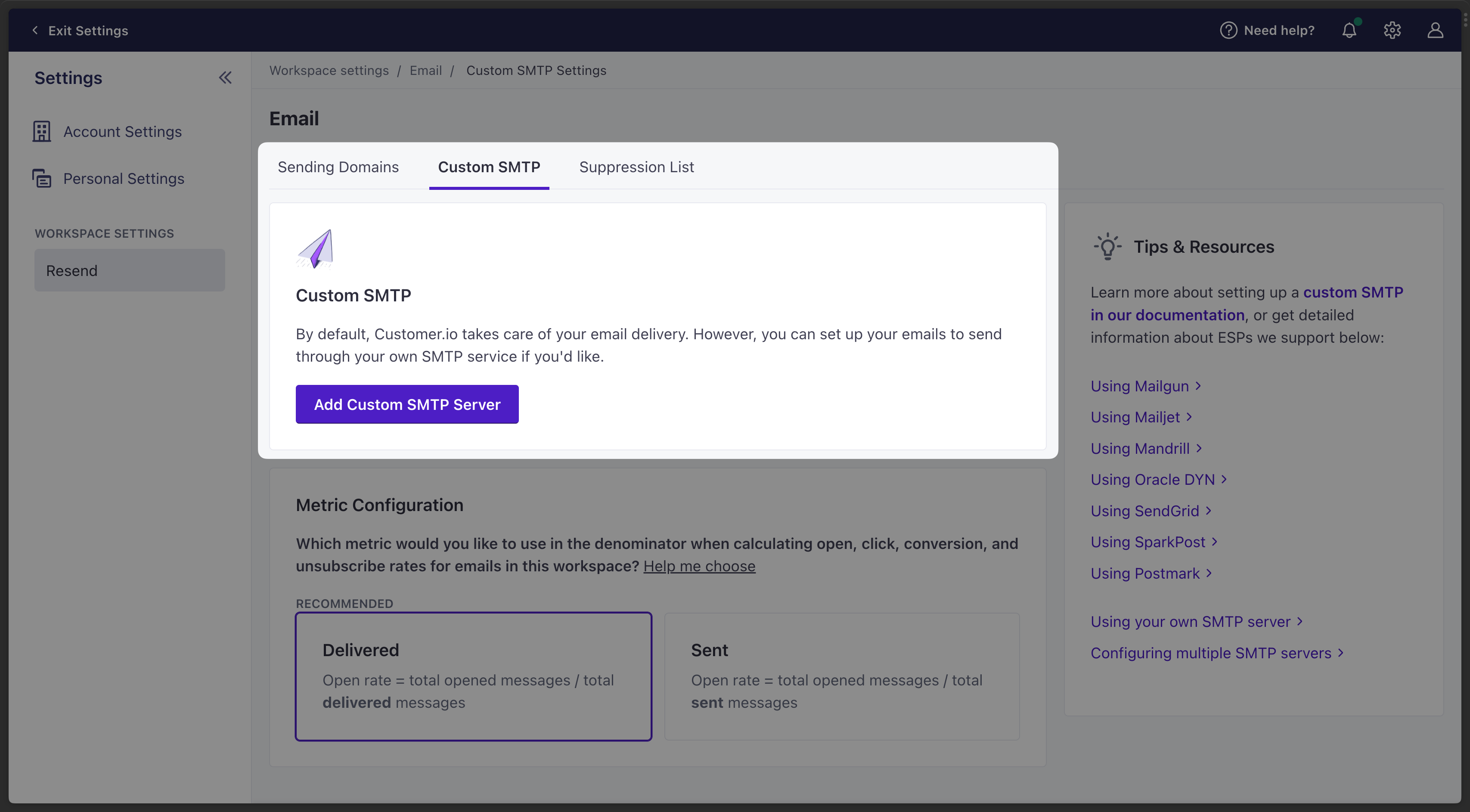
 3. Select the **Custom SMTP** tab and click **Add Custom SMTP Server**.
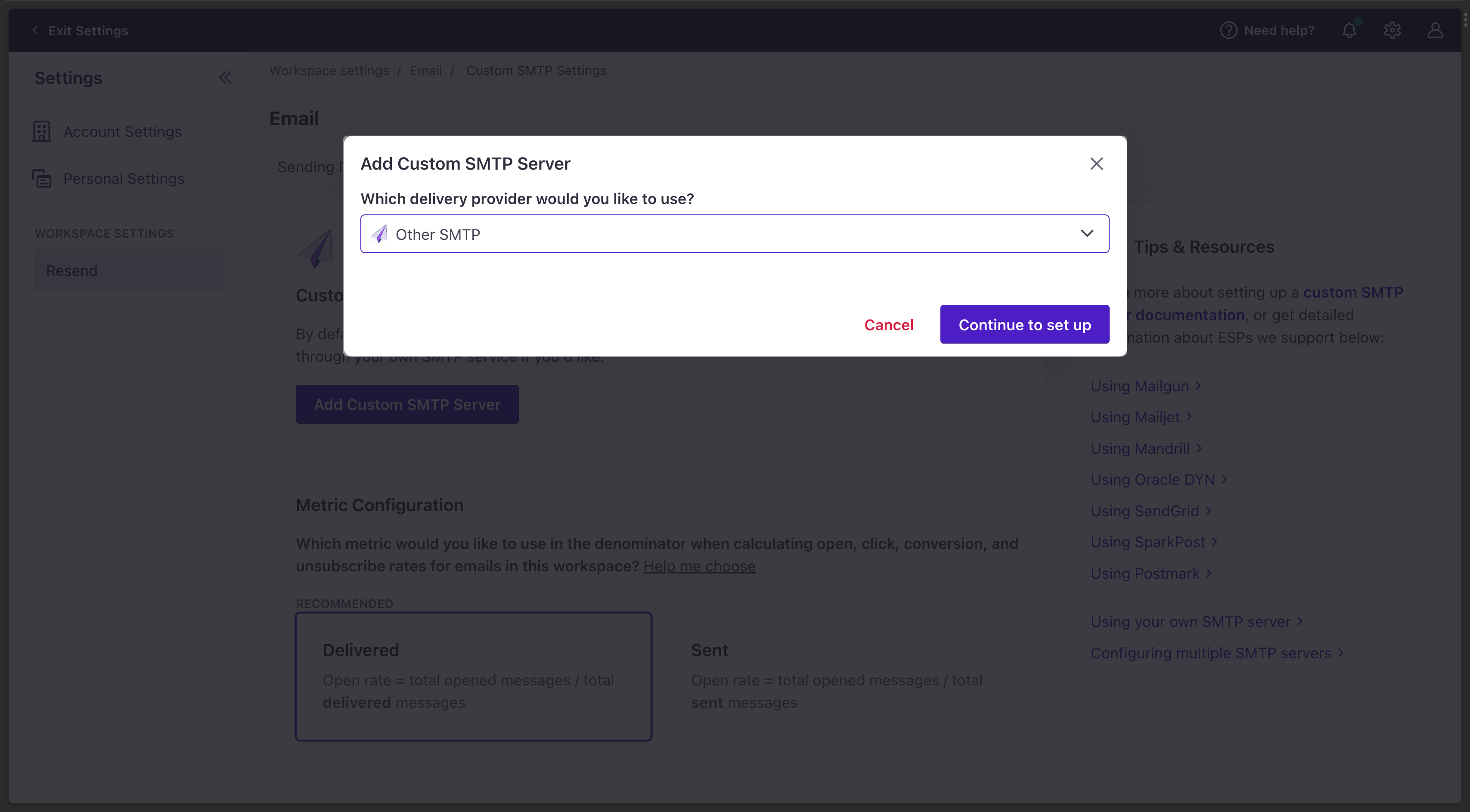
 4. Select **Other SMTP** and click **Continue to set up**.
 5. Copy-and-paste the SMTP credentials from Resend to Customer.io.