> ## Documentation Index
> Fetch the complete documentation index at: https://resend.com/docs/llms.txt
> Use this file to discover all available pages before exploring further.
# Strato
> Verify your domain on Strato with Resend.
## Add Domain to Resend
First, log in to your [Resend Account](https://resend.com/login) and [add a domain](https://resend.com/domains).
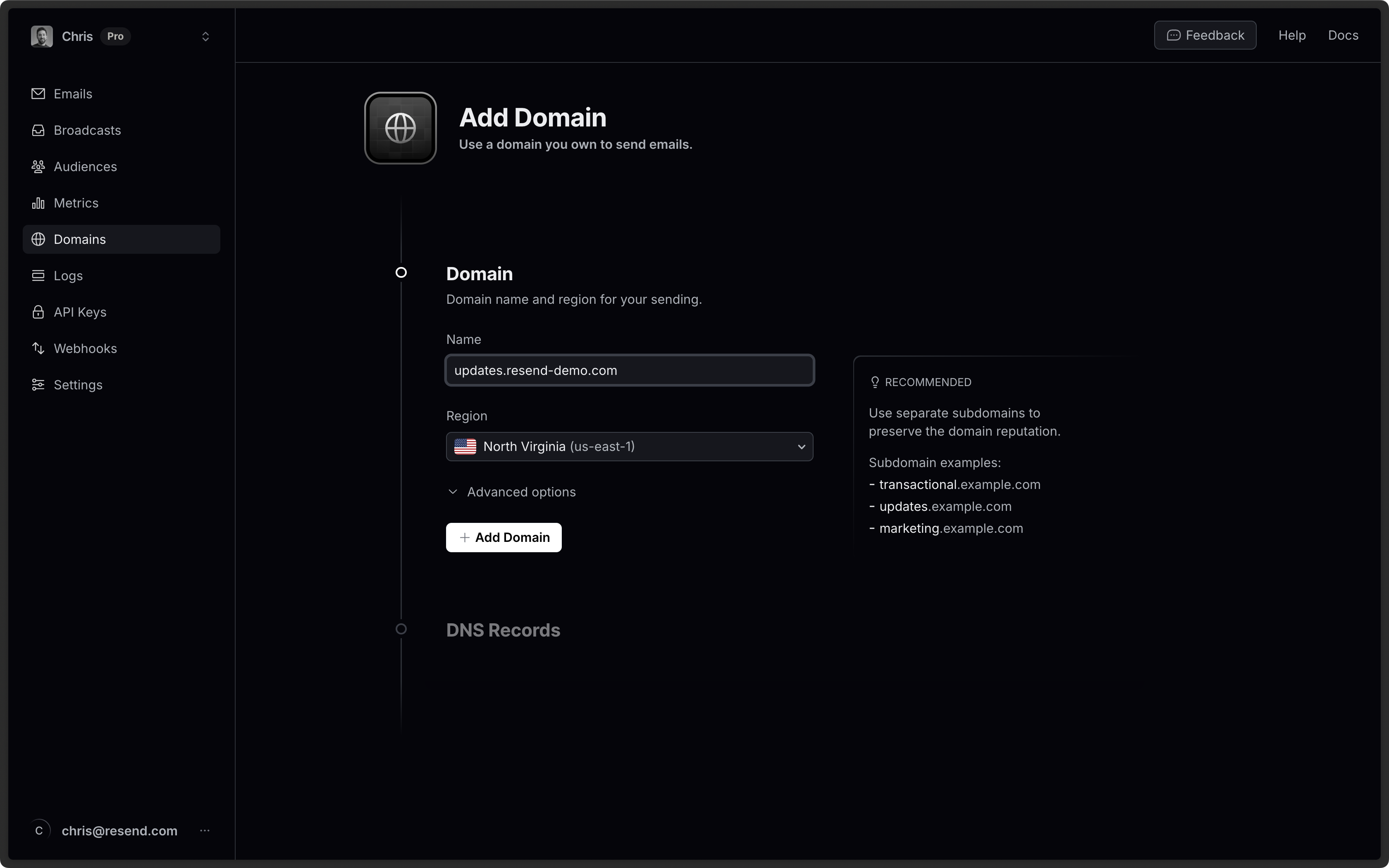 It is [best practice to use a
subdomain](/knowledge-base/is-it-better-to-send-emails-from-a-subdomain-or-the-root-domain)
(updates.example.com) instead of the root domain (example.com). Using a
subdomain allows for proper reputation segmentation based on topics or purpose
(e.g. marketing) and is especially important if receiving emails with Resend.
## Log in to Strato
Log in to your [Strato account](https://www.strato.es/apps/CustomerService):
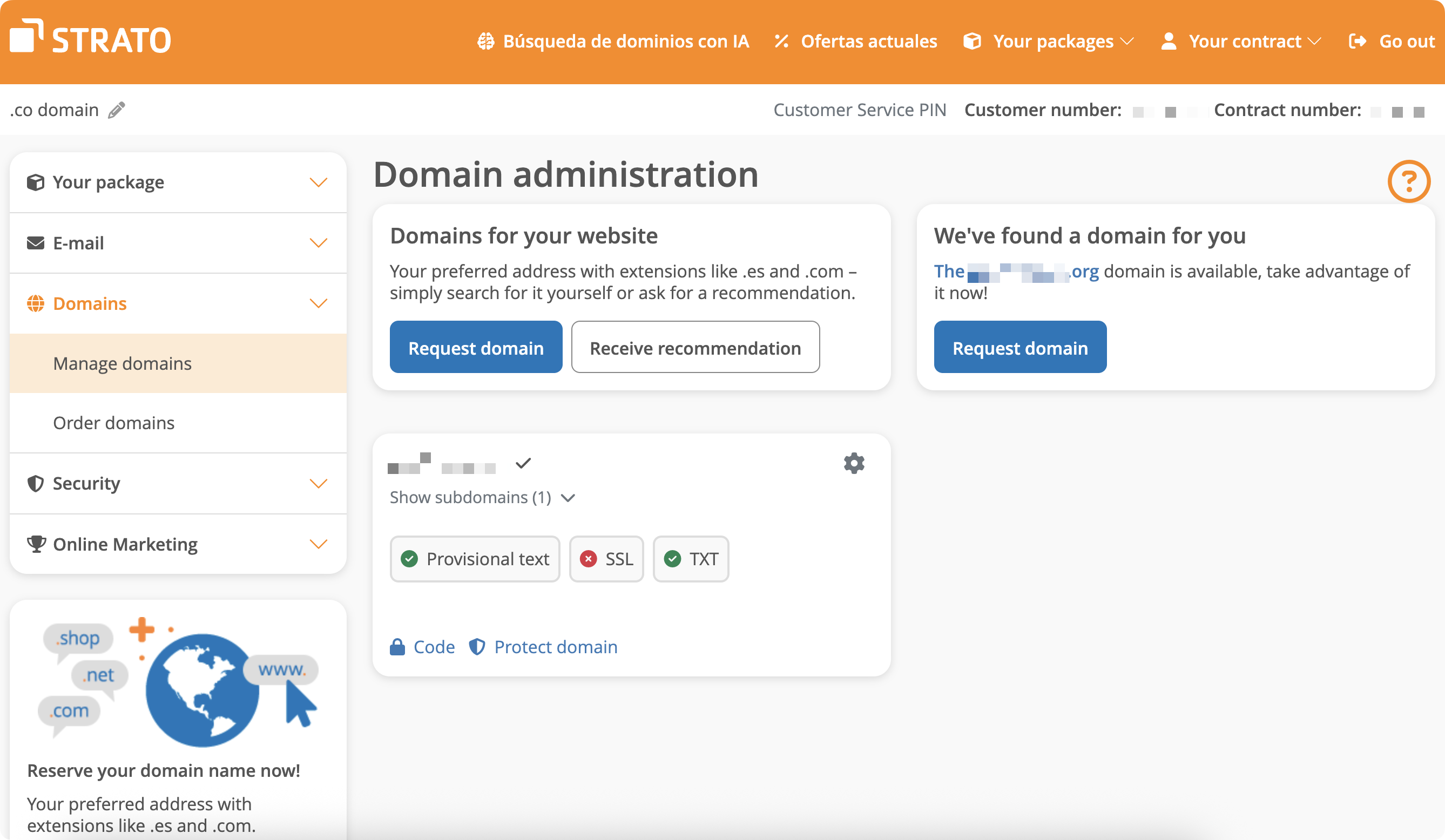
1. In the left-hand navigation, go to Domains > Manage Domain.
It is [best practice to use a
subdomain](/knowledge-base/is-it-better-to-send-emails-from-a-subdomain-or-the-root-domain)
(updates.example.com) instead of the root domain (example.com). Using a
subdomain allows for proper reputation segmentation based on topics or purpose
(e.g. marketing) and is especially important if receiving emails with Resend.
## Log in to Strato
Log in to your [Strato account](https://www.strato.es/apps/CustomerService):
1. In the left-hand navigation, go to Domains > Manage Domain.
 ## Add MX SPF Record
1. On the domain page, click on the gear icon to redirect to Settings.
2. Create a new subdomain named `send`.
3. Navigate to the subdomain settings.
4. Go to the `DNS` tab, you'll see a list of DNS records you can update. Click on `manage` MX record.
5. Select own mail server.
6. Copy MX value from Resend into `Server` field.
7. Use the default priority `Low`.
8. Save settings.
By default, Strato domains use Strato mail server which uses `mail` as their
send path. You will need to bypass this default behavior by creating a
subdomain and setting the MX record there.
## Add MX SPF Record
1. On the domain page, click on the gear icon to redirect to Settings.
2. Create a new subdomain named `send`.
3. Navigate to the subdomain settings.
4. Go to the `DNS` tab, you'll see a list of DNS records you can update. Click on `manage` MX record.
5. Select own mail server.
6. Copy MX value from Resend into `Server` field.
7. Use the default priority `Low`.
8. Save settings.
By default, Strato domains use Strato mail server which uses `mail` as their
send path. You will need to bypass this default behavior by creating a
subdomain and setting the MX record there.
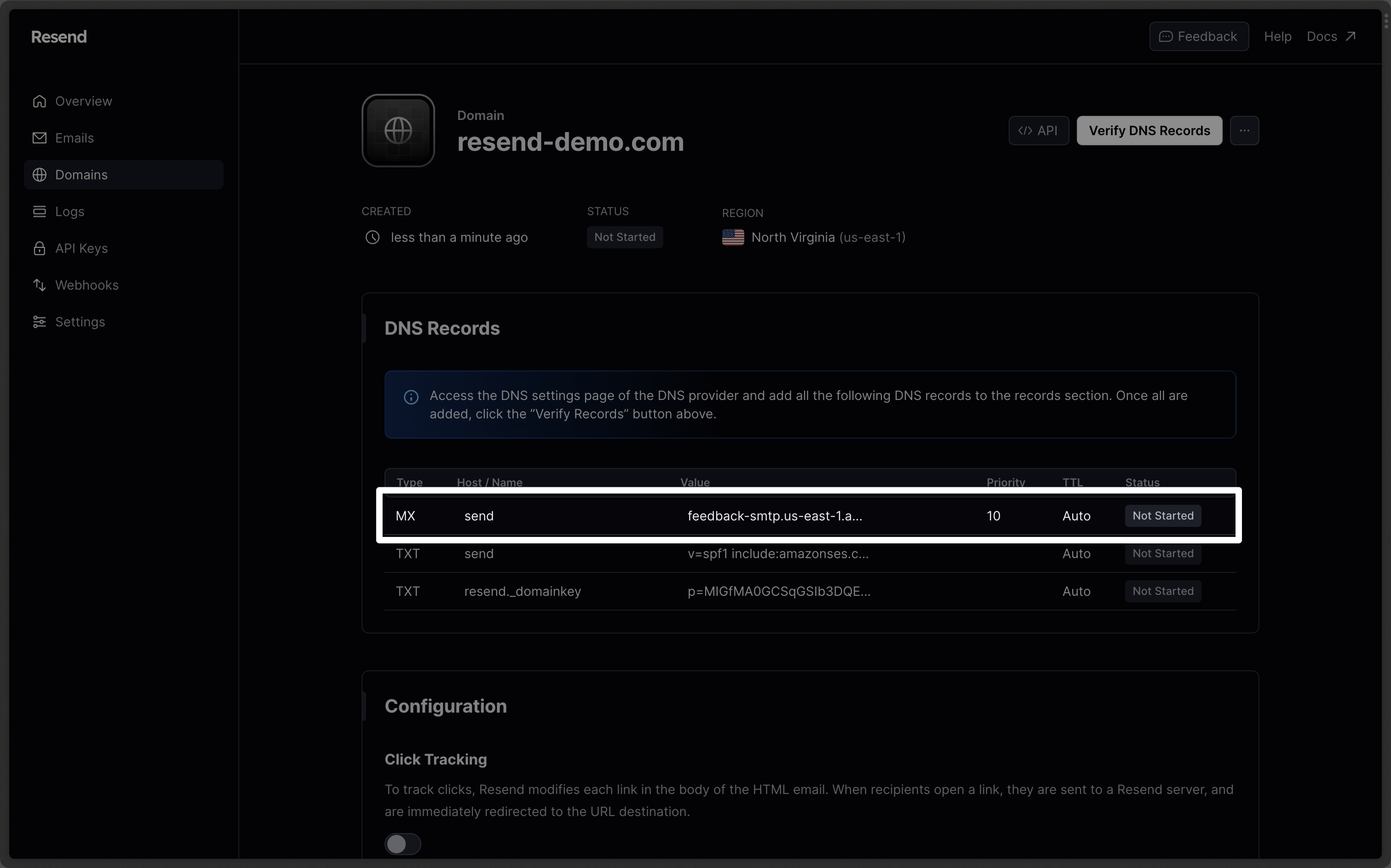
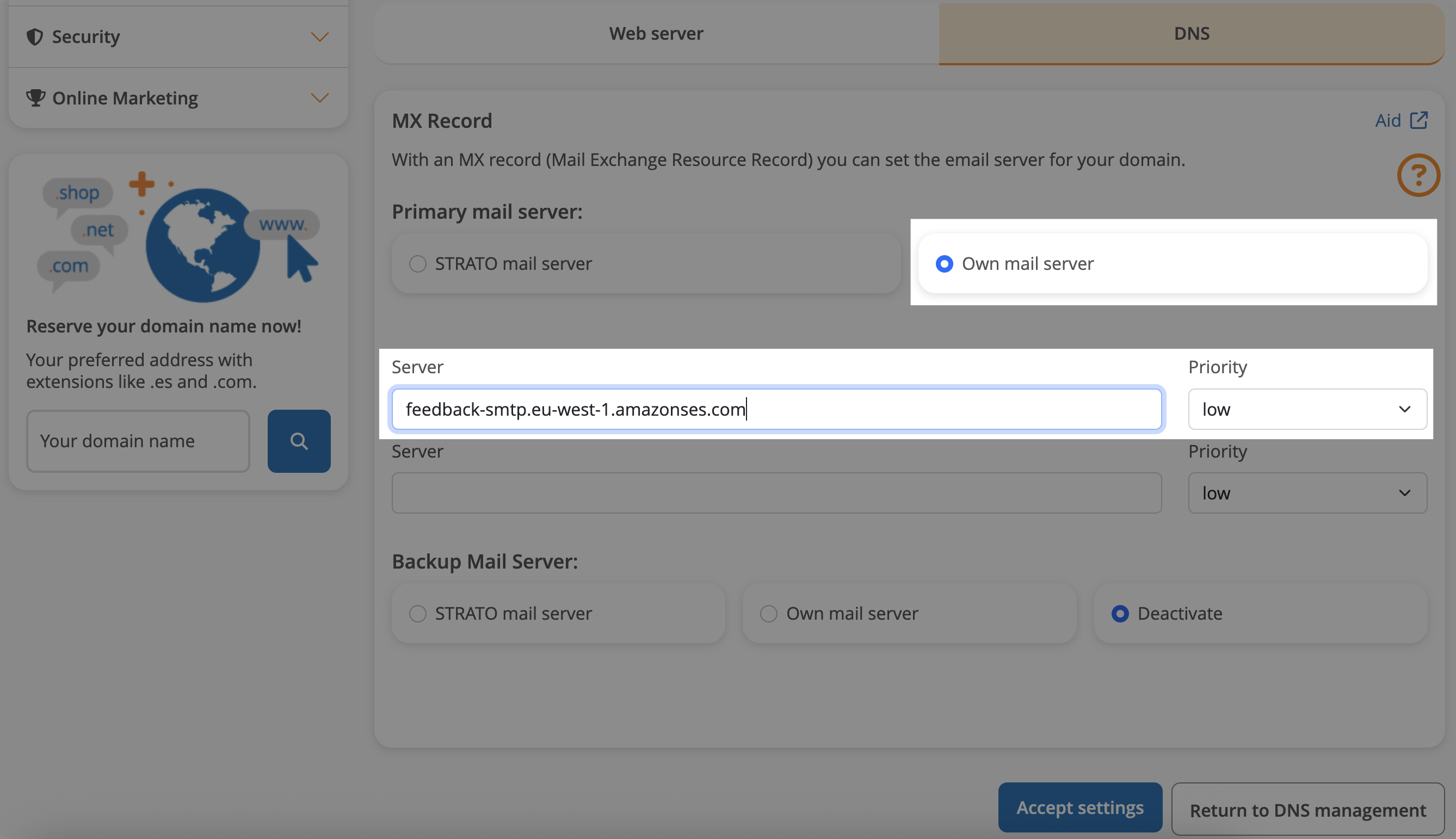 Below is a mapping of the record fields from Resend to Strato:
| Strato | Resend | Example Value |
| ----------- | -------- | ---------------------------------------- |
| Type | Type | `MX Record` |
| Name | Name | `send` |
| Mail server | Content | `feedback-smtp.eu-west-1.amazonses.com.` |
| Priority | Priority | `Low` |
## Add TXT SPF Record
On the base domain settings:
1. Go to the `DNS` tab.
2. Manage TXT and CNAME records.
3. On the bottom, click `Create another record`.
4. Choose `TXT` type.
5. Add `send` for the `name` record.
6. For `value` input `v=spf1 include:amazonses.com ~all`.
7. Save settings.
Strato provides a standard DMARC record similar to Resend's recommended value:
`v=DMARC1;p=reject;`.
Below is a mapping of the record fields from Resend to Strato:
| Strato | Resend | Example Value |
| ----------- | -------- | ---------------------------------------- |
| Type | Type | `MX Record` |
| Name | Name | `send` |
| Mail server | Content | `feedback-smtp.eu-west-1.amazonses.com.` |
| Priority | Priority | `Low` |
## Add TXT SPF Record
On the base domain settings:
1. Go to the `DNS` tab.
2. Manage TXT and CNAME records.
3. On the bottom, click `Create another record`.
4. Choose `TXT` type.
5. Add `send` for the `name` record.
6. For `value` input `v=spf1 include:amazonses.com ~all`.
7. Save settings.
Strato provides a standard DMARC record similar to Resend's recommended value:
`v=DMARC1;p=reject;`.
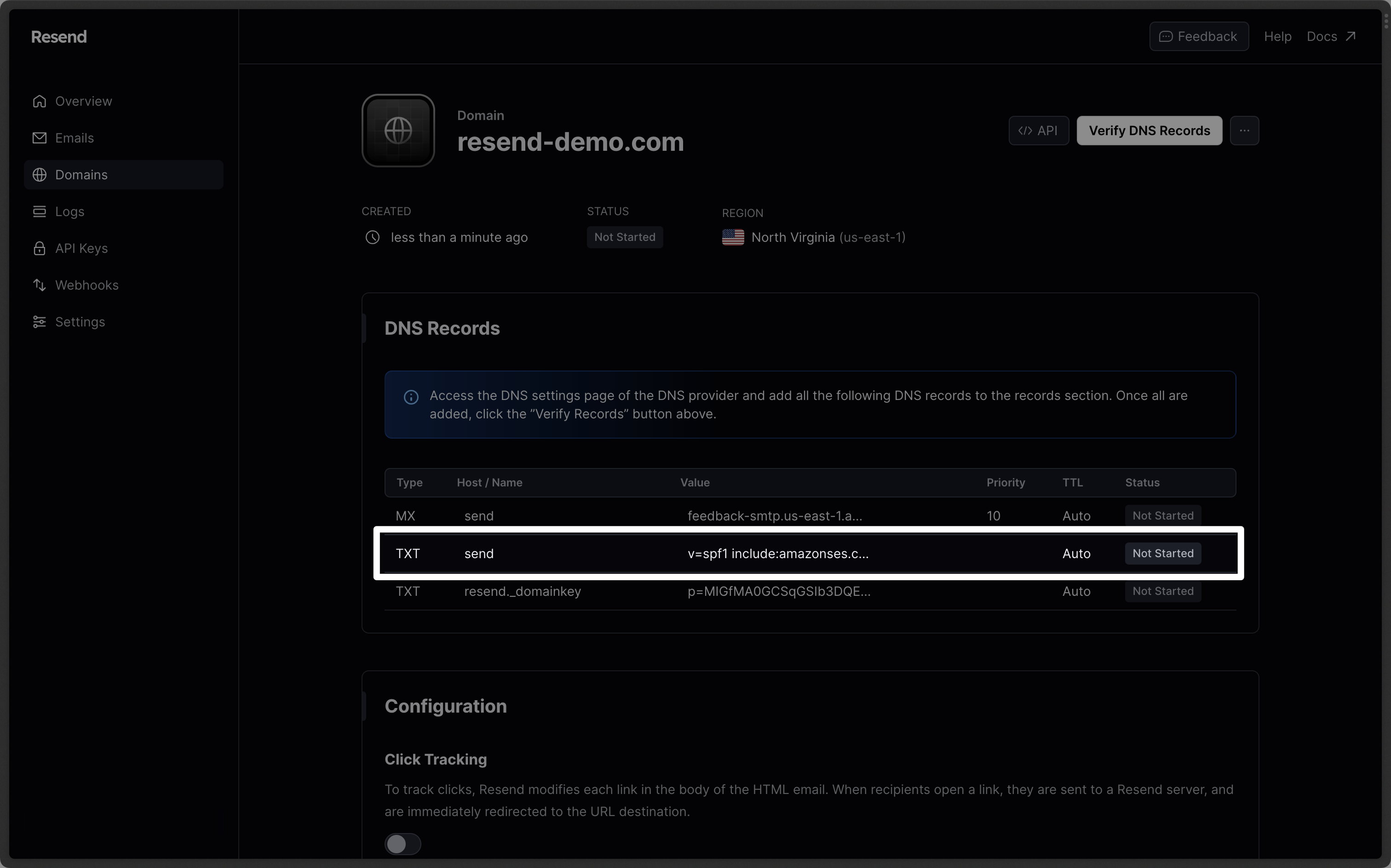
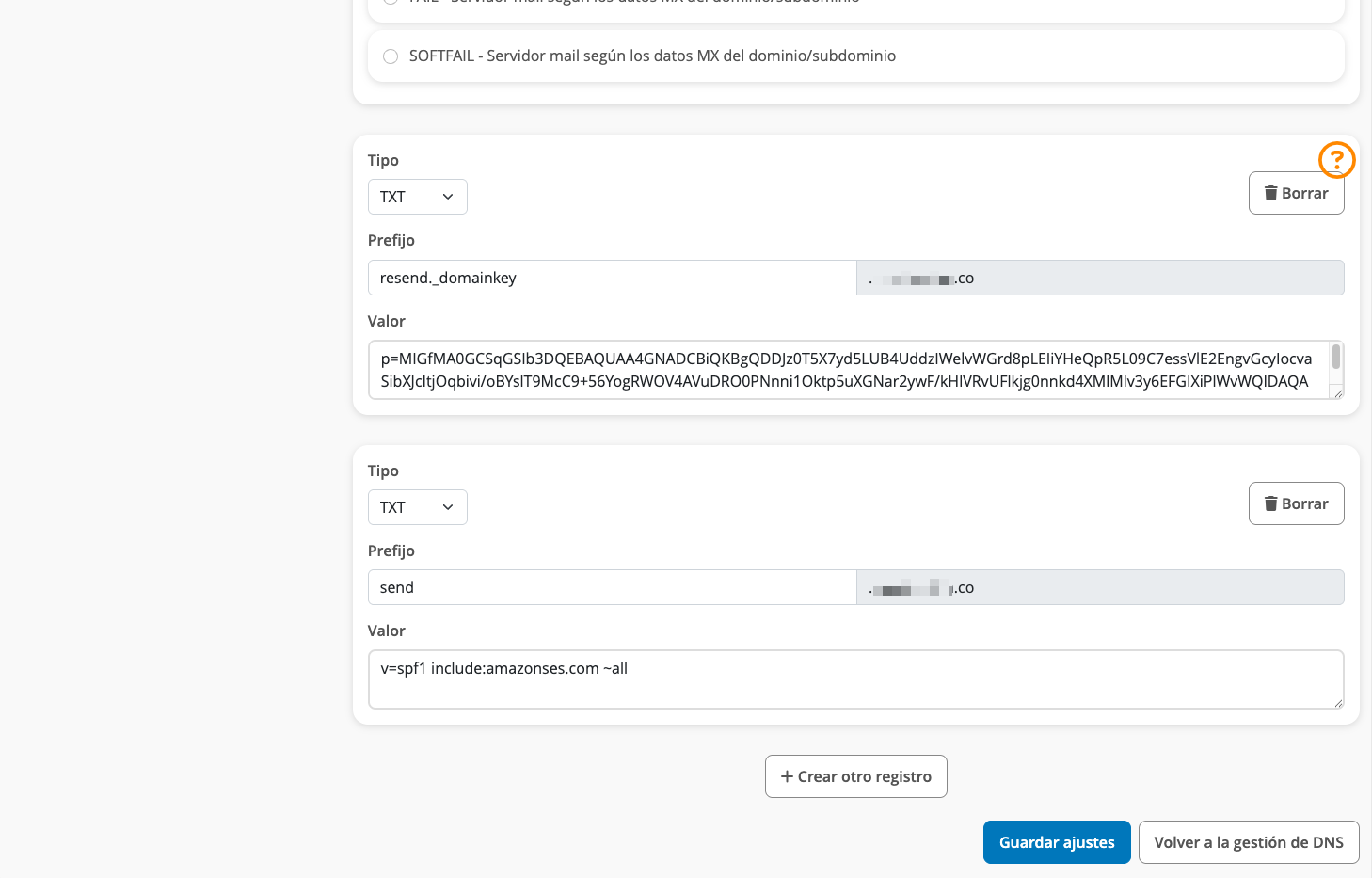 Below is a mapping of the record fields from Resend to Strato:
| Strato | Resend | Example Value |
| ------ | ------- | ----------------------------------- |
| Type | Type | `TXT Record` |
| Name | Name | `send` |
| Value | Content | `v=spf1 include:amazonses.com ~all` |
## Add TXT DKIM Records
On the same TXT and CNAME manage page:
1. Click `Create another record`.
2. Choose `TXT` type.
3. Add `resend._domainkey` for the `Name` record.
4. Copy the record value from Resend into the TXT value field.
5. Save settings.
Omit your domain from the record values in Resend when you paste. Instead of
`resend._domainkey.example.com`, paste only `resend._domainkey` (or
`resend._domainkey.subdomain` if you're using a subdomain).
Below is a mapping of the record fields from Resend to Strato:
| Strato | Resend | Example Value |
| ------ | ------- | ----------------------------------- |
| Type | Type | `TXT Record` |
| Name | Name | `send` |
| Value | Content | `v=spf1 include:amazonses.com ~all` |
## Add TXT DKIM Records
On the same TXT and CNAME manage page:
1. Click `Create another record`.
2. Choose `TXT` type.
3. Add `resend._domainkey` for the `Name` record.
4. Copy the record value from Resend into the TXT value field.
5. Save settings.
Omit your domain from the record values in Resend when you paste. Instead of
`resend._domainkey.example.com`, paste only `resend._domainkey` (or
`resend._domainkey.subdomain` if you're using a subdomain).
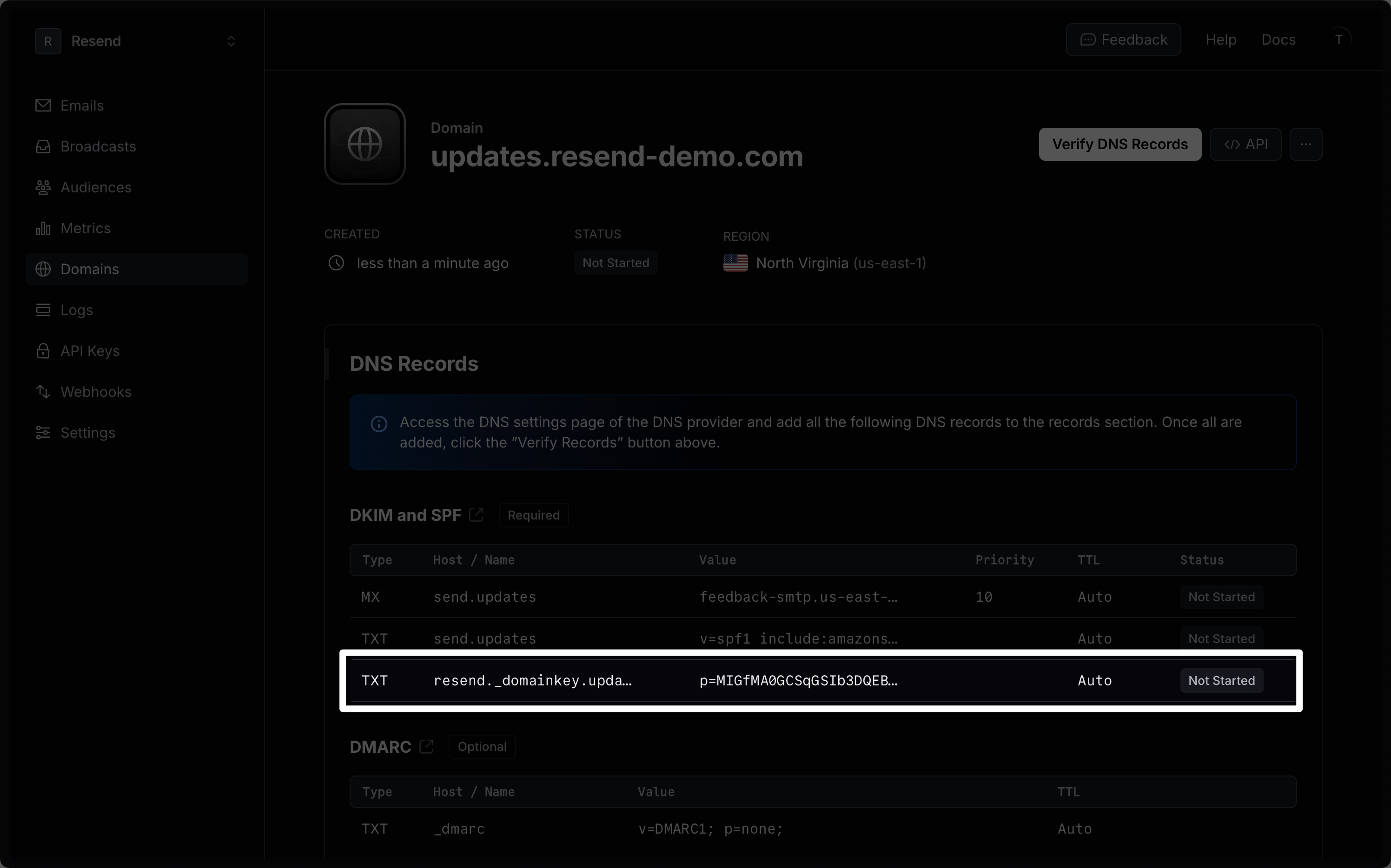 Below is a mapping of the record fields from Resend to Strato:
| Strato | Resend | Example Value |
| ------ | ------- | ---------------------------- |
| Type | Type | `TXT Record` |
| Name | Name | `send` |
| Value | Content | `p=example_domain_key_value` |
Copy DKIM value using the small copy icon in Resend. DKIM records are
case-sensitive and must match up exactly.
## Receiving Emails
If you want to receive emails at your domain, toggle the "Receiving" switch on the domain details page.
Below is a mapping of the record fields from Resend to Strato:
| Strato | Resend | Example Value |
| ------ | ------- | ---------------------------- |
| Type | Type | `TXT Record` |
| Name | Name | `send` |
| Value | Content | `p=example_domain_key_value` |
Copy DKIM value using the small copy icon in Resend. DKIM records are
case-sensitive and must match up exactly.
## Receiving Emails
If you want to receive emails at your domain, toggle the "Receiving" switch on the domain details page.
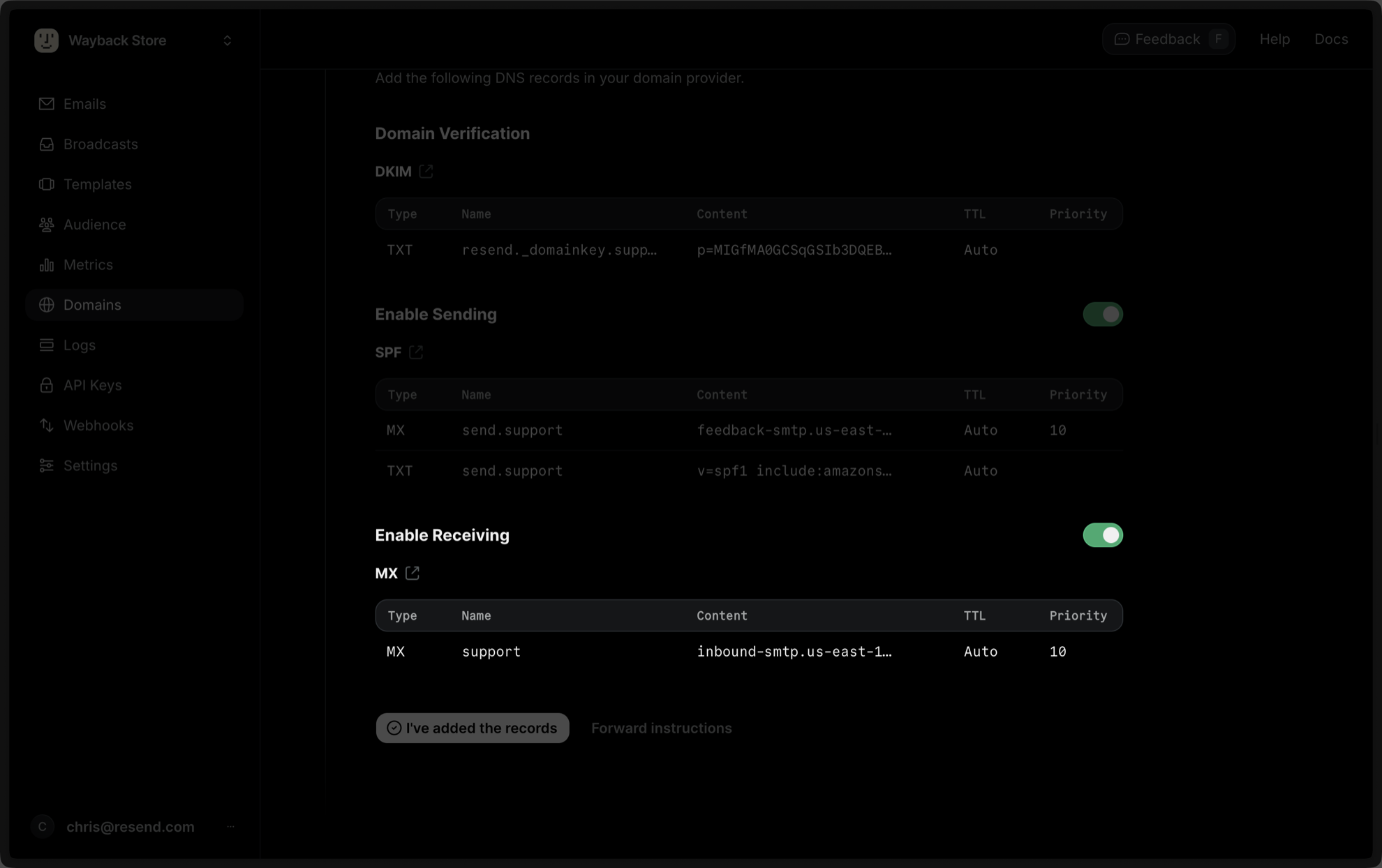 When you enable Inbound on a domain, Resend receives *all emails* sent to that
specific domain depending on the priority of the MX record. For this reason,
we strongly recommend verifying a subdomain (`subdomain.example.com`) instead
of the root domain (`example.com`). Learn more about [avoiding conflicts with
your existing MX
records](/knowledge-base/how-do-i-avoid-conflicting-with-my-mx-records).
1. Create a new subdomain named `inbound` (or whatever your subdomain is).
2. Navigate to the subdomain settings.
3. Go to the `DNS` tab and click on `manage` MX record.
4. Select own mail server.
5. Copy MX value from Resend into `Server` field.
6. Use the default priority `Low`.
7. Save settings.
Below is a mapping of the record fields from Resend to Strato:
| Strato | Resend | Example Value |
| ----------- | -------- | --------------------------------------- |
| Type | Type | `MX Record` |
| Name | Name | `inbound` |
| Mail server | Content | `inbound-smtp.us-east-1.amazonaws.com.` |
| Priority | Priority | `Low` |
After verifying your domain, create a webhook to process incoming emails. For help setting up a webhook, how to access email data and attachments, forward emails, and more, see [our guide on receiving emails with Resend](/dashboard/receiving/introduction).
## Complete Verification
Now click [Verify DNS Records](https://resend.com/domains) on your Domain in Resend. It may take a few hours to complete the verification process (often much faster).
## Troubleshooting
If your domain is not successfully verified, these are some common troubleshooting methods.
Review the records you added to Strato to rule out copy and paste errors.
[Review our guide on a domain not verifying](/knowledge-base/what-if-my-domain-is-not-verifying).
When you enable Inbound on a domain, Resend receives *all emails* sent to that
specific domain depending on the priority of the MX record. For this reason,
we strongly recommend verifying a subdomain (`subdomain.example.com`) instead
of the root domain (`example.com`). Learn more about [avoiding conflicts with
your existing MX
records](/knowledge-base/how-do-i-avoid-conflicting-with-my-mx-records).
1. Create a new subdomain named `inbound` (or whatever your subdomain is).
2. Navigate to the subdomain settings.
3. Go to the `DNS` tab and click on `manage` MX record.
4. Select own mail server.
5. Copy MX value from Resend into `Server` field.
6. Use the default priority `Low`.
7. Save settings.
Below is a mapping of the record fields from Resend to Strato:
| Strato | Resend | Example Value |
| ----------- | -------- | --------------------------------------- |
| Type | Type | `MX Record` |
| Name | Name | `inbound` |
| Mail server | Content | `inbound-smtp.us-east-1.amazonaws.com.` |
| Priority | Priority | `Low` |
After verifying your domain, create a webhook to process incoming emails. For help setting up a webhook, how to access email data and attachments, forward emails, and more, see [our guide on receiving emails with Resend](/dashboard/receiving/introduction).
## Complete Verification
Now click [Verify DNS Records](https://resend.com/domains) on your Domain in Resend. It may take a few hours to complete the verification process (often much faster).
## Troubleshooting
If your domain is not successfully verified, these are some common troubleshooting methods.
Review the records you added to Strato to rule out copy and paste errors.
[Review our guide on a domain not verifying](/knowledge-base/what-if-my-domain-is-not-verifying).