> ## Documentation Index
> Fetch the complete documentation index at: https://resend.com/docs/llms.txt
> Use this file to discover all available pages before exploring further.
# Send emails with n8n and Resend
> Learn how to install and use the official Resend node for n8n to send emails, manage contacts, handle webhooks, and more.
[n8n](https://n8n.io) is a workflow automation platform that lets you connect apps and build powerful automations. The official [Resend node](https://github.com/resend/n8n-nodes-resend) (`n8n-nodes-resend`) provides full coverage of the Resend API, letting you send emails, manage contacts, handle domains, trigger workflows from email events, and much more, all from within n8n.
 ## How to use Resend's n8n node
1. Open the nodes panel by selecting **+** or pressing **Tab**
2. Search for **Resend**
3. Select **Install** to install the node for your instance
4. The node is now available in all your workflows
1. [Create an API Key](https://resend.com/api-keys): copy this key to your clipboard
2. [Verify your own domain](https://resend.com/domains): to send to email addresses other than your own
1. In n8n, go to **Credentials** > **Add credential**.
2. Search for **Resend API** and paste your API key.
This credential is used by the main **Resend** node for all API operations.
1. Click the **+** (Add node) connector on the canvas.
2. Search for **Resend** in the nodes panel.
3. n8n displays a list of available actions — select **Send an Email**.
4. The Resend node is added to your workflow with the **Send** operation pre-selected.
5. Fill in the **From**, **To**, **Subject**, and **Email Body** fields.
6. Execute the node.
By default, you can only send emails to your own email address using the
`onboarding@resend.dev` sender domain. To send to other recipients, [add a
custom domain](/dashboard/domains/introduction) to your Resend account.
## Human in the Loop (Send and Wait)
The **Send and Wait for Response** operation enables human-in-the-loop workflows. Send an email and pause the workflow until the recipient responds, via approval buttons or a free-text form.
1. Select the **Email** resource and the **Send and Wait for Response** operation.
2. Choose a **Response Type**: **Approval** (buttons) or **Free Text** (form).
3. Configure the email content and any wait-time limits.
4. The workflow pauses until the recipient clicks a button or submits the form.
| Option | Description |
| ------------------------ | -------------------------------------------------------- |
| **Response Type** | Choose between Approval (buttons) or Free Text (form) |
| **Approval Type** | Single button (Approve only) or Double (Approve/Decline) |
| **Button Labels** | Customize the button text |
| **Message Button Label** | Label for the form link button (Free Text mode) |
| **Response Form Title** | Title shown on the response form |
| **Limit Wait Time** | Set a timeout for the wait period |
## Receive webhooks with the Resend Trigger
The **Resend Trigger** node lets you start workflows automatically when email events occur in Resend (e.g., an email is delivered, opened, or bounced). Webhook signatures are verified automatically using Svix.
### Set up the Trigger node
1. Add a **Resend Trigger** node to your workflow.
2. Create a **Resend Webhook Signing Secret** credential:
* Create a webhook endpoint in the [Resend Dashboard](https://resend.com/webhooks).
* Copy the signing secret (starts with `whsec_`).
* In n8n, go to **Credentials** > **Add credential**, search for **Resend Webhook Signing Secret**, and paste the secret.
Give each webhook credential a unique name (e.g., "Resend Webhook — Bounces"
or "Resend Webhook — Delivery Events"). This makes it much easier to identify
the right credential when you have multiple triggers connected to different
webhooks.
3. Select the events you want to listen for.
4. Copy the **webhook URL** from the Trigger node and paste it into your Resend Dashboard webhook configuration.
### Supported trigger events
| Event | Description |
| ------------------------ | ---------------------------------------------------------------------------------------------------------------------------- |
| `email.sent` | Email sent to recipient |
| `email.delivered` | Email delivered successfully |
| `email.delivery_delayed` | Email delivery delayed |
| `email.failed` | Email failed to send due to an error (for example, invalid recipients, API key issues, domain verification, or quota limits) |
| `email.opened` | Recipient opened the email |
| `email.clicked` | Link clicked in email |
| `email.bounced` | Email bounced |
| `email.complained` | Spam complaint received |
| `email.received` | Resend successfully received an inbound email |
| `email.scheduled` | Email is scheduled to be sent |
| `email.suppressed` | Email is suppressed by Resend |
| `contact.created` | New contact added |
| `contact.updated` | Contact modified |
| `contact.deleted` | Contact removed |
| `domain.created` | New domain added |
| `domain.updated` | Domain modified |
| `domain.deleted` | Domain removed |
## Example workflow: Send a welcome email when a contact is created
Here's a simple workflow you can build with the Resend nodes:
1. **Resend Trigger**: listens for `contact.created` events.
2. **Resend** (Email > Send): sends a welcome email to the new contact using data from the trigger.
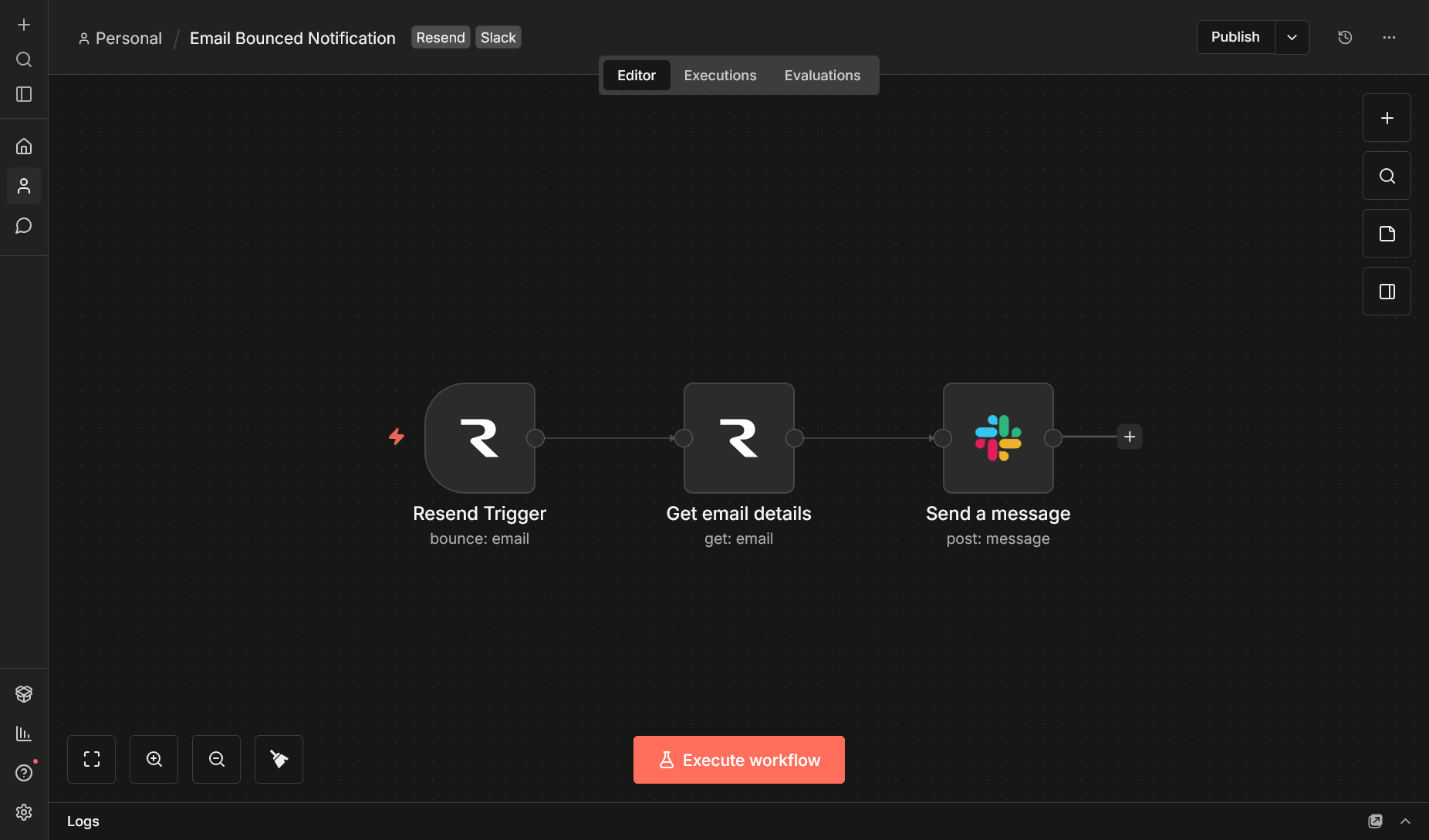
The Trigger-Action pattern works for any event. For example, you could notify your team on Slack when an email bounces, or log delivery events to a spreadsheet.
The Resend node is also available as an [AI
tool](https://docs.n8n.io/integrations/builtin/cluster-nodes/sub-nodes/n8n-nodes-langchain.toolworkflow/)
in n8n, so you can use it inside AI agent workflows.
## How to use Resend's n8n node
1. Open the nodes panel by selecting **+** or pressing **Tab**
2. Search for **Resend**
3. Select **Install** to install the node for your instance
4. The node is now available in all your workflows
1. [Create an API Key](https://resend.com/api-keys): copy this key to your clipboard
2. [Verify your own domain](https://resend.com/domains): to send to email addresses other than your own
1. In n8n, go to **Credentials** > **Add credential**.
2. Search for **Resend API** and paste your API key.
This credential is used by the main **Resend** node for all API operations.
1. Click the **+** (Add node) connector on the canvas.
2. Search for **Resend** in the nodes panel.
3. n8n displays a list of available actions — select **Send an Email**.
4. The Resend node is added to your workflow with the **Send** operation pre-selected.
5. Fill in the **From**, **To**, **Subject**, and **Email Body** fields.
6. Execute the node.
By default, you can only send emails to your own email address using the
`onboarding@resend.dev` sender domain. To send to other recipients, [add a
custom domain](/dashboard/domains/introduction) to your Resend account.
## Human in the Loop (Send and Wait)
The **Send and Wait for Response** operation enables human-in-the-loop workflows. Send an email and pause the workflow until the recipient responds, via approval buttons or a free-text form.
1. Select the **Email** resource and the **Send and Wait for Response** operation.
2. Choose a **Response Type**: **Approval** (buttons) or **Free Text** (form).
3. Configure the email content and any wait-time limits.
4. The workflow pauses until the recipient clicks a button or submits the form.
| Option | Description |
| ------------------------ | -------------------------------------------------------- |
| **Response Type** | Choose between Approval (buttons) or Free Text (form) |
| **Approval Type** | Single button (Approve only) or Double (Approve/Decline) |
| **Button Labels** | Customize the button text |
| **Message Button Label** | Label for the form link button (Free Text mode) |
| **Response Form Title** | Title shown on the response form |
| **Limit Wait Time** | Set a timeout for the wait period |
## Receive webhooks with the Resend Trigger
The **Resend Trigger** node lets you start workflows automatically when email events occur in Resend (e.g., an email is delivered, opened, or bounced). Webhook signatures are verified automatically using Svix.
### Set up the Trigger node
1. Add a **Resend Trigger** node to your workflow.
2. Create a **Resend Webhook Signing Secret** credential:
* Create a webhook endpoint in the [Resend Dashboard](https://resend.com/webhooks).
* Copy the signing secret (starts with `whsec_`).
* In n8n, go to **Credentials** > **Add credential**, search for **Resend Webhook Signing Secret**, and paste the secret.
Give each webhook credential a unique name (e.g., "Resend Webhook — Bounces"
or "Resend Webhook — Delivery Events"). This makes it much easier to identify
the right credential when you have multiple triggers connected to different
webhooks.
3. Select the events you want to listen for.
4. Copy the **webhook URL** from the Trigger node and paste it into your Resend Dashboard webhook configuration.
### Supported trigger events
| Event | Description |
| ------------------------ | ---------------------------------------------------------------------------------------------------------------------------- |
| `email.sent` | Email sent to recipient |
| `email.delivered` | Email delivered successfully |
| `email.delivery_delayed` | Email delivery delayed |
| `email.failed` | Email failed to send due to an error (for example, invalid recipients, API key issues, domain verification, or quota limits) |
| `email.opened` | Recipient opened the email |
| `email.clicked` | Link clicked in email |
| `email.bounced` | Email bounced |
| `email.complained` | Spam complaint received |
| `email.received` | Resend successfully received an inbound email |
| `email.scheduled` | Email is scheduled to be sent |
| `email.suppressed` | Email is suppressed by Resend |
| `contact.created` | New contact added |
| `contact.updated` | Contact modified |
| `contact.deleted` | Contact removed |
| `domain.created` | New domain added |
| `domain.updated` | Domain modified |
| `domain.deleted` | Domain removed |
## Example workflow: Send a welcome email when a contact is created
Here's a simple workflow you can build with the Resend nodes:
1. **Resend Trigger**: listens for `contact.created` events.
2. **Resend** (Email > Send): sends a welcome email to the new contact using data from the trigger.
The Trigger-Action pattern works for any event. For example, you could notify your team on Slack when an email bounces, or log delivery events to a spreadsheet.
The Resend node is also available as an [AI
tool](https://docs.n8n.io/integrations/builtin/cluster-nodes/sub-nodes/n8n-nodes-langchain.toolworkflow/)
in n8n, so you can use it inside AI agent workflows.