> ## Documentation Index
> Fetch the complete documentation index at: https://resend.com/docs/llms.txt
> Use this file to discover all available pages before exploring further.
# How to add more domains
> Increase your domain limit with the domains add-on.
Every Resend plan includes a set number of verified custom domains. If you need more, you can enable the **domains add-on** in **Settings** > **Usage**. The add-on adds 100 domains on top of the number included in your plan for \$20 per month.
Adding more domains is a common need for multi-tenant products that verify a domain per customer. See [Setting up Resend for Multi-Tenant Applications](/docs/knowledge-base/setting-up-resend-for-multi-tenants) for how to structure that.
## Check your current limit
Navigate to [**Settings** > **Usage**](https://resend.com/settings/usage). The Domains section shows how many domains your team is using and how many your plan allows.
The number of domains included in each plan is listed on the [pricing page](https://resend.com/pricing).
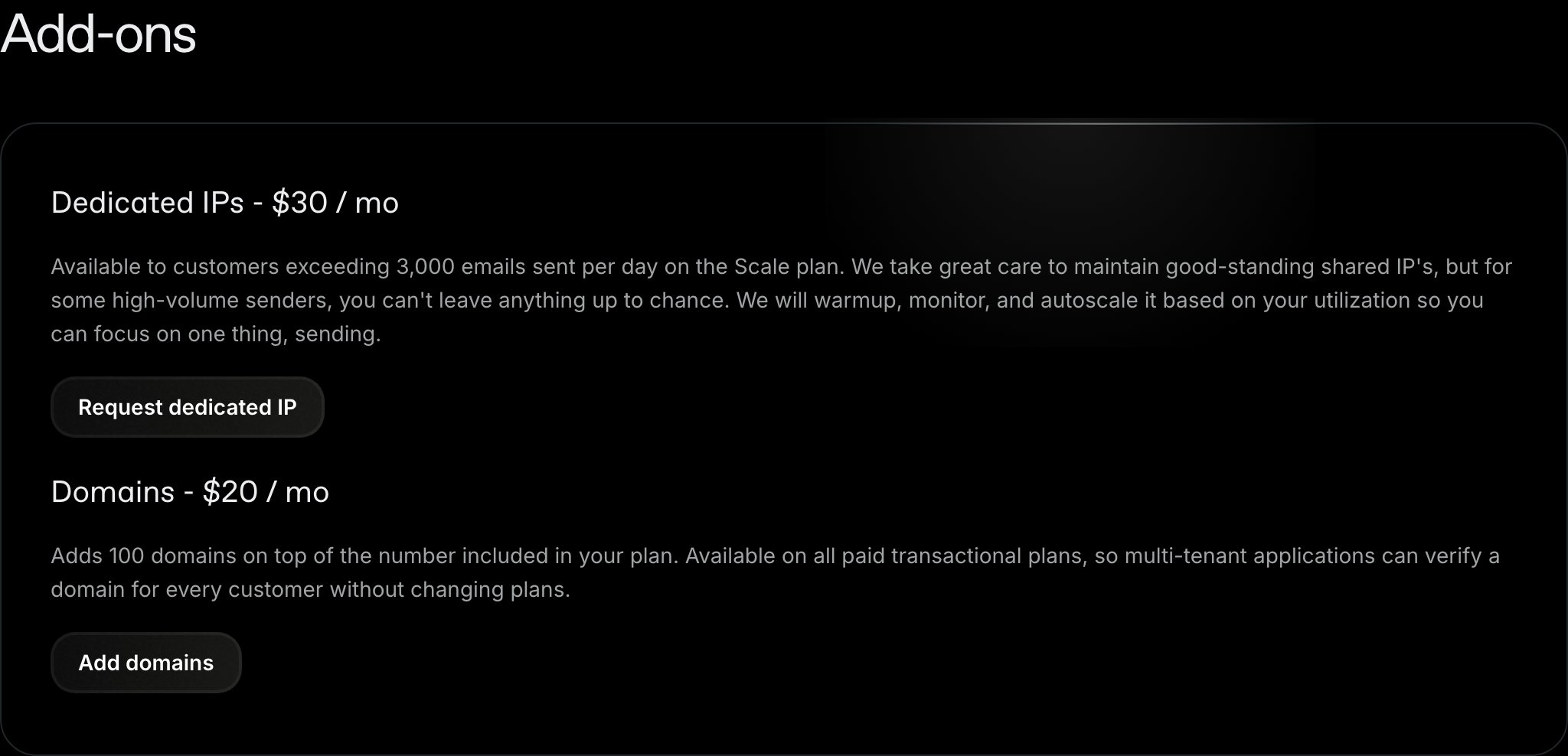 ## Add the domains add-on
1. Navigate to [**Settings** > **Usage**](https://resend.com/settings/usage)
2. Find **Domains** under **Add-ons**
3. Turn on the **Domains** toggle
4. Click **Confirm**
If your team doesn't have a payment method on file, you will be taken to checkout to confirm the purchase.
The add-on costs \$20 per month and applies immediately. Your next invoice includes a prorated charge for the remainder of the current billing cycle.
Once enabled, the add-on appears on your [**Settings** > **Billing**](https://resend.com/settings/billing) page as its own line item, and the 100 extra domains are reflected in the domain count on **Settings** > **Usage**.
The domains add-on is available on paid transactional plans, and only team
admins can manage add-ons. On Enterprise plans, the domain limit is set in
your contract, so [contact support](https://resend.com/help) to change it.
The add-on raises the number of domains you can add. It does not change your
monthly email quota, your contact limit, or your rate limit. Those are set by
your plan. See [account quotas and
limits](/docs/knowledge-base/account-quotas-and-limits).
## Remove the domains add-on
You can remove the add-on from the same place: navigate to **Settings** > **Usage** and turn off the **Domains** toggle under **Add-ons**.
## Need more than 100 extra domains
There is no fixed ceiling on custom domains. If 100 extra domains aren't enough, [chat with support](https://resend.com/help) or email [support@resend.com](mailto:support@resend.com) with your use case and the number of domains you expect to verify.
## Add the domains add-on
1. Navigate to [**Settings** > **Usage**](https://resend.com/settings/usage)
2. Find **Domains** under **Add-ons**
3. Turn on the **Domains** toggle
4. Click **Confirm**
If your team doesn't have a payment method on file, you will be taken to checkout to confirm the purchase.
The add-on costs \$20 per month and applies immediately. Your next invoice includes a prorated charge for the remainder of the current billing cycle.
Once enabled, the add-on appears on your [**Settings** > **Billing**](https://resend.com/settings/billing) page as its own line item, and the 100 extra domains are reflected in the domain count on **Settings** > **Usage**.
The domains add-on is available on paid transactional plans, and only team
admins can manage add-ons. On Enterprise plans, the domain limit is set in
your contract, so [contact support](https://resend.com/help) to change it.
The add-on raises the number of domains you can add. It does not change your
monthly email quota, your contact limit, or your rate limit. Those are set by
your plan. See [account quotas and
limits](/docs/knowledge-base/account-quotas-and-limits).
## Remove the domains add-on
You can remove the add-on from the same place: navigate to **Settings** > **Usage** and turn off the **Domains** toggle under **Add-ons**.
## Need more than 100 extra domains
There is no fixed ceiling on custom domains. If 100 extra domains aren't enough, [chat with support](https://resend.com/help) or email [support@resend.com](mailto:support@resend.com) with your use case and the number of domains you expect to verify.