> ## Documentation Index
> Fetch the complete documentation index at: https://resend.com/docs/llms.txt
> Use this file to discover all available pages before exploring further.
# Managing Domains
> Learn how to view, update, and delete your verified domains in Resend.
## Domain management
You can view and manage your domains from the [Domains Dashboard page](https://resend.com/domains). You can also manage your sending and receiving domains using the [API](/docs/api-reference/domains/create-domain), the [CLI](/docs/cli#domains), or the [MCP server](/docs/mcp-server).
All members of your team can create, verify, retrieve, update, and delete your domains.
## View domain details
The [Domains Dashboard page](https://resend.com/domains) shows information about each domain's name, its verification status, and history. You can also filter your domains list by [status](#understand-a-domain-status) and [region](/docs/dashboard/domains/regions) and perform bulk actions on multiple domains, such as [deleting domains](#delete-a-domain).
You can also [retrieve a single domain](/docs/api-reference/domains/get-domain) or [list all domains](/docs/api-reference/domains/list-domains) via the API or SDKs, or use [CLI commands to view your domains](/docs/cli#domains).
## Understand a domain status
Domains can have different statuses, including:
* `not_started`: You've added a domain to Resend, but you haven't clicked on `Verify DNS Records` yet.
* `pending`: Resend is still trying to verify the domain.
* `verified`: Your domain is successfully verified for sending in Resend.
* `partially_verified`: One capability (send or receive) is verified while the other is still pending verification.
* `partially_failed`: The domain is verified but one of the features (send or receive) is not verified.
* `failed`: Resend was unable to detect the DNS records within 72 hours.
* `temporary_failure`: For a previously verified domain, Resend will periodically check for the DNS record required for verification. If at some point, Resend is unable to detect the record, the status would change to "Temporary Failure". Resend will recheck for the DNS record for 72 hours, and if it's unable to detect the record, the domain status would change to "Failure". If it's able to detect the record, the domain status would change to "Verified".
## View DNS records
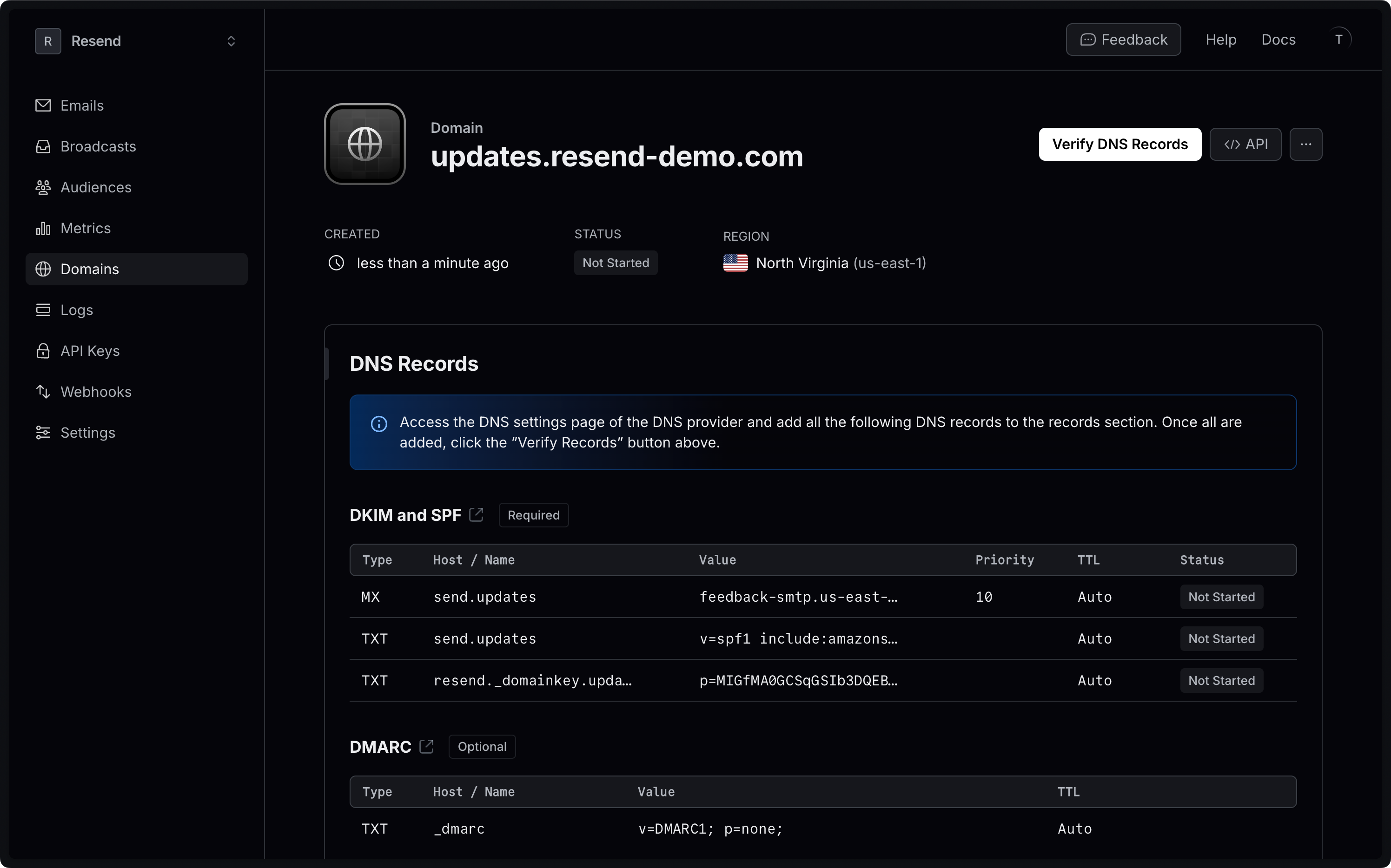
For each domain you have added, you can view the [DKIM](#what-are-dkim-records) and [SPF](#what-are-spf-records) configurations generated by Resend, as well as [DMARC protocol parameters](/docs/dashboard/domains/dmarc) under the **Records** tab.
 Need specific help adding your records to a DNS provider? View our [DNS
Guides](/docs/knowledge-base).
## Update domain configuration
When viewing an individual domain, you can update its configuration options for [TLS](/docs/dashboard/domains/tls) and [tracking](/docs/dashboard/domains/tracking). You can also [delete your domain](#delete-a-domain) if you no longer want it associated with your Resend team.
## Delete a domain
Delete one or more domains by selecting them in your Domains Dashboard page and use the bulk action bar to delete all selected domains.
You can also delete a domain with the [Domains API](/docs/api-reference/domains/delete-domain), or with a [domains CLI command](/docs/cli#domains).
## Transfer a domain between teams
A domain can only be active on one Resend team at a time. For example, if someone else has already verified your domain in their own team, you will not be able to add it to yours.
To transfer a domain between teams you or your team members own, you must [delete the domain](#delete-a-domain) from the team where it is verified and [add it as a new domain](/docs/add-a-domain) while logged in to the desired team.
If you are unable to add a domain you own because it is already associated with a Resend team that you do not control, you can [claim the domain](/docs/dashboard/domains/claim).
## Export your data
Admins can download your data in CSV format for the following resources:
* Emails
* Broadcasts
* Contacts
* Segments
* Domains
* Logs
* API keys
Currently, exports are limited to admin users of your team.
To start, apply filters to your data and click on the "Export" button. Confirm your filters before exporting your data.
If your exported data includes 1,000 items or less, the export will download immediately. For larger exports, you'll receive an email with a link to download your data.
All admins on your team can securely access the export for 7 days. Unavailable exports are marked as "Expired."
All exports your team creates are listed in the
[Exports](https://resend.com/exports) page under **Settings** > **Team** >
**Exports**. Select any export to view its details page. All members of your
team can view your exports, but only admins can download the data.
## What are SPF records
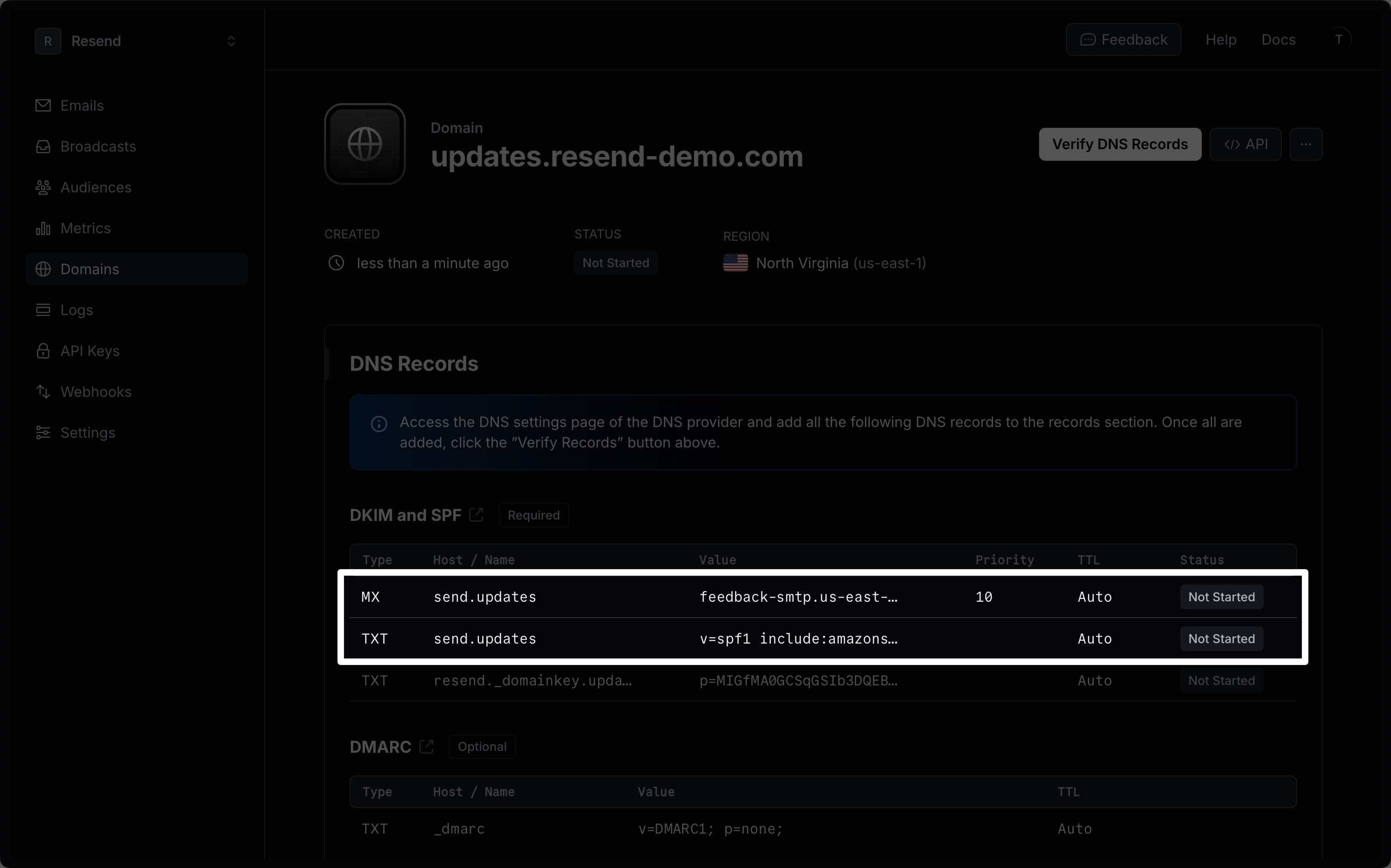
Sender Policy Framework (SPF) is an email authentication standard that includes all the IP addresses authorized to send email on behalf of your domain.
The SPF configuration is made of a TXT DNS record that lists the IP addresses approved by the domain owner. Resend also generates an MX record that allows the recipient to send bounce and complaint feedback to your domain.
Need specific help adding your records to a DNS provider? View our [DNS
Guides](/docs/knowledge-base).
## Update domain configuration
When viewing an individual domain, you can update its configuration options for [TLS](/docs/dashboard/domains/tls) and [tracking](/docs/dashboard/domains/tracking). You can also [delete your domain](#delete-a-domain) if you no longer want it associated with your Resend team.
## Delete a domain
Delete one or more domains by selecting them in your Domains Dashboard page and use the bulk action bar to delete all selected domains.
You can also delete a domain with the [Domains API](/docs/api-reference/domains/delete-domain), or with a [domains CLI command](/docs/cli#domains).
## Transfer a domain between teams
A domain can only be active on one Resend team at a time. For example, if someone else has already verified your domain in their own team, you will not be able to add it to yours.
To transfer a domain between teams you or your team members own, you must [delete the domain](#delete-a-domain) from the team where it is verified and [add it as a new domain](/docs/add-a-domain) while logged in to the desired team.
If you are unable to add a domain you own because it is already associated with a Resend team that you do not control, you can [claim the domain](/docs/dashboard/domains/claim).
## Export your data
Admins can download your data in CSV format for the following resources:
* Emails
* Broadcasts
* Contacts
* Segments
* Domains
* Logs
* API keys
Currently, exports are limited to admin users of your team.
To start, apply filters to your data and click on the "Export" button. Confirm your filters before exporting your data.
If your exported data includes 1,000 items or less, the export will download immediately. For larger exports, you'll receive an email with a link to download your data.
All admins on your team can securely access the export for 7 days. Unavailable exports are marked as "Expired."
All exports your team creates are listed in the
[Exports](https://resend.com/exports) page under **Settings** > **Team** >
**Exports**. Select any export to view its details page. All members of your
team can view your exports, but only admins can download the data.
## What are SPF records
Sender Policy Framework (SPF) is an email authentication standard that includes all the IP addresses authorized to send email on behalf of your domain.
The SPF configuration is made of a TXT DNS record that lists the IP addresses approved by the domain owner. Resend also generates an MX record that allows the recipient to send bounce and complaint feedback to your domain.
 ## What are DKIM records
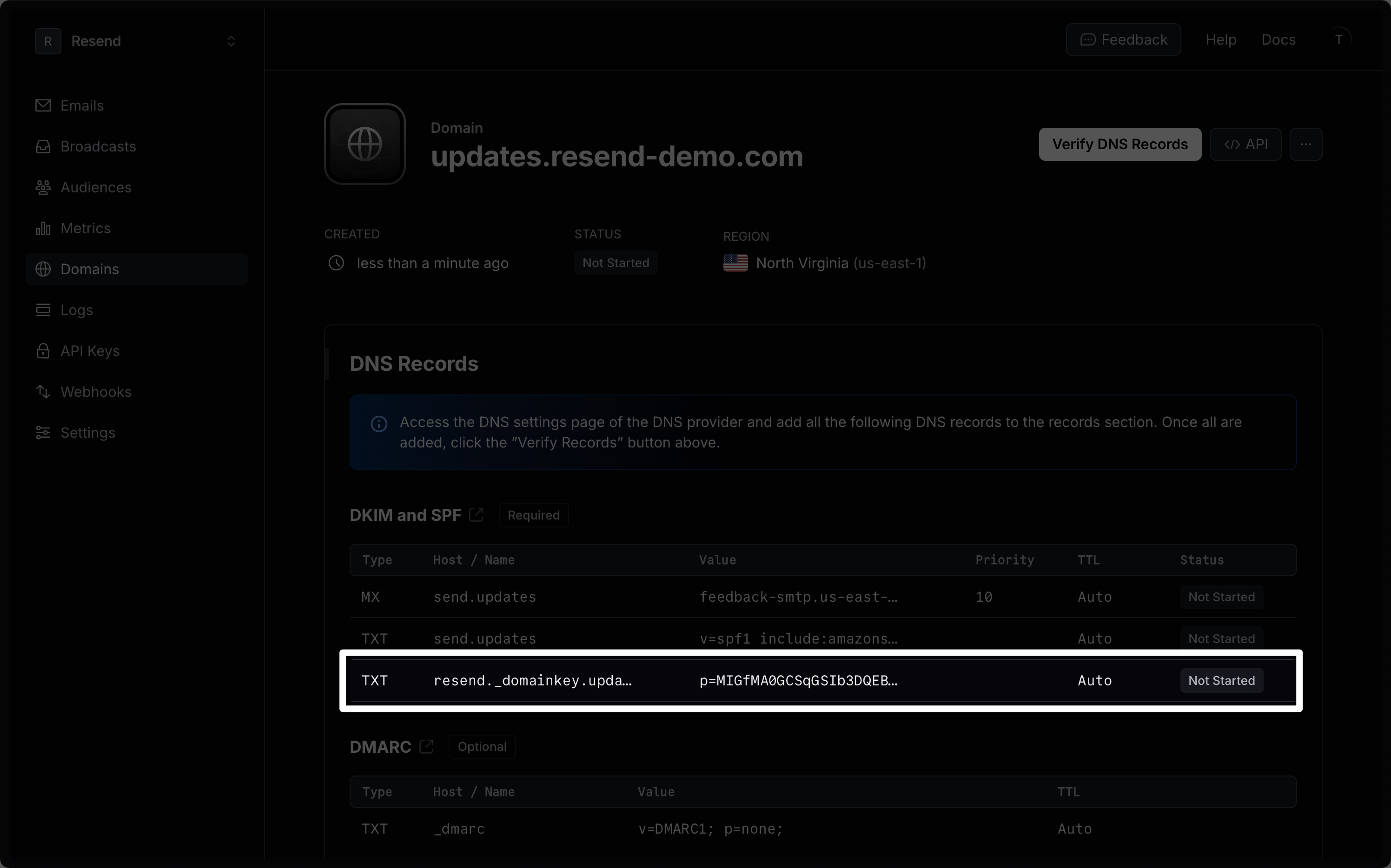
DomainKeys Identified Mail (DKIM) is an email security standard designed to make sure that an email that claims to come from a specific domain was authorized by the owner of that domain.
The DKIM configuration is stored as a TXT DNS record that contains a public key used to verify the authenticity of the email.
## What are DKIM records
DomainKeys Identified Mail (DKIM) is an email security standard designed to make sure that an email that claims to come from a specific domain was authorized by the owner of that domain.
The DKIM configuration is stored as a TXT DNS record that contains a public key used to verify the authenticity of the email.