> ## Documentation Index
> Fetch the complete documentation index at: https://resend.com/docs/llms.txt
> Use this file to discover all available pages before exploring further.
# Managing Unsubscribed Contacts
> Learn how to check and remove recipients who have unsubscribed to your marketing emails.
It's essential to update your Contact list when someone unsubscribes to maintain a good sender reputation.
Benefits of managing your unsubscribe list:
* reduces the likelihood of your emails being marked as spam
* improves deliverability for any other marketing or transactional emails you send
When you include an [unsubscribe link in your Broadcasts or Automations](/dashboard/segments/introduction#automatic-unsubscribes), Resend will automatically handle the unsubscribe flow for you.
## Unsubscribe Statuses
The Contacts page shows the global unsubscribe status of each Contact.
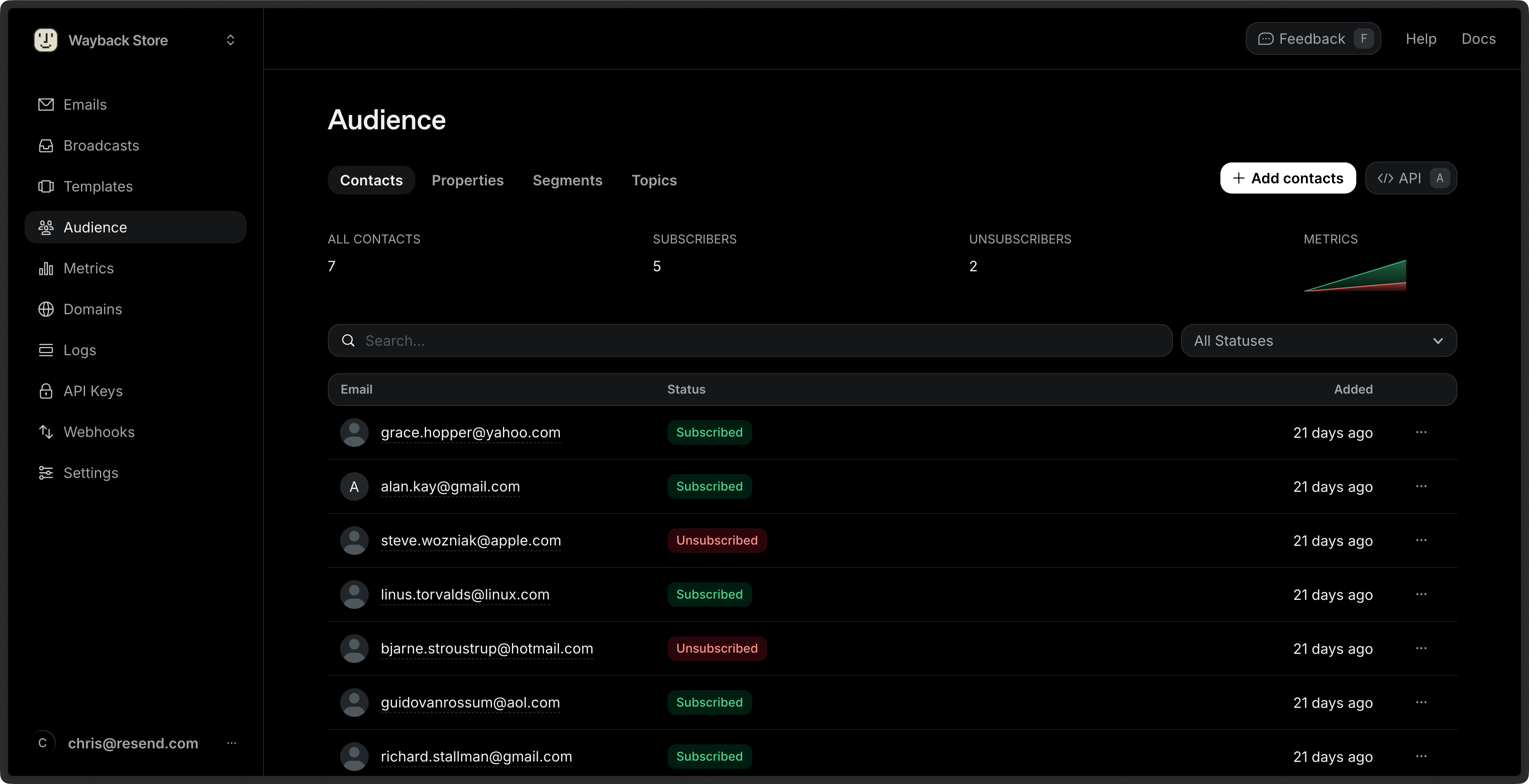 * **Unsubscribed**: the Contact has unsubscribed from all emails from your account.
* **Subscribed**: the Contact is subscribed to at least one Topic.
To filter by Status, click on the **All Statuses** filter next to the search bar, then select a value.
## Topic Subscription Statuses
You can view the subscription status of each Topic for a given Contact by clicking on the Contact's row.
* **Unsubscribed**: the Contact has unsubscribed from all emails from your account.
* **Subscribed**: the Contact is subscribed to at least one Topic.
To filter by Status, click on the **All Statuses** filter next to the search bar, then select a value.
## Topic Subscription Statuses
You can view the subscription status of each Topic for a given Contact by clicking on the Contact's row.
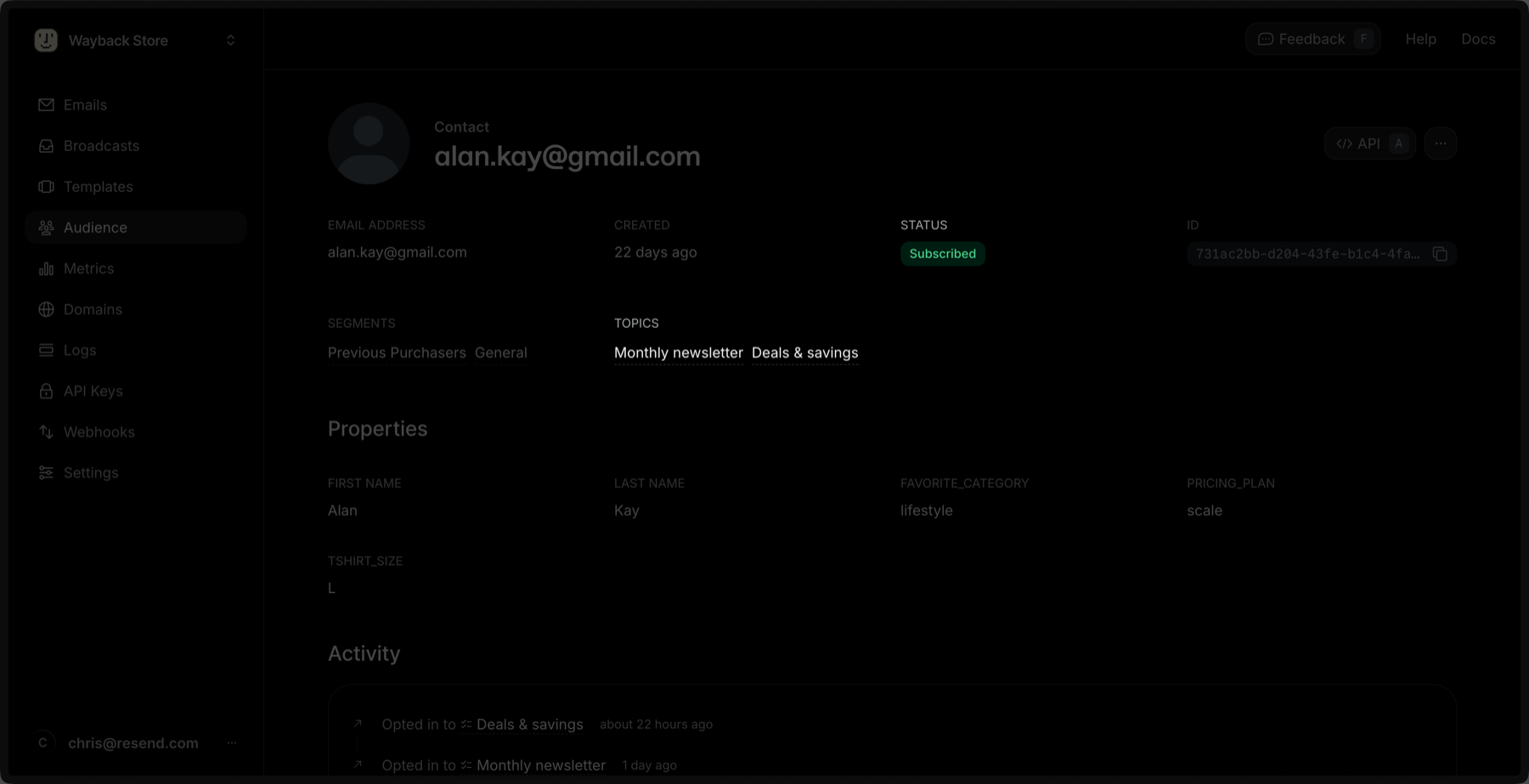 * **Subscribed**: the global subscription status for the Contact.
* **Topics**: the list of Topics the Contact is subscribed to.
You can also check a Contact's Topic subscription status [via the API or SDKs](/api-reference/contacts/get-contact-topics).
## Updating a Topic Subscription for a Contact
You can update a Topic subscription for a Contact by clicking the **Edit** button in the Topic's row.
* **Subscribed**: the global subscription status for the Contact.
* **Topics**: the list of Topics the Contact is subscribed to.
You can also check a Contact's Topic subscription status [via the API or SDKs](/api-reference/contacts/get-contact-topics).
## Updating a Topic Subscription for a Contact
You can update a Topic subscription for a Contact by clicking the **Edit** button in the Topic's row.
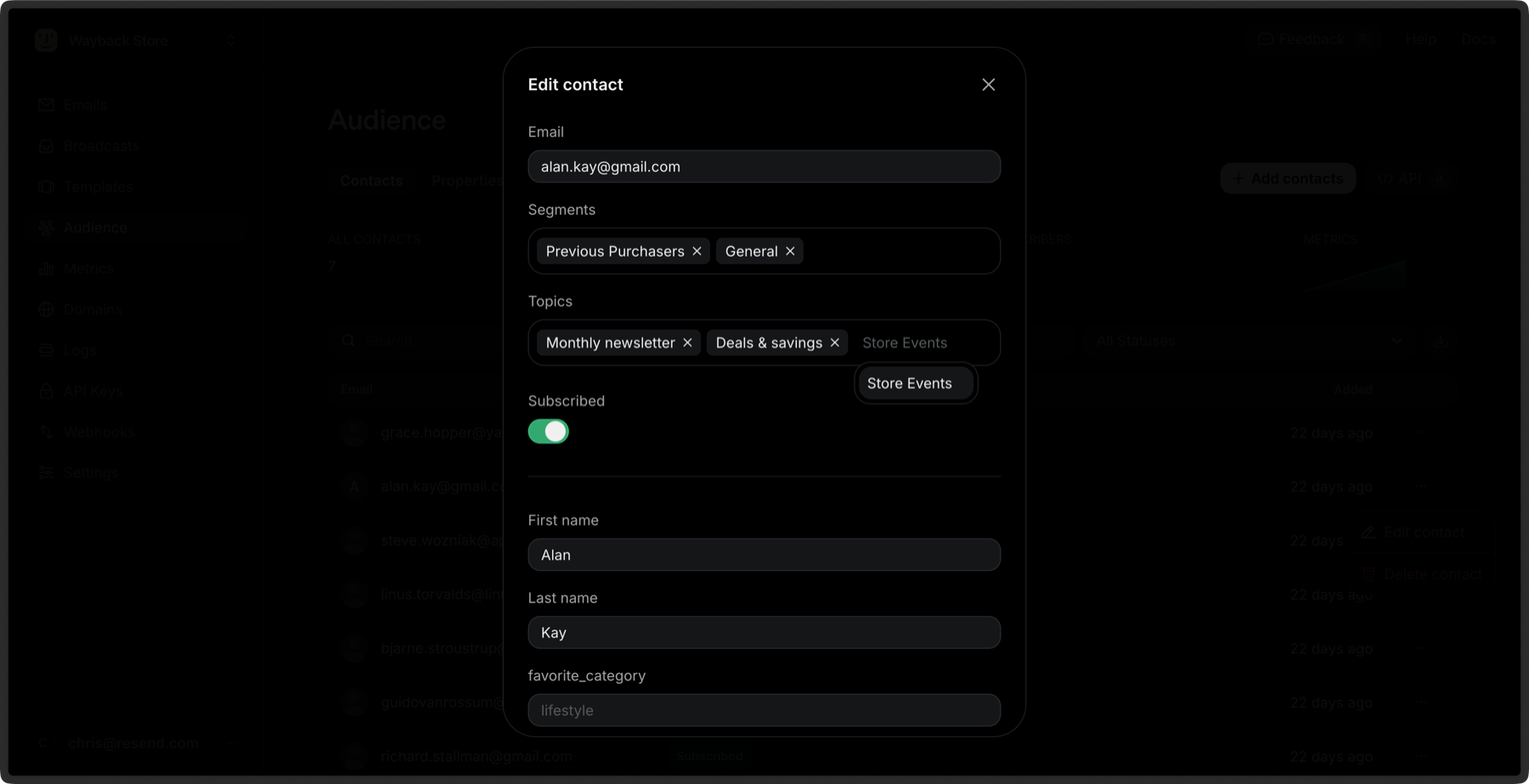 You can also update a Topic subscription for a Contact [via the API or SDKs](/api-reference/contacts/update-contact-topics).
### Bulk Subscribe to Topics
You can subscribe multiple Contacts to Topics at once:
1. Go to the [Contacts](https://resend.com/audience) page.
2. Select multiple Contacts by clicking the checkbox next to each Contact.
3. Click the **Edit** button in the bulk actions bar.
4. Select **Subscribe to topics**.
5. Choose the Topics you want to subscribe the Contacts to.
6. Click **Subscribe**.
Learn more about [bulk actions for Contacts](/dashboard/audiences/contacts#bulk-actions).
You can also update a Topic subscription for a Contact [via the API or SDKs](/api-reference/contacts/update-contact-topics).
### Bulk Subscribe to Topics
You can subscribe multiple Contacts to Topics at once:
1. Go to the [Contacts](https://resend.com/audience) page.
2. Select multiple Contacts by clicking the checkbox next to each Contact.
3. Click the **Edit** button in the bulk actions bar.
4. Select **Subscribe to topics**.
5. Choose the Topics you want to subscribe the Contacts to.
6. Click **Subscribe**.
Learn more about [bulk actions for Contacts](/dashboard/audiences/contacts#bulk-actions).