> ## Documentation Index
> Fetch the complete documentation index at: https://resend.com/docs/llms.txt
> Use this file to discover all available pages before exploring further.
# Your Resend Audience
> Learn how to manage your Contacts and send personalized Broadcasts to them.
The [Audience Page](https://resend.com/audience) is for your marketing Broadcasts and provides tools for managing your Contacts and sending personalized Broadcasts to them. [Broadcasts](/dashboard/broadcasts/introduction) also handle all your unsubscribe flows for you automatically.
The Audience page includes four areas:
* [Contacts](#contacts): individual email addresses
* [Properties](#properties): custom properties for your Contacts
* [Segments](#segments): groups of Contacts for your organization
* [Topics](#topics): user-facing tools for managing email preferences
## Contacts
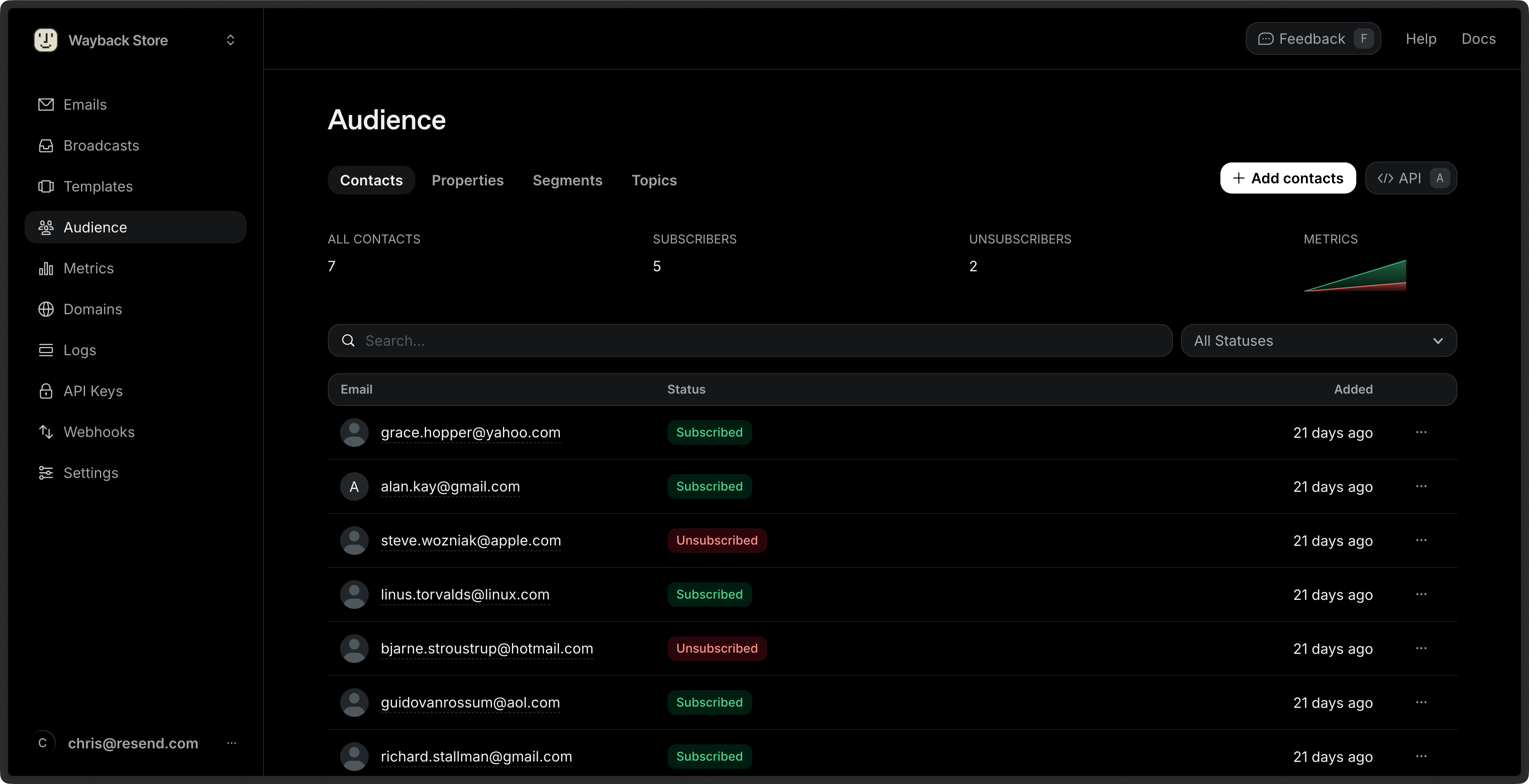
Contacts in Resend are global entities linked to a specific email address.
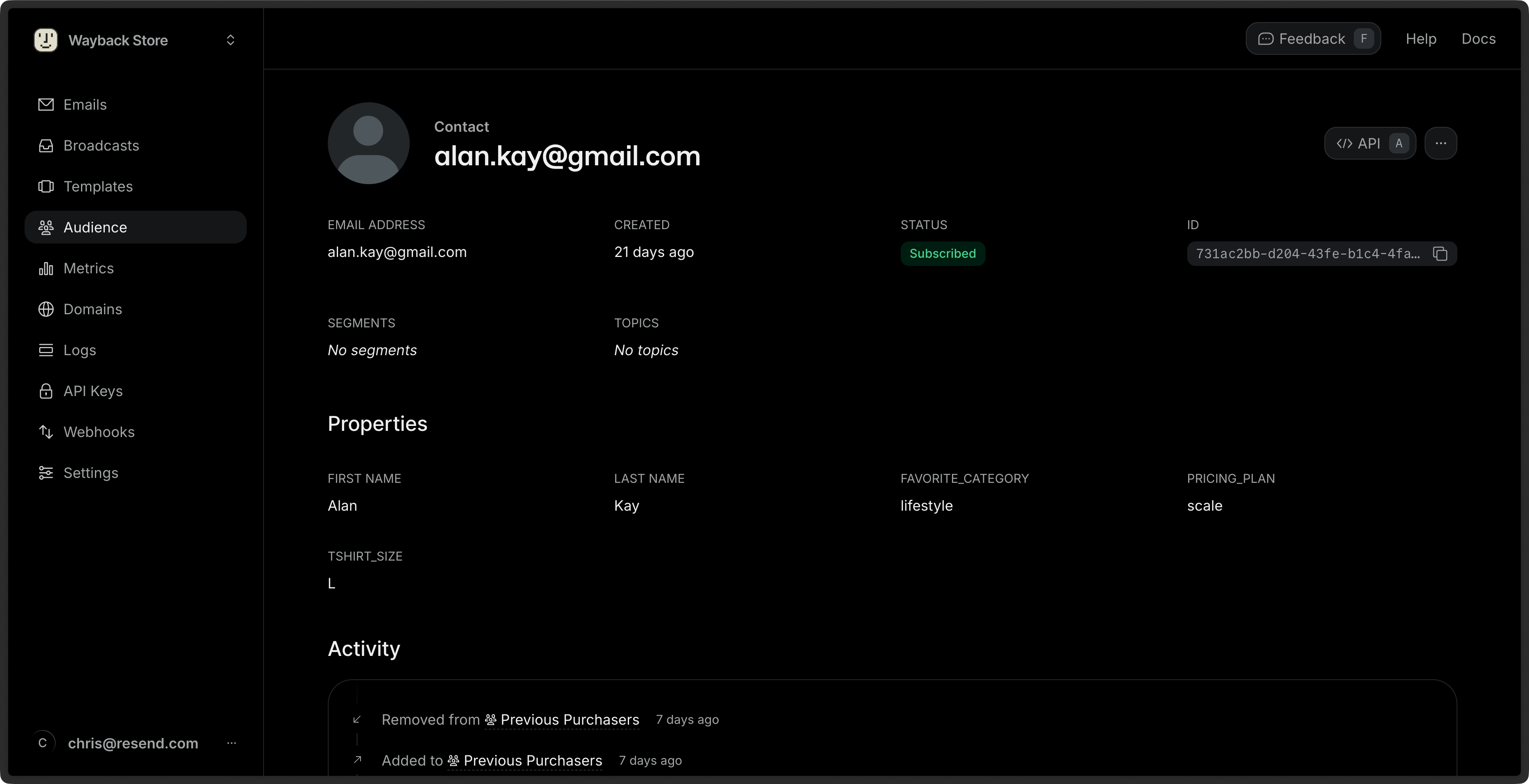
Each Contact:
* is associated with a single email address
* can have custom properties
* can be in zero, one or multiple Segments
* can be opted in or out of Topics
Each Contact shows a history of all marketing interactions with the Contact.
Learn more about [Contacts](/dashboard/audiences/contacts).
## Properties
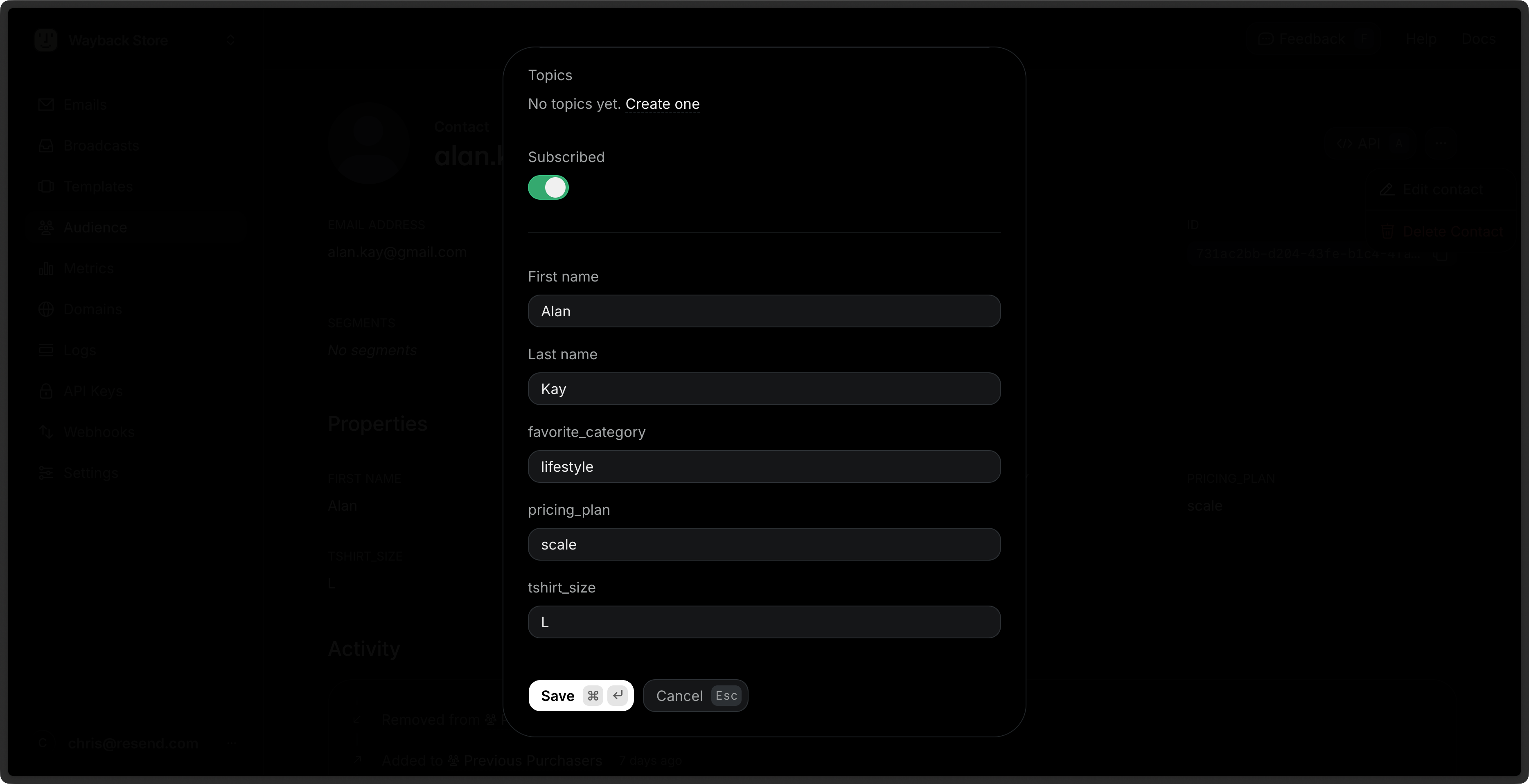
Contact Properties can be used to store additional information about your Contacts and then personalize your Broadcasts.
Resend includes a few default properties:
* `first_name`: The first name of the contact.
* `last_name`: The last name of the contact.
* `unsubscribed`: Whether the contact is unsubscribed from all Broadcasts.
* `email`: The email address of the contact.
You can create additional custom Contact Properties for your Contacts to store additional information. These properties can be used to personalize your Broadcasts across all Segments.
Learn more about [Contact Properties](/dashboard/audiences/properties).
## Segments
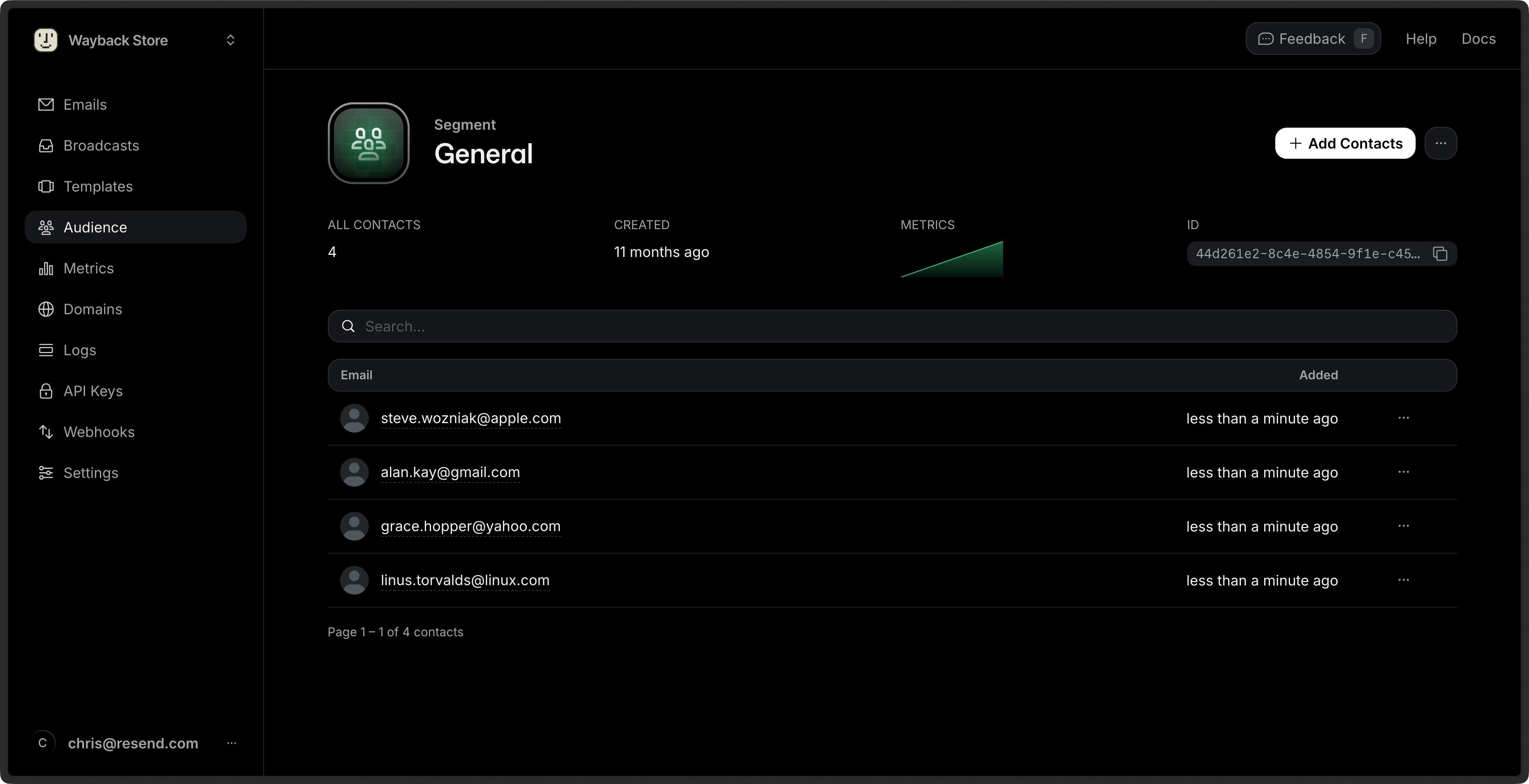
Segments are groups of Contacts for your organization. You can use Segments to send emails to a specific group of Contacts using [Broadcasts](/dashboard/broadcasts/introduction).
Learn more about [Segments](/dashboard/segments/introduction).
## Topics
Topics are user-facing tools for managing email preferences. You can use them to manage your Contacts' email preferences.
When you send [Broadcasts](/dashboard/broadcasts/introduction), you can optionally scope sending to a particular Topic. Not only does scoping your sending help you send more precisely, but it also allows your users to manage their preferences with more control.
New to Topics? Learn [why and when to use
them](/knowledge-base/why-use-topics), including how they improve
deliverability and differ from Segments.
 ## Contacts
Contacts in Resend are global entities linked to a specific email address.
## Contacts
Contacts in Resend are global entities linked to a specific email address.
 Each Contact:
* is associated with a single email address
* can have custom properties
* can be in zero, one or multiple Segments
* can be opted in or out of Topics
Each Contact shows a history of all marketing interactions with the Contact.
Learn more about [Contacts](/dashboard/audiences/contacts).
## Properties
Contact Properties can be used to store additional information about your Contacts and then personalize your Broadcasts.
Each Contact:
* is associated with a single email address
* can have custom properties
* can be in zero, one or multiple Segments
* can be opted in or out of Topics
Each Contact shows a history of all marketing interactions with the Contact.
Learn more about [Contacts](/dashboard/audiences/contacts).
## Properties
Contact Properties can be used to store additional information about your Contacts and then personalize your Broadcasts.
 Resend includes a few default properties:
* `first_name`: The first name of the contact.
* `last_name`: The last name of the contact.
* `unsubscribed`: Whether the contact is unsubscribed from all Broadcasts.
* `email`: The email address of the contact.
You can create additional custom Contact Properties for your Contacts to store additional information. These properties can be used to personalize your Broadcasts across all Segments.
Learn more about [Contact Properties](/dashboard/audiences/properties).
## Segments
Segments are groups of Contacts for your organization. You can use Segments to send emails to a specific group of Contacts using [Broadcasts](/dashboard/broadcasts/introduction).
Resend includes a few default properties:
* `first_name`: The first name of the contact.
* `last_name`: The last name of the contact.
* `unsubscribed`: Whether the contact is unsubscribed from all Broadcasts.
* `email`: The email address of the contact.
You can create additional custom Contact Properties for your Contacts to store additional information. These properties can be used to personalize your Broadcasts across all Segments.
Learn more about [Contact Properties](/dashboard/audiences/properties).
## Segments
Segments are groups of Contacts for your organization. You can use Segments to send emails to a specific group of Contacts using [Broadcasts](/dashboard/broadcasts/introduction).
 Learn more about [Segments](/dashboard/segments/introduction).
## Topics
Topics are user-facing tools for managing email preferences. You can use them to manage your Contacts' email preferences.
Learn more about [Segments](/dashboard/segments/introduction).
## Topics
Topics are user-facing tools for managing email preferences. You can use them to manage your Contacts' email preferences.
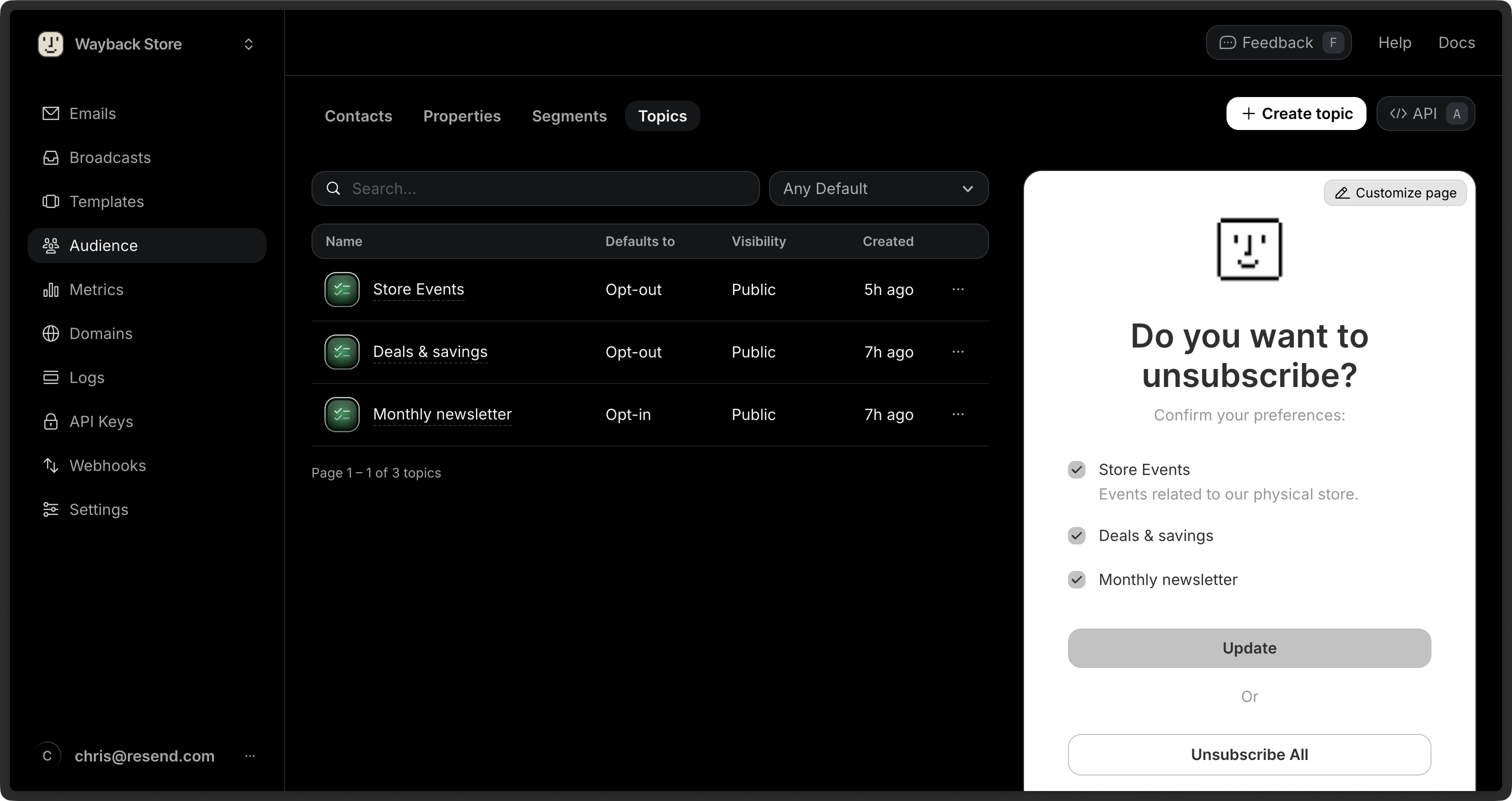 When you send [Broadcasts](/dashboard/broadcasts/introduction), you can optionally scope sending to a particular Topic. Not only does scoping your sending help you send more precisely, but it also allows your users to manage their preferences with more control.